Alice App

A native AI workspace that turns your apps and prompts into reusable assistants

Intermediate
Screenshot of Alice App, A native AI workspace that turns your apps and prompts into reusable assistants

What is Alice App?

Alice App is a ChatGPT overlay tool. Alice is a native Mac app that unifies models from OpenAI, Anthropic, xAI and Groq behind one hotkey, with saved prompt skills, memory, a 50+ assistant library and automation through MCP and no-code tools.

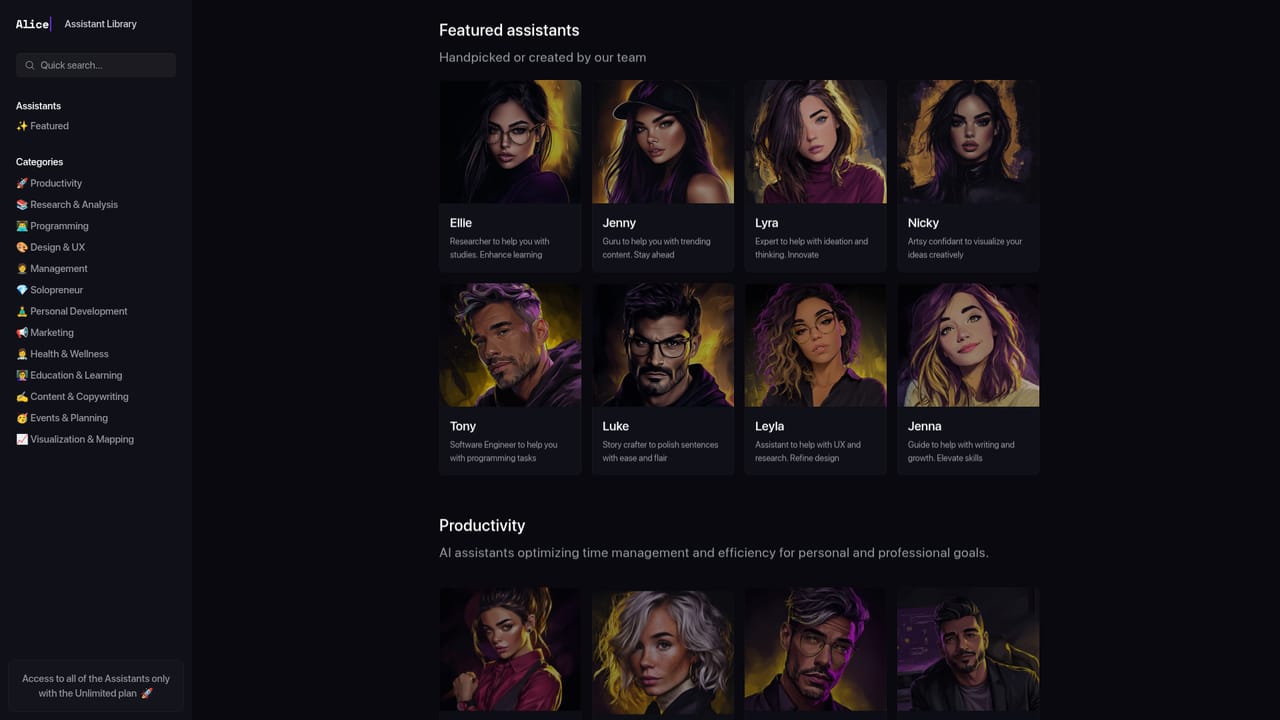
Alice is a native desktop application for macOS that puts a chat window, a model picker and a library of reusable assistants behind a single hotkey. Instead of opening a browser tab for every AI service, you install Alice, connect API keys from providers such as OpenAI, Anthropic, xAI and Groq, and choose the engine per conversation. The homepage lists GPT-4o, GPT-4.5, GPT-5 family models, Claude 3.5 and Claude 4 variants, Grok and Llama among the options, so a reasoning task, a translation and a quick summary can each run on a different model without separate subscriptions. The feature set is built around repetition. Skills are saved prompts bound to keyboard shortcuts, so a formatting instruction you use daily can be triggered with a key combination rather than retyped. Memory and document context let Alice keep project notes and preferences on hand so answers stay specific to your work. The Assistants library ships more than 50 prebuilt personas with 200+ skills, and the homepage names examples including Ellie for research, Tony for programming, Luke for editing prose and Jenna for writing and growth. Some assistants are free to install while others are listed with a price. Automation is the other half of the product. Alice connects to your applications through MCP servers and no-code tools such as Zapier, Make and n8n, so a command can query a CRM, block calendar time or file a follow-up task. Voice input and text-to-speech make the same commands work hands-free. The homepage frames the audience as creative professionals and operators who already pay for several AI subscriptions and want one place to run them, and it claims local storage of conversations and documents plus the option of offline models. That positions Alice against browser-based chat clients and launcher tools, with personalisation and app control as the differentiator rather than raw model access alone. Pricing is usage based through your own provider keys, and Alice says it adds no markup.

How do you use Alice App?

  1. 1Install the desktop app
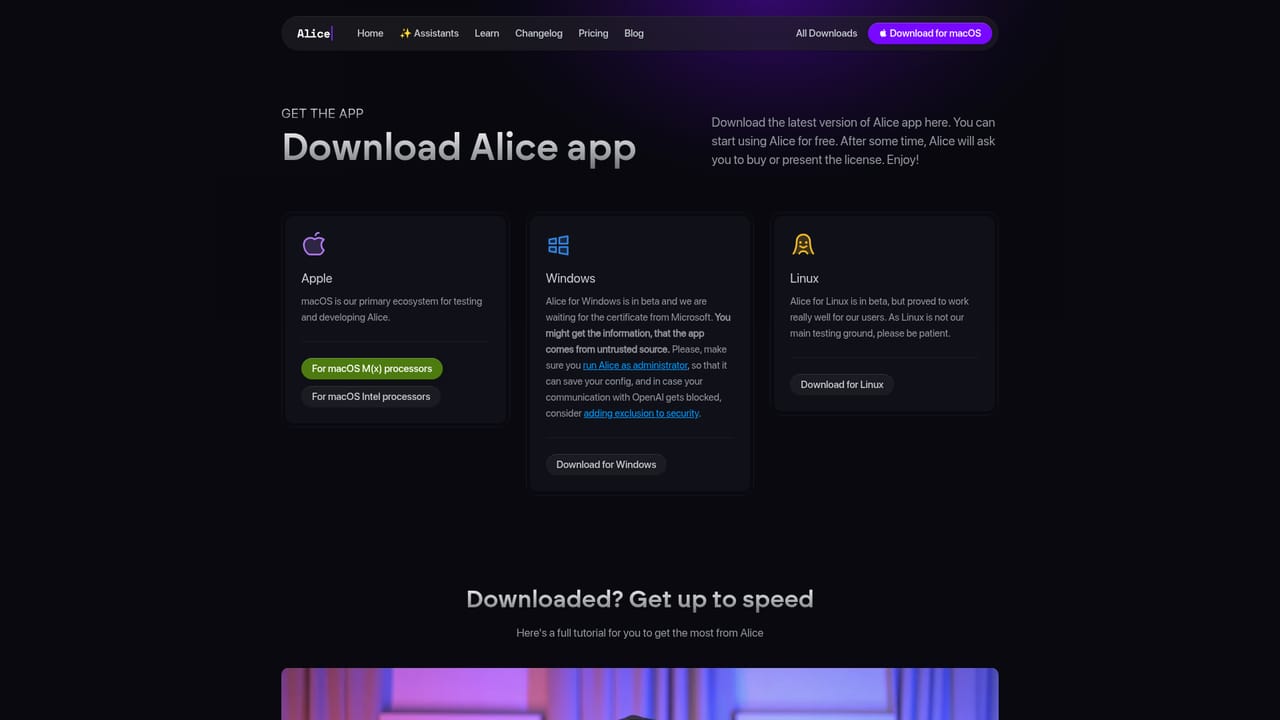
    Download Alice from the official download page and install the native build. The product is presented as a desktop app, so plan on running it on your machine rather than in a browser tab.
    Alice App — Install the desktop app
  2. 2Connect your model providers
    Add API keys for the providers you use, such as OpenAI, Anthropic, xAI or Groq, then pick a default model. Keys stay with the providers, and Alice states it adds no markup to your usage.
  3. 3Try a prebuilt assistant
    Open the assistants library and install one that matches your work, for example Tony for programming or Ellie for research. Each listing shows the underlying model, author, rating and install count.
    Alice App — Try a prebuilt assistant
  4. 4Save your first skill
    Turn a prompt you repeat often into a saved skill and assign it a keyboard shortcut. From then on the instruction runs from anywhere on the desktop without retyping it.
  5. 5Add project context
    Feed Alice the documents, notes and preferences relevant to your work so answers reflect your context. This is what separates a personalised setup from a generic chat window.
  6. 6Wire up an automation
    Connect Alice to Zapier, Make, n8n or an MCP server so an assistant can read data, update a CRM or create a task. Start with a single workflow before expanding.

Pros and cons

Pros

  • One interface covers models from OpenAI, Anthropic, xAI and Groq, which removes the need to juggle several chat subscriptionsAI
  • Saved prompts bound to keyboard shortcuts make recurring formatting and rewriting tasks much faster than retyping them in a browserAI
  • A library of more than 50 assistants with 200+ skills gives newcomers a working setup immediately, and custom assistants can be built on topAI
  • App control through MCP servers and no-code tools lets assistants read CRM data, adjust calendars or trigger workflowsAI
  • Bring-your-own-key billing keeps model choice and spend under your control, with no markup added by the appAI

Cons

  • You must supply and pay for API keys from each provider, so the real cost depends on usage and is harder to predict than a flat subscriptionAI
  • The homepage promises local storage and offline models but gives no detail on how that is enforced or which offline models are supportedAI
  • An assistant library where some entries cost money on top of your API spend adds a second purchasing decision that is not fully explainedAI
  • Automation through MCP and no-code platforms assumes you already run those tools and understand their setupAI
  • The strongest claims come from testimonials and marketing copy, with no published benchmarks for the speed or privacy assertionsAI

How much does Alice App cost?

Pricing

The homepage does not publish a subscription price. Alice works on a bring-your-own-API-key model for GPT-5, Claude, Gemini and other providers, with no markup and no monthly fees claimed. Individual assistants in the library can carry their own price, for example a listed $5 buy and install option.

Learn more

Integrations

Alice connects to the software you already use through MCP servers and no-code platforms including Zapier, Make and n8n, letting assistants query a CRM, adjust a calendar or create follow-up tasks. The homepage mentions no other named app integrations.

Features

Chat across OpenAI, Anthropic, xAI and Groq models in one window, with web search, image reading and image generation. Skills save prompts to hotkeys, memory holds project context, and a library of 50+ assistants with 200+ skills can be installed or built from scratch. Voice input, text-to-speech, local storage and optional offline models round out the package.

Frequently asked questions about Alice App

  • How much does Alice App cost?
    The homepage does not publish a subscription price. Alice works on a bring-your-own-API-key model for GPT-5, Claude, Gemini and other providers, with no markup and no monthly fees claimed. Individual assistants in the library can carry their own price, for example a listed $5 buy and install option.
  • How do you use Alice App?
    The walkthrough on this page covers 6 steps: 1. Install the desktop app 2. Connect your model providers 3. Try a prebuilt assistant 4. Save your first skill 5. Add project context 6. Wire up an automation.
  • What platforms does Alice App support?
    Alice App is available on MacOS.
  • What does Alice App integrate with?
    Alice connects to the software you already use through MCP servers and no-code platforms including Zapier, Make and n8n, letting assistants query a CRM, adjust a calendar or create follow-up tasks. The homepage mentions no other named app integrations.
  • What are the limitations of Alice App?
    You must supply and pay for API keys from each provider, so the real cost depends on usage and is harder to predict than a flat subscription. The homepage promises local storage and offline models but gives no detail on how that is enforced or which offline models are supported. An assistant library where some entries cost money on top of your API spend adds a second purchasing decision that is not fully explained.

Status

StatusActive
Views0
Outbound clicks0
Added10/21/2026

Platforms

MacOS

Pricing

FreemiumPaid