Free trial
No formal trial is described. The extension installs free with no credit card, and the visible request counter suggests a free allowance exists before a Pro tier is needed.
Learn moreAI writing help inside Google Docs, delivered as native suggestions.
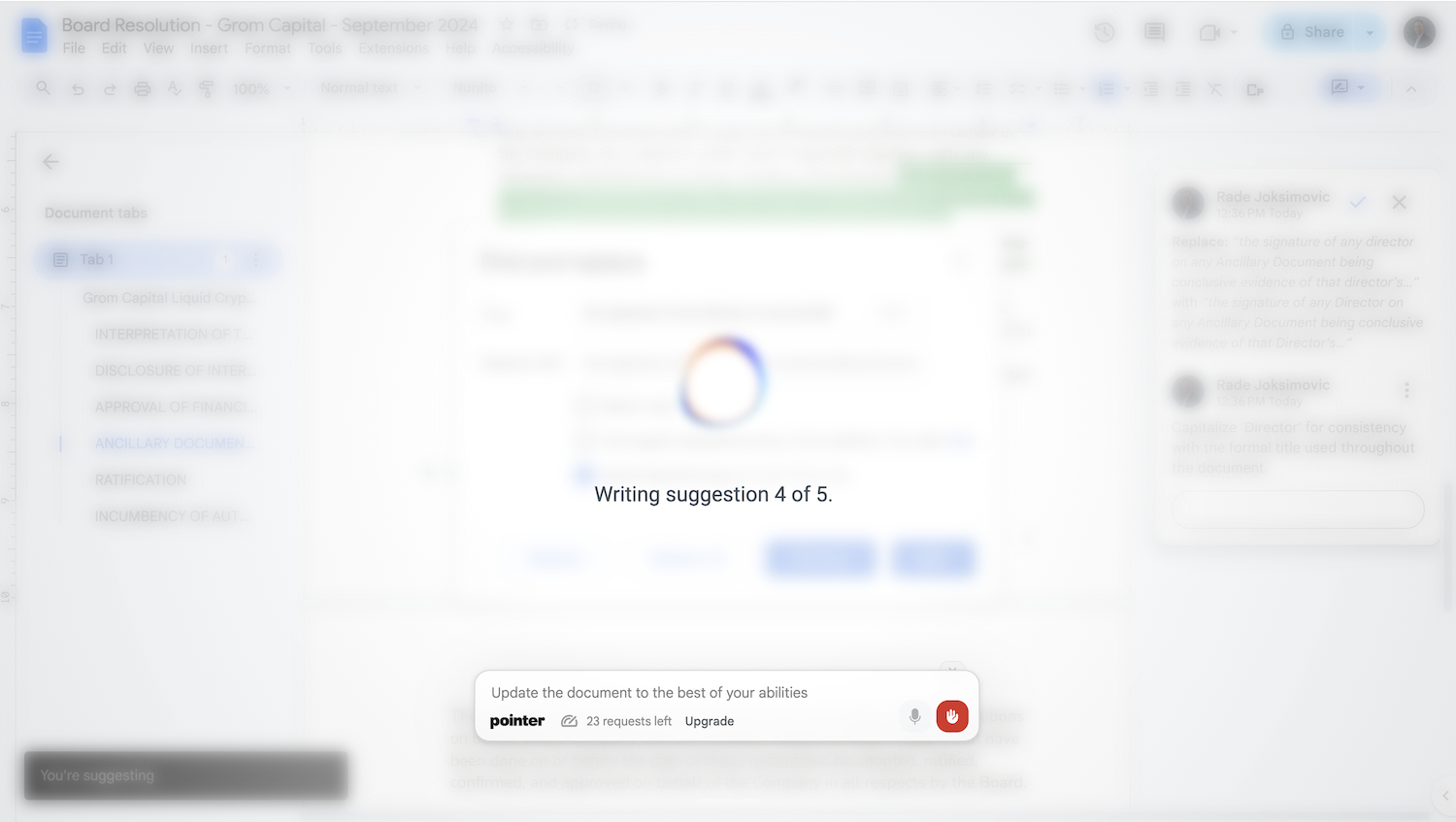
Pointer is a Chrome extension that brings a Claude-powered writing assistant into Google Docs through native Suggestions. Users ask in plain language for tone changes, grammar fixes, summaries, expansions or translations, then accept or reject each edit with an explanation attached, keeping the document reviewable at every step.
Pointer is a Chrome extension that puts an AI writing assistant inside Google Docs. Instead of opening a separate chat window, generating text, and pasting it back into the document, users work in the doc itself and receive edits the same way they would from a colleague. The assistant is powered by Claude and communicates through Google Docs native Suggestions, so every change arrives as a tracked edit with an explanation attached. Accepting or rejecting is a single click, and the original text is never silently overwritten. The tool is aimed at people who write inside Docs all day: business development teams drafting proposals and memos, academics working on papers and grant applications, content marketers producing articles and newsletters, and legal teams handling contracts and policies. Requests are made in plain language. A user can ask for a more concise passage, a more formal register, a grammar pass that catches context-dependent mistakes a standard spell-check misses, a summary of a long section, or a translation between more than 35 languages. The page specifically calls out tone shifts between formal, casual, persuasive and empathetic, plus simplification of dense material for general readers. The workflow is deliberately review-first. Pointer does not rewrite the document behind the user's back. Each edit appears as a suggestion card showing what is being replaced, what it would become, and the reasoning behind the change, mirroring the accept or reject loop that already exists when collaborating with humans in Docs. That makes it a reasonable fit for regulated or high-stakes documents where every alteration needs a visible audit trail in the revision history. Among Google Docs AI options, Pointer's distinguishing choice is to avoid a side panel or a separate tab entirely and lean on the suggestion system Google already built. Distribution is through the Chrome Web Store, where the listing shows a 4.8 rating, and the entry point is free with no credit card required. An interface counter in the product demo indicates a request allowance tied to a Pro tier, so heavier users should expect to hit a usage ceiling rather than unlimited editing.
No formal trial is described. The extension installs free with no credit card, and the visible request counter suggests a free allowance exists before a Pro tier is needed.
Learn moreThe extension is free to add from the Chrome Web Store with no credit card required. The product demo shows a request allowance with a Pro tier label (87 requests left, Pro), which implies a paid subscription above the free allowance, but the page does not list prices or plan details.
Learn morePointer integrates with Google Docs through a Chrome browser extension and delivers changes using Docs native Suggestions. No other integrations are listed on the page.
Pointer handles style improvements (more concise, professional or conversational), grammar and spelling fixes including context-dependent errors, tone adjustment across formal, casual, persuasive and empathetic registers, expansion or summarization of passages, translation between 35+ languages, and simplification of complex material for general audiences.
 AI Angels400+ customizable AI girlfriends for NSFW chat, voice calls, and roleplay
 Candy AIExperience the future of companionship with AI friends who chat, role-play, and connect with you on a human level.
 ourdream.aiA vast AI roleplay platform with millions of characters for chat, images, video and voiceAI Angels400+ customizable AI girlfriends for NSFW chat, voice calls, and roleplayCandy AIExperience the future of companionship with AI friends who chat, role-play, and connect with you on a human level.ourdream.aiA vast AI roleplay platform with millions of characters for chat, images, video and voice