Free trial
The homepage states that documents can be created and formatted for free, which suggests a free entry tier, but no explicit trial period or free plan limits are described.
Learn moreTurns raw text and uploads into polished, template-ready documents
Own AI Formatter.net? Verify ownership to get a dofollow link
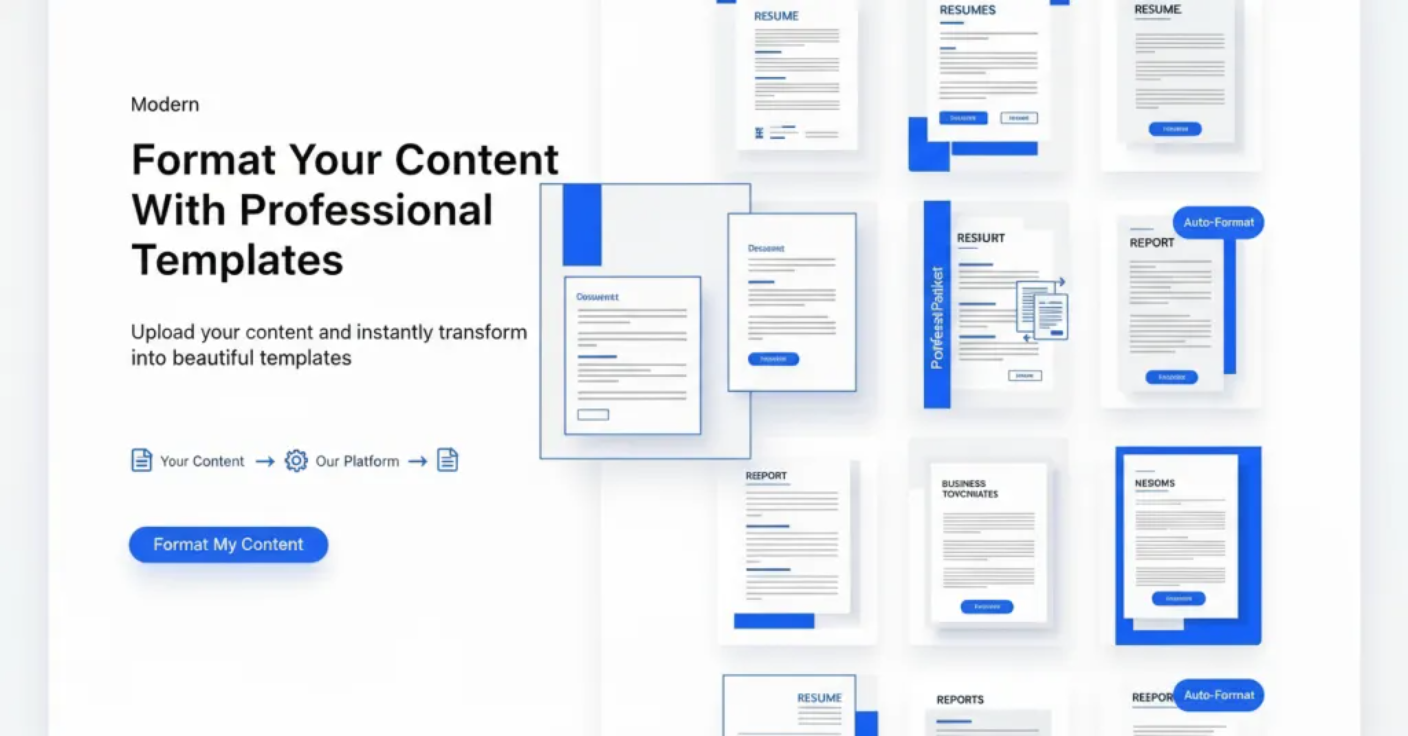
AI Formatter.net is a document formatting tool that turns raw text and uploads into polished, template-ready documents. AI Formatter converts uploaded files or pasted text into professionally templated documents, from resumes and cover letters to invoices, agendas, contracts and screenplays.
AI Formatter is a browser-based document tool that takes raw text or an uploaded file and renders it inside a chosen template, so the output looks designed rather than typed. The homepage positions it around a four-step loop: pick a document type, select a template, supply content, and generate. Supported upload formats are PDF, DOCX, TXT and Markdown, with a stated ceiling of 10MB per file. Content can also be pasted directly into the text box, which is the faster route when a document only exists as notes. The template library is the actual product, and it is broad. A long, categorised list covers letters (apology, appointment, resignation, reference), business paperwork (business plan, proposal, purchase order, non disclosure agreement, statement of work style process docs), finance items (invoice, receipt, quotation, proforma invoice, cost estimate, bank statement), academic and research formats (thesis, literature review, APA title page, lab report cover, citation), and creative or production scripts (screenplay, stage play, commercial script, theater script). Each type ships with multiple visual styles, and the acknowledgement letter alone shows a long run of variants from legal plain language to midnight luxury. Several tools are split out as their own pages: a general document formatter, a resume formatter marketed as ATS-optimized, a cover letter generator, a meeting agenda formatter, plus invoice, receipt and quotation generators. That makes the product most useful to job seekers, small business owners and operations staff who need presentable paperwork without opening a design suite, and to anyone who receives messy text and has to return it in a house style. After generation, an editor allows adjustments before download in Word, PDF and other formats, and documents can be shared directly. Placement matters: AI Formatter is narrower than a general writing assistant, since it does not primarily draft ideas, and lighter than a full page layout program. Its value is the shortcut from content to finished-looking page, and the trade-off for that convenience is working inside fixed template structures.
The homepage states that documents can be created and formatted for free, which suggests a free entry tier, but no explicit trial period or free plan limits are described.
Learn moreCore features are file and raw text input (PDF, DOCX, TXT, Markdown up to 10MB), a large categorised template library with multiple visual styles per document type, AI-driven rendering that preserves content, a post-generation editor, direct sharing, and export to Word, PDF and other formats. Dedicated tools cover document formatting, resumes, cover letters, meeting agendas, invoices, receipts and quotations.
Learn more AI Angels400+ customizable AI girlfriends for NSFW chat, voice calls, and roleplay
 Candy AIExperience the future of companionship with AI friends who chat, role-play, and connect with you on a human level.
 ourdream.aiA vast AI roleplay platform with millions of characters for chat, images, video and voiceAI Angels400+ customizable AI girlfriends for NSFW chat, voice calls, and roleplayCandy AIExperience the future of companionship with AI friends who chat, role-play, and connect with you on a human level.ourdream.aiA vast AI roleplay platform with millions of characters for chat, images, video and voice