ProfilePicks AI

Ten budget-matched gift ideas from a Facebook profile URL

Beginner
Screenshot of ProfilePicks AI, Ten budget-matched gift ideas from a Facebook profile URL

What is ProfilePicks AI?

ProfilePicks AI turns a Facebook profile URL and a budget into ten personalized gift ideas with direct purchase links. Two free searches are available without sign-up or a credit card.

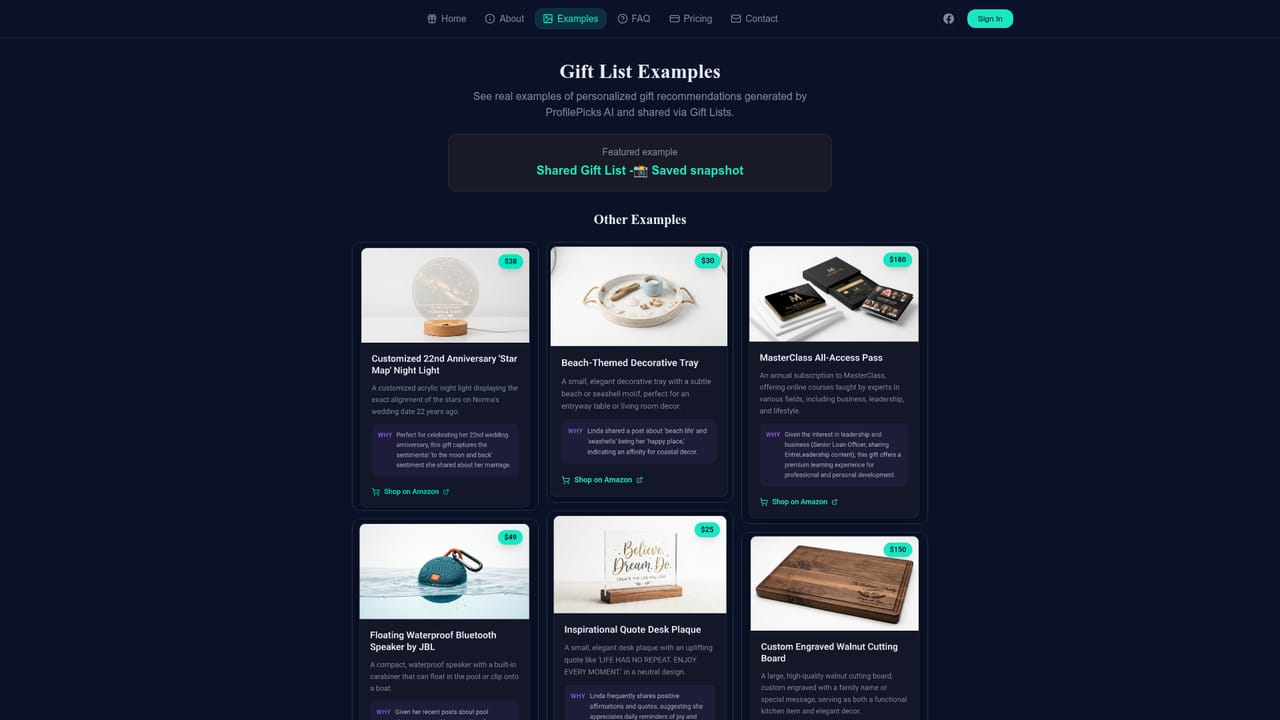
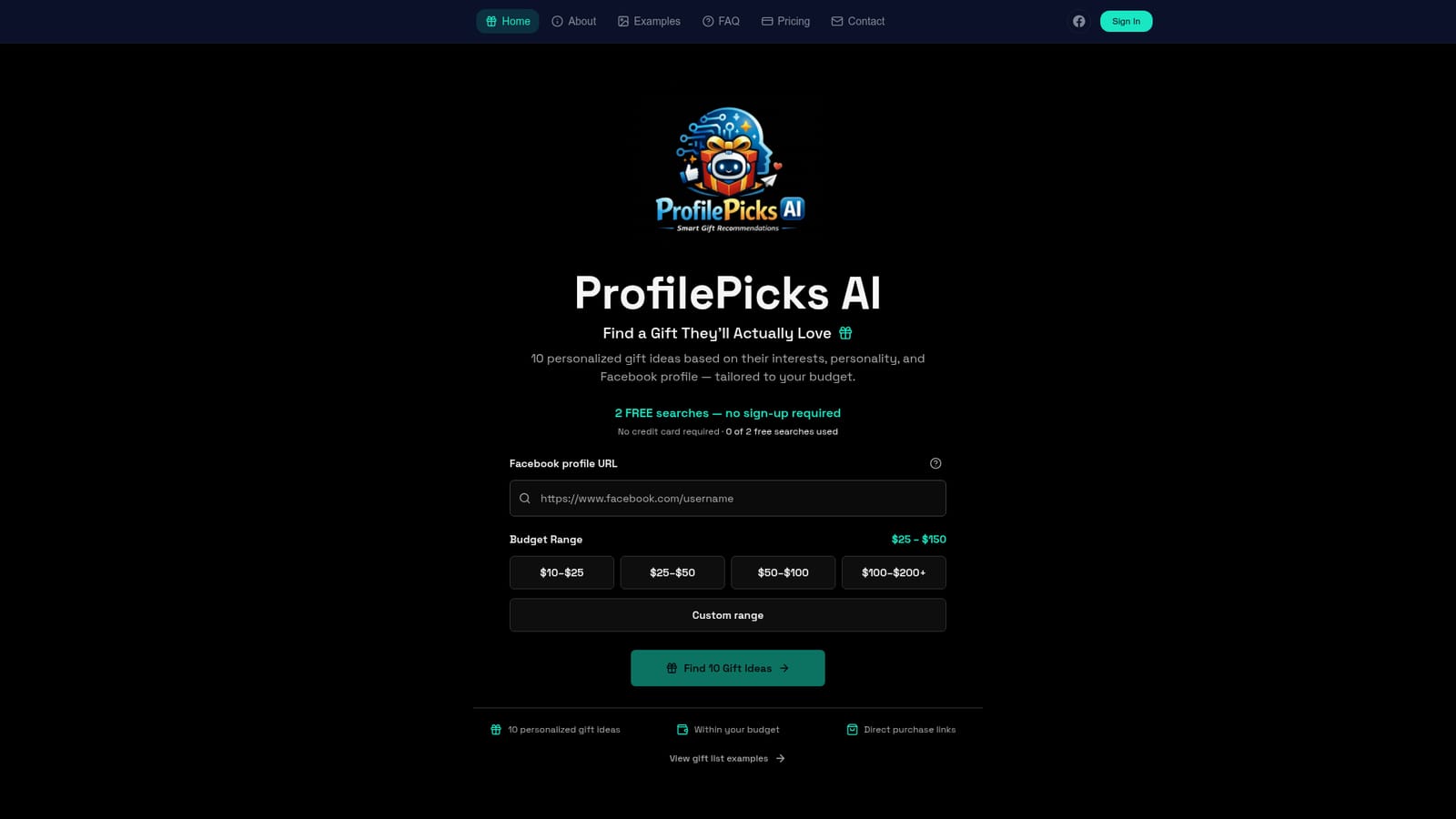
ProfilePicks AI is a web-based gift recommendation tool that starts from a person's public Facebook profile. Instead of asking the shopper to describe the recipient, it takes a profile URL and a spending range, then returns a list of ten gift suggestions meant to reflect that person's visible interests. Each suggestion comes with a direct purchase link, so the step from idea to checkout is short. The workflow is deliberately compact. A visitor pastes a Facebook profile URL into a single field and picks a budget. Preset brackets run from $10 to $25 up through $100 to $200 and above, and a custom range is available for anything that falls between them. Pressing the search button produces the list, and the site says the whole process takes under a minute. A help link next to the URL field explains what a valid profile address looks like, and a showcase page displays sample gift lists so a newcomer can judge the quality of the output before entering anyone's details. The service is aimed at people who buy gifts for acquaintances, coworkers, distant relatives or friends whose tastes they only know from social media. It suits last-minute shoppers who want a starting point more than a final answer. The homepage offers two free analyses with no sign-up and no credit card, which lets users test it on a real profile. The source does not describe paid plans, so anyone planning heavier use has to check what happens after the free searches run out. Among alternatives, ProfilePicks AI sits between generic gift guides, which ignore the recipient, and general chat assistants, which need a written description of the person. Its narrow focus on one input source is both the appeal and the limit: results depend on what a profile exposes, and people with sparse or private profiles are likely to get weaker suggestions. It works best as a quick inspiration engine for a defined budget rather than a substitute for knowing the recipient.
How do you use ProfilePicks AI?

  1. 1Check the sample gift lists
    Open the showcase to see example results and judge whether the style of suggestions fits what you need.
    ProfilePicks AI — Check the sample gift lists
  2. 2Copy the recipient's profile URL
    Find the person's Facebook profile and copy its address. A help link beside the field explains what a valid URL looks like.
    ProfilePicks AI — Copy the recipient's profile URL
  3. 3Paste the URL into the form
    Enter the profile address in the Facebook profile URL field on the homepage.
  4. 4Choose a budget range
    Select one of the preset brackets from $10 to $25 up to $100 to $200 and above, or set a custom range.
  5. 5Generate and review the ideas
    Press Find 10 Gift Ideas, then go through the list and use the direct purchase links for the items that fit.

Pros and cons

Pros

  • Needs only a profile URL and a budget, so there is no long questionnaire to fill inAI
  • Two free searches work without sign-up or a credit card, which lowers the barrier to trying itAI
  • Every list contains ten ideas with direct purchase links, shortening the path to buyingAI
  • Preset budget brackets plus a custom range keep suggestions within what the buyer wants to spendAI
  • A showcase page shows example gift lists before any personal data is enteredAI

Cons

  • Works only from Facebook profiles, so people without one or with private profiles are poorly servedAI
  • Pricing beyond the two free searches is not stated on the homepage, making ongoing costs unclearAI
  • Analyzing someone's profile may feel intrusive, and the source says nothing about how data is handledAI
  • Suggestions rest on what a profile shows, which may not match a person's real tastes or current needsAI
  • No mention of an API, mobile apps or integrations, so use is limited to the websiteAI

How much does ProfilePicks AI cost?

Free trial

Two free analyses are included with no sign-up and no credit card required. A counter on the page shows how many of the 2 have been used.

Learn more

Pricing

The homepage offers 2 free searches with no sign-up or credit card. Pricing for further searches is not stated.

Learn more

Features

Generates 10 gift ideas from a Facebook profile URL, filtered by budget (preset brackets or custom range), with direct purchase links and a showcase of example gift lists.

Learn more

Frequently asked questions about ProfilePicks AI

  • How much does ProfilePicks AI cost?
    The homepage offers 2 free searches with no sign-up or credit card. Pricing for further searches is not stated.
  • Does ProfilePicks AI offer a free trial?
    Two free analyses are included with no sign-up and no credit card required. A counter on the page shows how many of the 2 have been used.
  • How do you use ProfilePicks AI?
    The walkthrough on this page covers 5 steps: 1. Check the sample gift lists 2. Copy the recipient's profile URL 3. Paste the URL into the form 4. Choose a budget range 5. Generate and review the ideas.
  • What platforms does ProfilePicks AI support?
    ProfilePicks AI is available on Web App.
  • What are the limitations of ProfilePicks AI?
    Works only from Facebook profiles, so people without one or with private profiles are poorly served. Pricing beyond the two free searches is not stated on the homepage, making ongoing costs unclear. Analyzing someone's profile may feel intrusive, and the source says nothing about how data is handled.

Status

StatusActive
Views0
Outbound clicks0
Added10/18/2026

Platforms

Web App

Pricing

Free Trial