Free trial
A free account is offered with no credit card required, and the site invites new users to create their first prompts for free. Duration and usage caps for the free tier are not published.
Learn moreTurn your GPT-4 prompts into shared assistants for your team
Own PromptInterface.ai? Verify ownership to get a dofollow link

PromptInterface.ai is a prompt management tool that turns your GPT-4 prompts into shared assistants for your team. PromptInterface.ai lets one person write a GPT-4 prompt template and publish it to colleagues as a simple fill-in form. User groups control who sees which assistant, and forms work on phones and desktops.
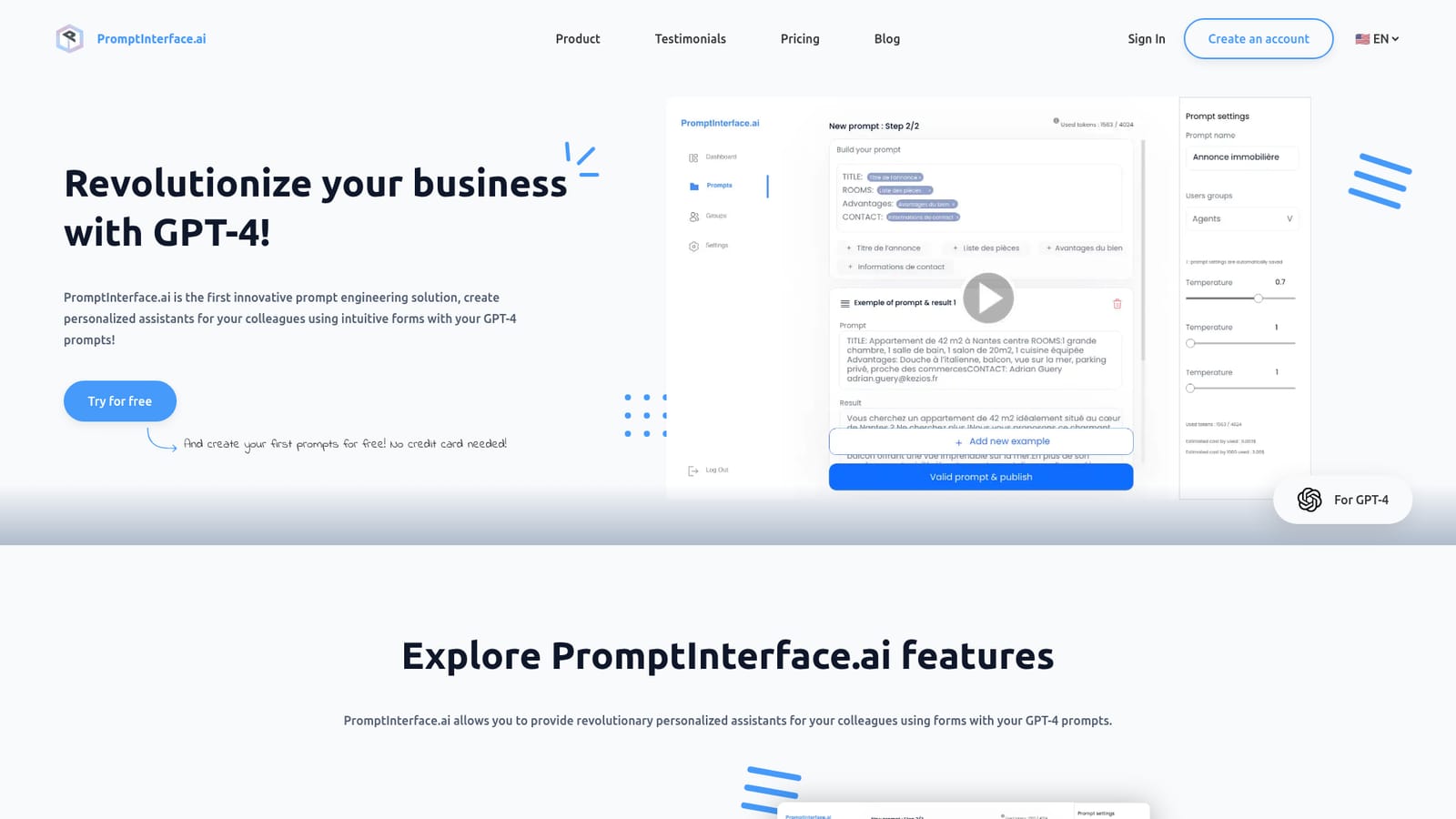
PromptInterface.ai is a prompt engineering layer built around GPT-4. Rather than asking every colleague to learn prompt craft, one person writes and stores a prompt template, then exposes it through an intuitive form that others simply fill in. Each submission runs against the underlying model and returns an output, so a carefully tuned instruction set gets reused across a team without anyone copying raw prompts into a chat window. The product is aimed at organisations that want consistent AI output from non-technical staff. Setup is split into two ideas: prompt templates, which hold the instructions, and user groups, which decide who sees which template. A support team might get access to a ticket summarisation form while marketing sees a different set, keeping irrelevant prompts out of the way and reducing the chance of someone running the wrong one. The vendor states there is no cap on how many prompt templates an account can create. In daily use the workflow is short. A colleague opens the assigned form, fills the fields, submits, and receives the generated result. Forms are described as compatible with both smartphones and computers, so the interface travels with people who work away from a desk. The tool competes less with general chat assistants than with the do-it-yourself approach of passing a prompt document around an office, and with internal build-your-own-bot projects that require engineering time. The website leans heavily on team productivity language, with testimonials from technical managers, project managers and developers about automating repetitive work and improving communication. It is a focused, narrow product: no model choice beyond GPT-4 is mentioned, and the published material covers prompt forms and groups rather than a wider automation platform. Buyers wanting branching workflows or deep app connectors should look elsewhere; buyers wanting one well-written prompt delivered to many people through a simple form are the target audience.
A free account is offered with no credit card required, and the site invites new users to create their first prompts for free. Duration and usage caps for the free tier are not published.
Learn moreThe homepage lists a price of $49.9/month with no hidden fees, paid securely by PayPal or credit card (Visa, Mastercard and American Express logos shown). Subscriptions and lifetime licences are managed in the customer area and can be cancelled at any time. Seat counts and usage limits are not stated.
Learn moreHelp is limited to an on-site FAQ and a contact email address. Questions about billing, cancellation and mobile compatibility are answered in the FAQ; no help centre or live chat is listed.
Learn moreThe homepage mentions only GPT-4 as the underlying model. No third-party integrations, plugins or public API are described on the listed pages.
Prompt templates hold your GPT-4 instructions and are exposed to colleagues as intuitive fill-in forms. User groups control which prompts each team can access. The vendor states template creation is unlimited, and forms are described as compatible with both smartphones and computers.
 AI Angels400+ customizable AI girlfriends for NSFW chat, voice calls, and roleplay
 Candy AIExperience the future of companionship with AI friends who chat, role-play, and connect with you on a human level.
 ourdream.aiA vast AI roleplay platform with millions of characters for chat, images, video and voiceAI Angels400+ customizable AI girlfriends for NSFW chat, voice calls, and roleplayCandy AIExperience the future of companionship with AI friends who chat, role-play, and connect with you on a human level.ourdream.aiA vast AI roleplay platform with millions of characters for chat, images, video and voice


