promptoMANIA

A prompt hub and visual builder for AI image, video, 3D and audio models.

Beginner
Screenshot of promptoMANIA, A prompt hub and visual builder for AI image, video, 3D and audio models

What is promptoMANIA?

promptoMANIA is a generative art tool. promptoMANIA bundles a directory of AI models, subject-specific prompt guides and a visual prompt builder. It is a planning and reference tool for people generating images in Midjourney, FLUX, Stable Diffusion and similar services, not a generator itself.

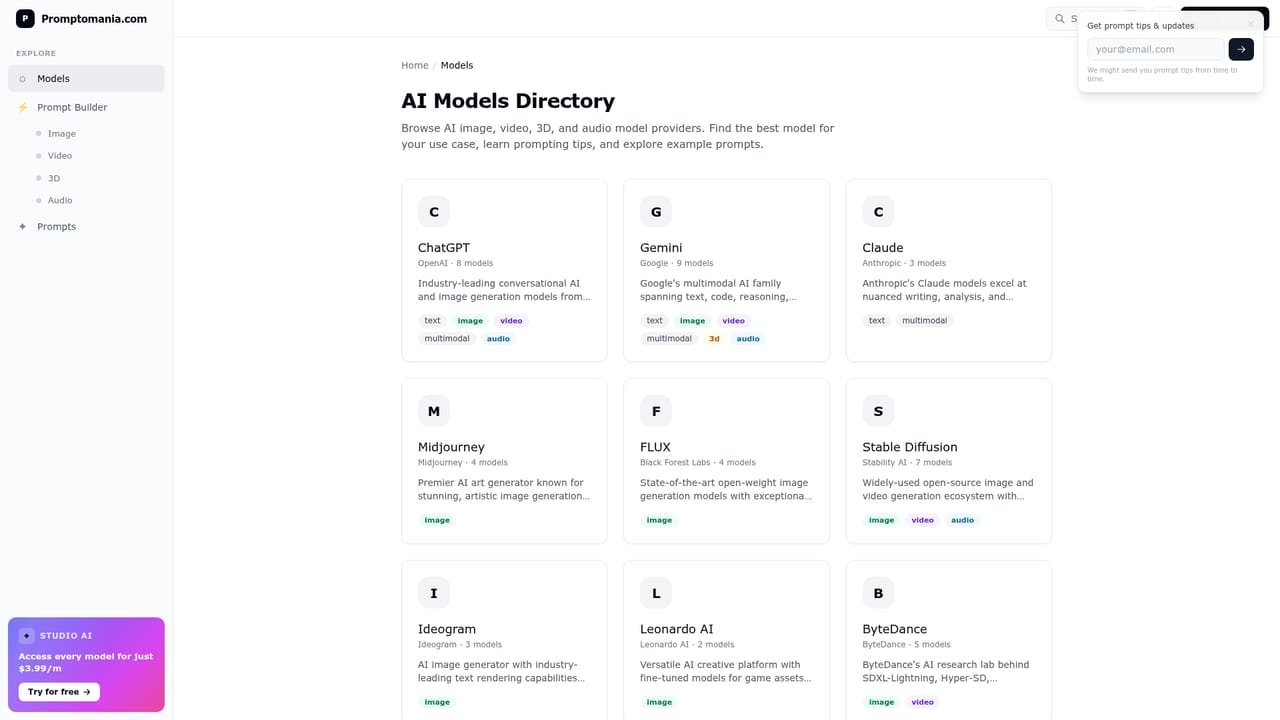
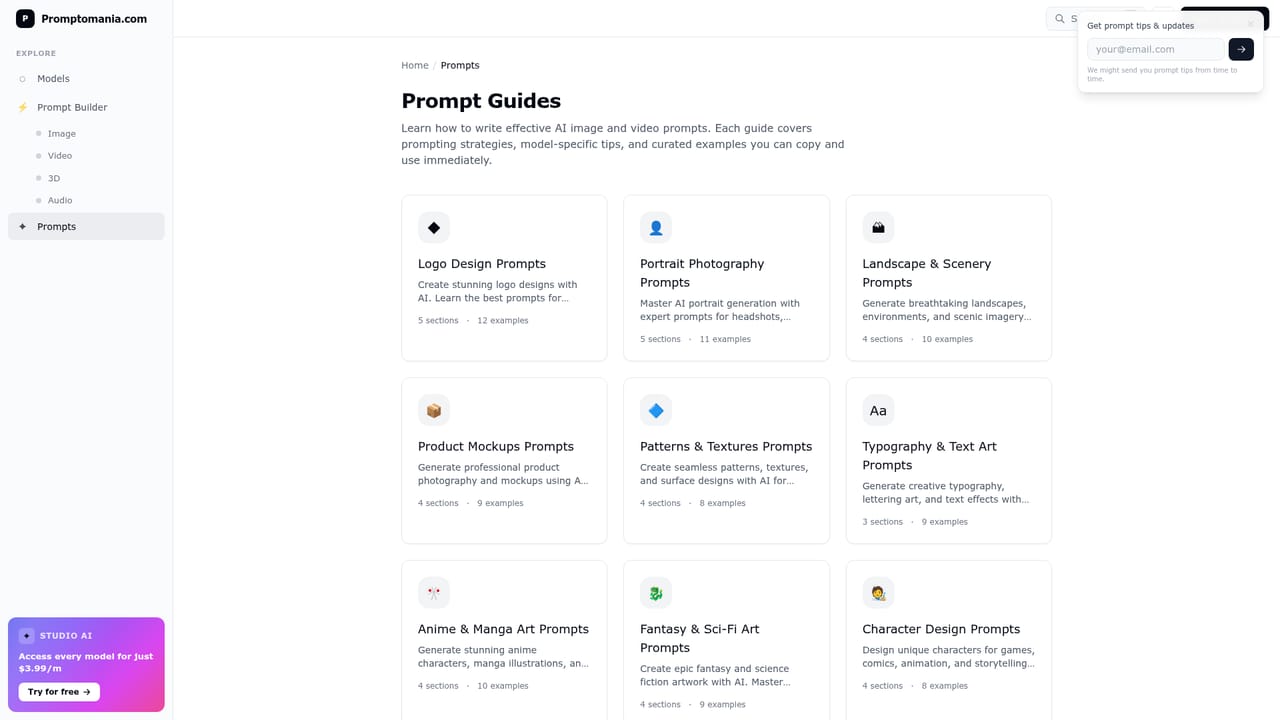
promptoMANIA is a reference site and prompt crafting workspace for people who generate images and media with AI. It combines three things on one domain: a directory of models, a set of prompt guides organised by subject, and a visual prompt builder. The model directory covers ChatGPT, Gemini, Claude, Midjourney, FLUX, Stable Diffusion, Ideogram and Leonardo AI, labelling each entry with the media types it handles (image, video, 3D, audio). The guides are the largest section, with dedicated pages for logo design, portraits, landscapes, product mockups, patterns, typography, anime, fantasy art, character design, architecture, food photography, fashion, cinematic stills, 3D renders, wildlife, abstract art, book covers, stickers, tattoos, pixel art, coloring pages, social graphics, illustration and wallpapers. Each guide follows a similar shape: it explains the visual goal, then offers prompts tuned for the major image models. The builder at /prompt-builder is aimed at people who would rather assemble a prompt from parts than write one from scratch. The homepage markets it as a visual tool for constructing prompts, though the exact controls live behind the builder page and are not described on the homepage itself. The tool suits illustrators, designers, marketers and hobbyists who already know which model they want to use but need help phrasing the request. It is not a generator: there is no rendering engine on the site, so the workflow is to compose a prompt here, copy it, and run it in Midjourney, DALL·E, FLUX, Stable Diffusion or another model. That places it alongside prompt libraries and community prompt marketplaces rather than in the same category as the image tools themselves. Because the site is organised around named models and named output types, it doubles as a learning resource for newcomers who want to understand why a prompt works. The trade-off is depth: the guides cover breadth across many subjects, but the homepage does not indicate how frequently individual model pages are updated or how large the prompt library is.

How do you use promptoMANIA?

  1. 1Check which model handles your media type
    Open the model directory and look at the tags under each entry. Labels such as image, video, 3D and audio tell you which models support the output you need before you start writing anything.
    promptoMANIA — Check which model handles your media type
  2. 2Pick a guide that matches your subject
    Browse the prompt guides index and select the closest category, for example logo design or portrait photography. Each guide groups prompts by style or use case.
    promptoMANIA — Pick a guide that matches your subject
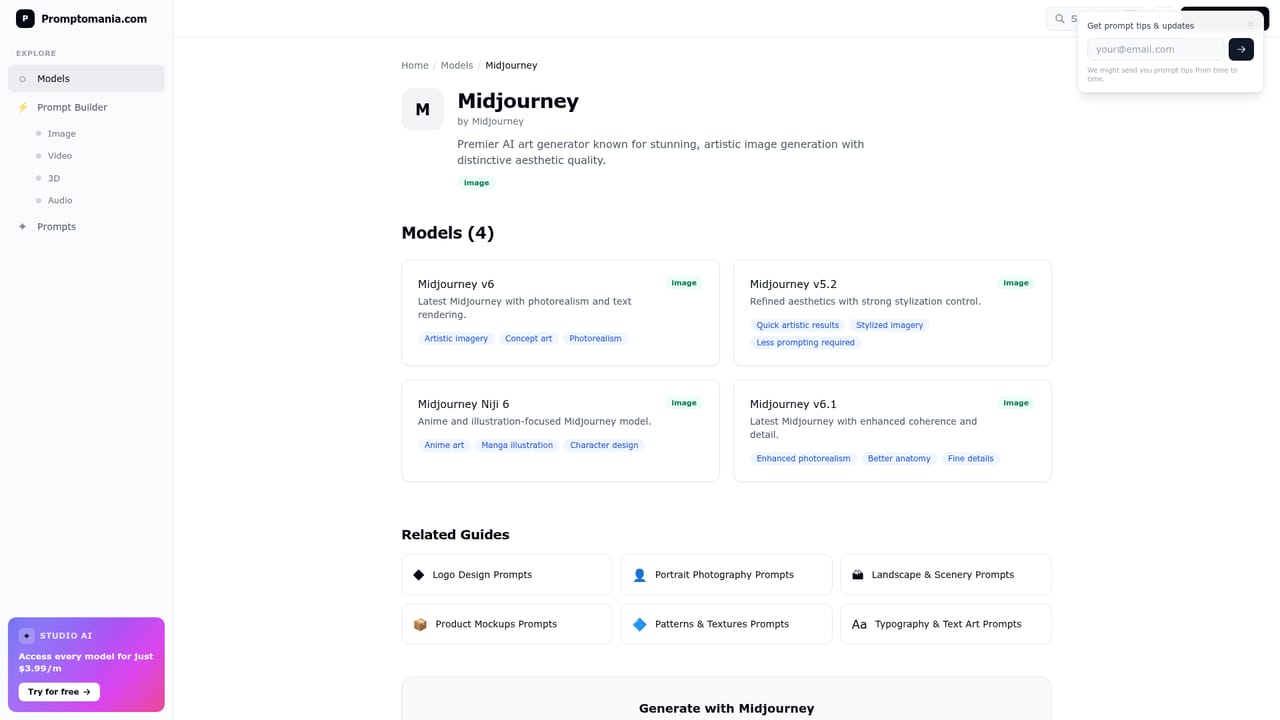
  3. 3Read the model page for your target tool
    If you already know which model you will use, open its page (Midjourney, FLUX, Stable Diffusion and others each have one) to see how prompts are structured for that system.
    promptoMANIA — Read the model page for your target tool
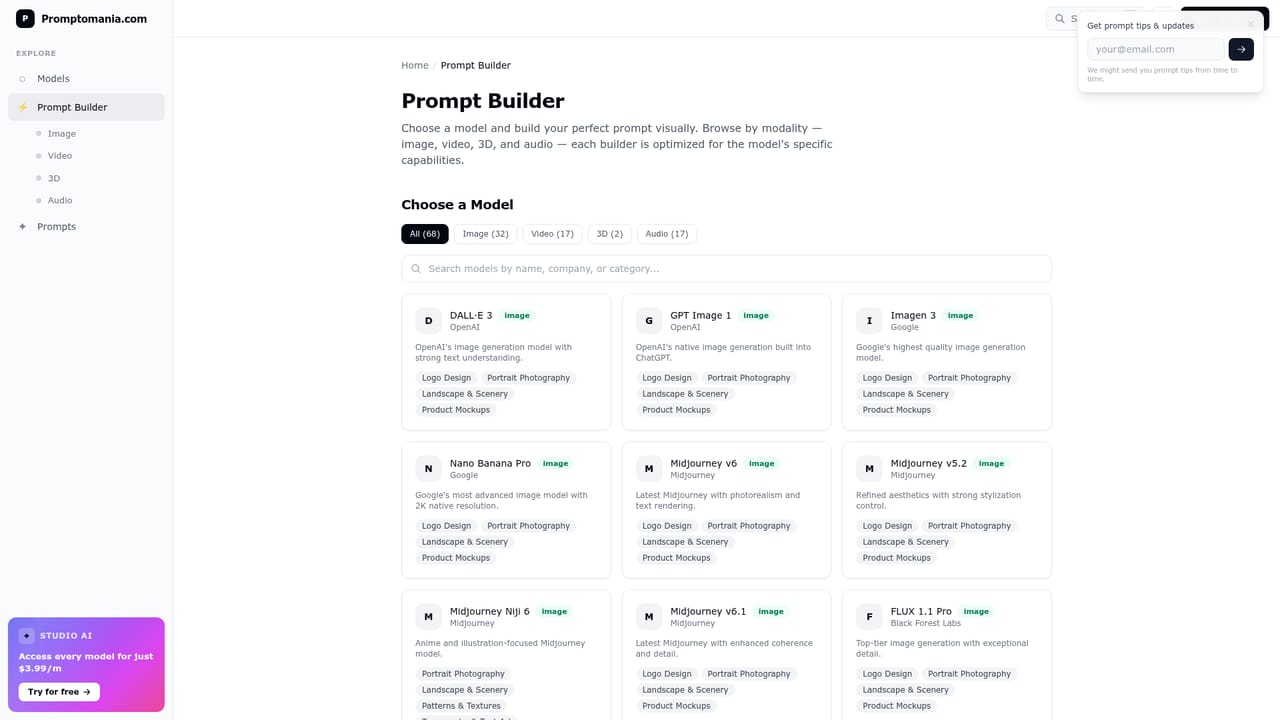
  4. 4Assemble a prompt in the visual builder
    Use the prompt builder to put the pieces of your request together in a guided interface instead of writing from a blank line. The exact fields are shown once the builder opens.
    promptoMANIA — Assemble a prompt in the visual builder
  5. 5Copy the prompt into your image model
    Take the finished prompt and paste it into Midjourney, DALL·E, FLUX or whichever model you chose. promptoMANIA does not render images, so the output appears in that external tool.

Pros and cons

Pros

  • Wide prompt coverage: twenty-six subject guides from logos and portraits to tattoos and coloring pages.AI
  • Model directory spans OpenAI, Google, Anthropic, Midjourney, FLUX, Stability AI, Ideogram and Leonardo in one place.AI
  • Guides are written for specific image models rather than as generic prompt advice.AI
  • The visual builder offers an alternative to freehand prompt writing for users who prefer structured input.AI
  • A single site covers both model research and prompt practice, which saves tab switching.AI

Cons

  • No generation engine: prompts must be copied into a separate AI tool to see any result.AI
  • The homepage gives no information on how many prompts exist or how often content is refreshed.AI
  • Prompt quality across twenty-six guides is hard to judge from the site alone, and no sample outputs are described on the homepage.AI
  • Chat, coding and text-focused models are listed, but prompt guidance on the homepage is oriented toward visual media.AI

How much does promptoMANIA cost?

Features

Model directory with per-model pages for ChatGPT, Gemini, Claude, Midjourney, FLUX, Stable Diffusion, Ideogram and Leonardo AI, each tagged by media type. Twenty-six subject-specific prompt guides covering design, photography, illustration, gaming art and print formats. A visual prompt builder for assembling prompts piece by piece. Educational explanatory text on each guide page.

Learn more

Frequently asked questions about promptoMANIA

  • How do you use promptoMANIA?
    The walkthrough on this page covers 5 steps: 1. Check which model handles your media type 2. Pick a guide that matches your subject 3. Read the model page for your target tool 4. Assemble a prompt in the visual builder 5. Copy the prompt into your image model.
  • What platforms does promptoMANIA support?
    promptoMANIA is available on Web App.
  • What are the limitations of promptoMANIA?
    No generation engine: prompts must be copied into a separate AI tool to see any result. The homepage gives no information on how many prompts exist or how often content is refreshed. Prompt quality across twenty-six guides is hard to judge from the site alone, and no sample outputs are described on the homepage.

Status

StatusActive
Views0
Outbound clicks0
Added10/22/2026

Platforms

Web App

Pricing

Free