Pricing
Credit based. The Seedream 5.0 Flash demo shows 5 credits (about $0.005) to open in Studio and 29 credits (about $0.029) to generate. Costs for the other models are not listed on the homepage.
Learn moreMulti-model image generation from a single prompt box
Own PopNow Image Generator? Verify ownership to get a dofollow link

PopNow Image Generator is a generative art tool. A browser based image generator that lets you write one prompt and run it through Nano Banana, GPT Image, Seedream, FLUX or Qwen, with controls for aspect ratio, quality, file format and seed, plus a prompt writing helper and an example gallery.
PopNow Image Generator is a browser based text to image workspace that puts several third party image models behind one interface. The homepage names Nano Banana, GPT Image, Seedream, FLUX and Qwen as available engines, and the default working model is Seedream 5.0 Flash from ByteDance. Rather than committing to one model, a user writes a prompt once and can switch engines to compare how each one interprets the same idea. The workflow is deliberately plain. You type a description, or upload a photo and describe the change you want, then pick a model, an aspect ratio (the demo shows 1:1), a quality preset (Standard, Sharp or Ultra sharp) and an output format (JPEG or PNG). A seed field sits alongside these controls so a result can be reproduced or nudged. A separate Write it for me button expands a short idea into a fuller prompt for people who do not want to write one from scratch, and a gallery of example images with Try this links shows the kind of output each model produces. The tool suits marketers, designers, social media managers and hobbyists who need quick visuals without learning prompt engineering. Seedream 5.0 Flash costs 5 credits (about $0.005) to open in Studio, the full screen editing environment, and 29 credits (about $0.029) to generate, which suggests lighter and heavier operations are priced separately. A More prompts link leads to a public prompt library for people who want a starting point rather than a blank box. The positioning is breadth over depth. Single model tools tend to be cheaper to reason about and often tuned for one aesthetic, while PopNow bets that model choice matters and lets the user make it. Analytics cookies are used to see which features help people create, with the stated promise that prompts and uploads are never sent to Google.
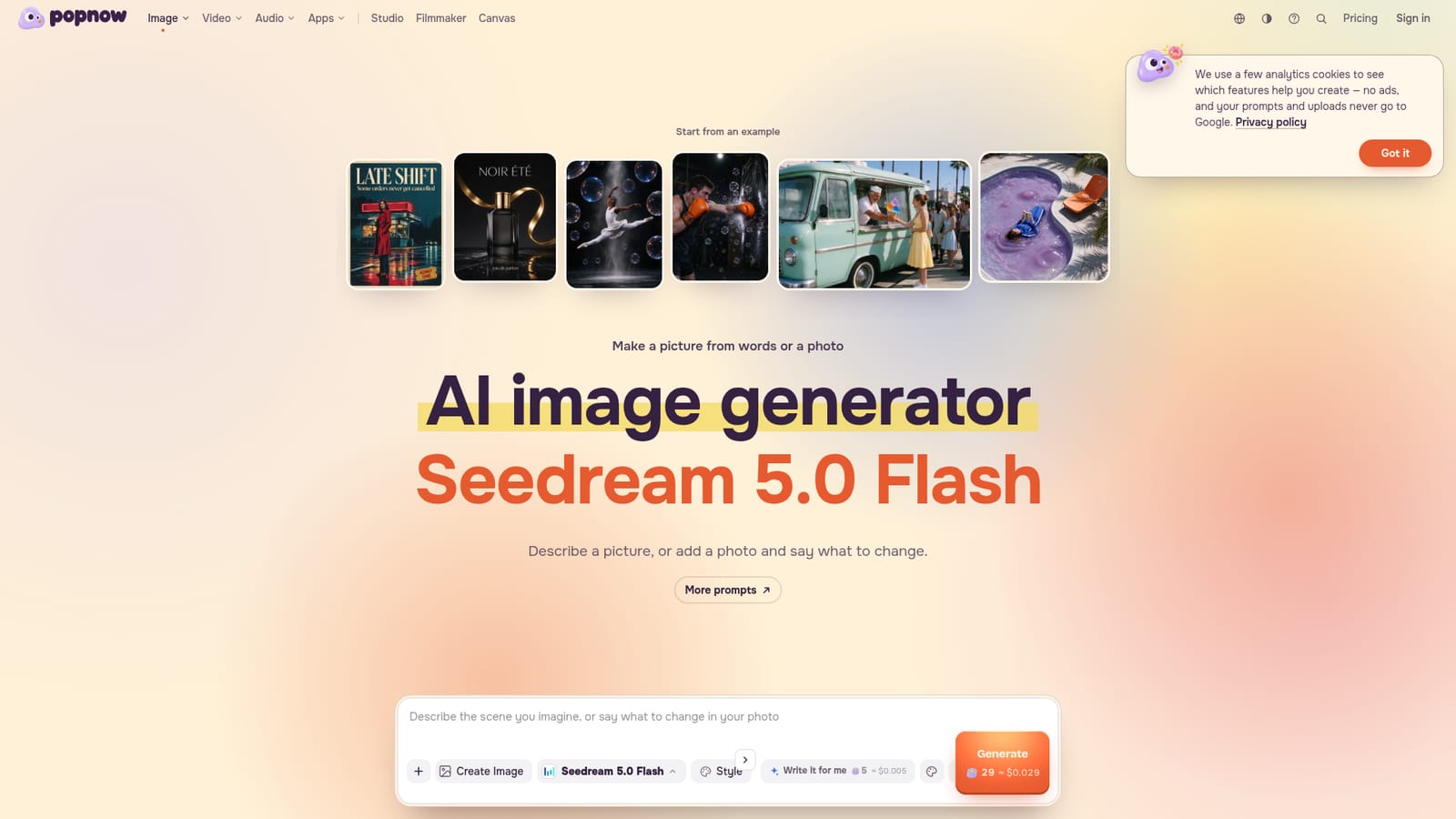
Credit based. The Seedream 5.0 Flash demo shows 5 credits (about $0.005) to open in Studio and 29 credits (about $0.029) to generate. Costs for the other models are not listed on the homepage.
Learn moreText to image and image to image generation across Nano Banana, GPT Image, Seedream, FLUX and Qwen. Controls cover aspect ratio, quality preset, JPEG or PNG output and seed. A Write it for me button drafts prompts, an example gallery offers one click starting points, and Studio provides a full screen workspace.
 AI Angels400+ customizable AI girlfriends for NSFW chat, voice calls, and roleplay
 Candy AIExperience the future of companionship with AI friends who chat, role-play, and connect with you on a human level.
 ourdream.aiA vast AI roleplay platform with millions of characters for chat, images, video and voiceAI Angels400+ customizable AI girlfriends for NSFW chat, voice calls, and roleplayCandy AIExperience the future of companionship with AI friends who chat, role-play, and connect with you on a human level.ourdream.aiA vast AI roleplay platform with millions of characters for chat, images, video and voice


