PromptsGenii

Build better AI image prompts with visual filters and image-to-text.

Beginner
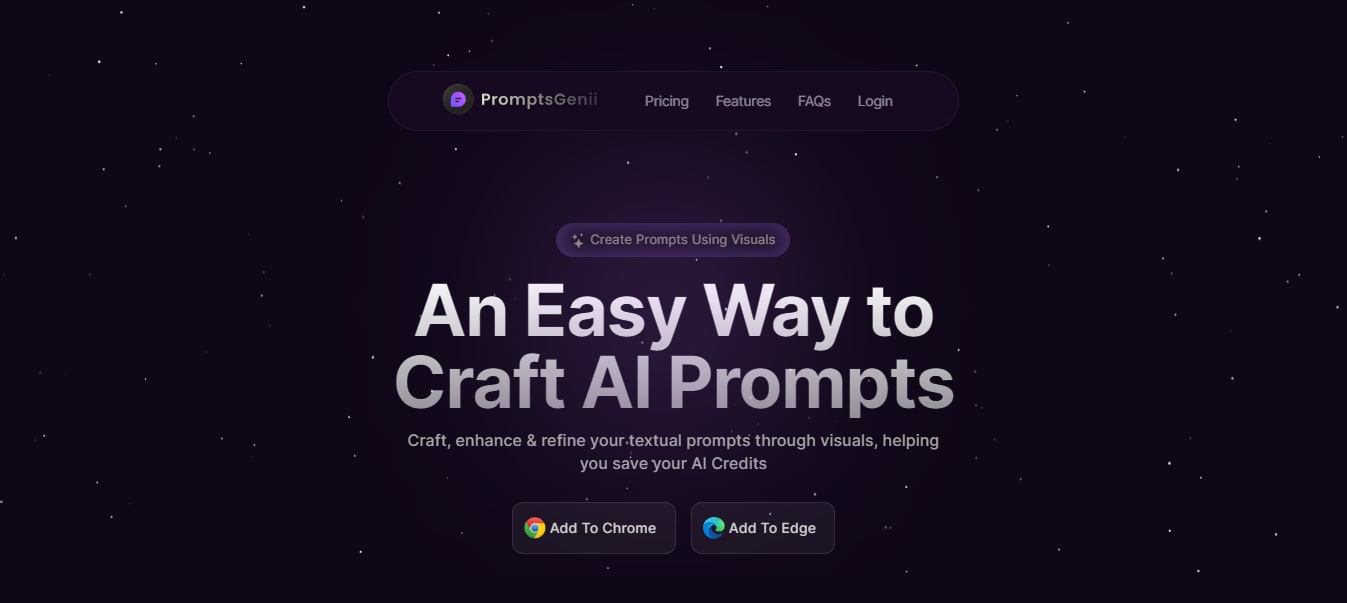
Screenshot of PromptsGenii, Build better AI image prompts with visual filters and image-to-text

What is PromptsGenii?

PromptsGenii is a generative image tool that builds better AI image prompts with visual filters and image-to-text. PromptsGenii is a Chrome and Edge extension that helps users craft AI image prompts through visual filters, image-to-text conversion, and refinement with models such as OpenAI or Gemini.

PromptsGenii is a browser-based prompt assistant for people who generate images with AI models. It combines a visual filter palette, an image-to-text converter, and optional refinement through models like OpenAI or Gemini. The product is delivered as an extension for Chrome and Edge, so it runs alongside the image generators a user already works with rather than replacing them. The core workflow starts with visual filters grouped under headings such as Architecture, Artists, Compositions, Styles, Camera, Lighting, and Themes. Clicking through these options assembles a textual prompt without requiring the user to know the vocabulary that image models respond to. A separate image-to-text feature accepts an uploaded image or a right-clicked image and produces a text prompt from it, which is useful when a reference picture needs to be described in words. Prompts can then be passed to an AI model for refinement, with the stated aim of saving credits by getting closer to the desired result on earlier attempts. Beyond prompt construction, the tool bundles a prompts library and a community digital magazine that showcases images and the prompts behind them. A License Manager handles device licenses for teams, and subscription tiers are sold as lifetime plans for 1, 5, or 20 users. The FAQ on the site addresses API key setup for OpenAI and Gemini, which indicates that model-powered refinement depends on the user's own account and credits. The tool suits hobbyist image makers, designers, and small creative teams who want a structured way to explore styles and reuse prompts. It is less a generator than a prompt layer: output still goes to whichever image model the user prefers. Competing prompt helpers tend to focus on text libraries or chat-based refinement, while PromptsGenii leans on clickable visual filters and direct browser access, with the trade-off that its strongest features sit behind the lifetime license.

How do you use PromptsGenii?

  1. 1Install the browser extension
    Add PromptsGenii to Chrome from the Chrome Web Store or to Edge from the Microsoft Edge Add-ons store using the links on the homepage.
  2. 2Pick a license tier
    Choose the lifetime plan for 1, 5, or 20 users depending on how many people need access, then complete checkout.
  3. 3Build a prompt with visual filters
    Open the extension and browse the filter categories such as Architecture, Artists, Styles, or Lighting. Click options to assemble a prompt that matches your intended image.
  4. 4Convert an image to a prompt
    Upload an image or right-click one in the browser to generate a text prompt from it, then edit the result as needed.
  5. 5Refine with an AI model
    Add your OpenAI or Gemini API key when prompted, then send the draft prompt for refinement. The FAQ on the site covers key generation and credit checks.
  6. 6Copy the prompt and generate
    Copy the finished prompt into your preferred image generator, or pull a starting point from the prompts library and the community magazine.

Pros and cons

Pros

  • Visual filter categories cover architecture, artists, styles, camera, lighting, and more, making prompt building approachable for beginners.AI
  • Image-to-text works from an upload or a right-click on an image, which speeds up describing references.AI
  • Refinement through OpenAI or Gemini is optional and uses the user's own API key, so there is no forced model lock-in.AI
  • Lifetime pricing for 1, 5, or 20 users is simple to budget compared with recurring subscriptions.AI
  • A prompts library and community magazine provide ready-made inspiration without leaving the tool.AI

Cons

  • Only available as a Chrome or Edge extension, so users of other browsers or standalone workflows are left out.AI
  • Model-powered refinement requires a separate OpenAI or Gemini API key and enough credits on those accounts, adding cost and setup.AI
  • No free tier is listed; all plans are paid lifetime licenses starting at $49, which limits try-before-you-buy.AI
  • The site does not clarify which image generators the prompts are tuned for, so output quality may vary by model.AI
  • Features like the digital magazine and prompts library are bundled without detail on update frequency or curation standards.AI

How much does PromptsGenii cost?

Pricing

Lifetime licenses are sold at three tiers: $49 for 1 user, $120 for 5 users, and $250 for 20 users. Each tier includes image-to-text prompts, AI-powered prompts, all visual filters, templates, license management, the prompts library, and the digital magazine. No free plan is listed.

Learn more

Support

Support is offered through a site FAQ covering setup, extension behavior, API key generation for OpenAI and Gemini, and credit checks, plus a live chat widget on the homepage.

Integrations

The extension works with OpenAI and Gemini for prompt refinement, using API keys that the user supplies. It runs in Chrome and Edge, placing it alongside existing browser-based image generators rather than integrating directly with them.

Features

Visual filters span Architecture, Artists, Background, Camera, Characters, Digital, Emojis, Era, Fashion, Layouts, Lighting, Movies, Photography, Styles, Techniques, and Themes. An image-to-text tool turns uploaded or right-clicked images into prompts, and prompts can be refined with OpenAI or Gemini models. A prompts library, a community digital magazine, pre-designed templates, and a License Manager for device administration round out the feature set.

Frequently asked questions about PromptsGenii

  • How much does PromptsGenii cost?
    Lifetime licenses are sold at three tiers: $49 for 1 user, $120 for 5 users, and $250 for 20 users. Each tier includes image-to-text prompts, AI-powered prompts, all visual filters, templates, license management, the prompts library, and the digital magazine. No free plan is listed.
  • How do you use PromptsGenii?
    The walkthrough on this page covers 6 steps: 1. Install the browser extension 2. Pick a license tier 3. Build a prompt with visual filters 4. Convert an image to a prompt 5. Refine with an AI model 6. Copy the prompt and generate.
  • What platforms does PromptsGenii support?
    PromptsGenii is available on Browser extension.
  • What does PromptsGenii integrate with?
    The extension works with OpenAI and Gemini for prompt refinement, using API keys that the user supplies. It runs in Chrome and Edge, placing it alongside existing browser-based image generators rather than integrating directly with them.
  • What are the limitations of PromptsGenii?
    Only available as a Chrome or Edge extension, so users of other browsers or standalone workflows are left out. Model-powered refinement requires a separate OpenAI or Gemini API key and enough credits on those accounts, adding cost and setup. No free tier is listed; all plans are paid lifetime licenses starting at $49, which limits try-before-you-buy.

Status

StatusActive
Views0
Outbound clicks0
Added10/21/2026

Platforms

Browser extension

Pricing

Paid