Pricing
The homepage does not list prices. It mentions a Community Edition for learning, teaching and personal projects and points to a separate pricing page for plan details.
Learn morePush/pull 3D modeling for cabinets and furniture, open source
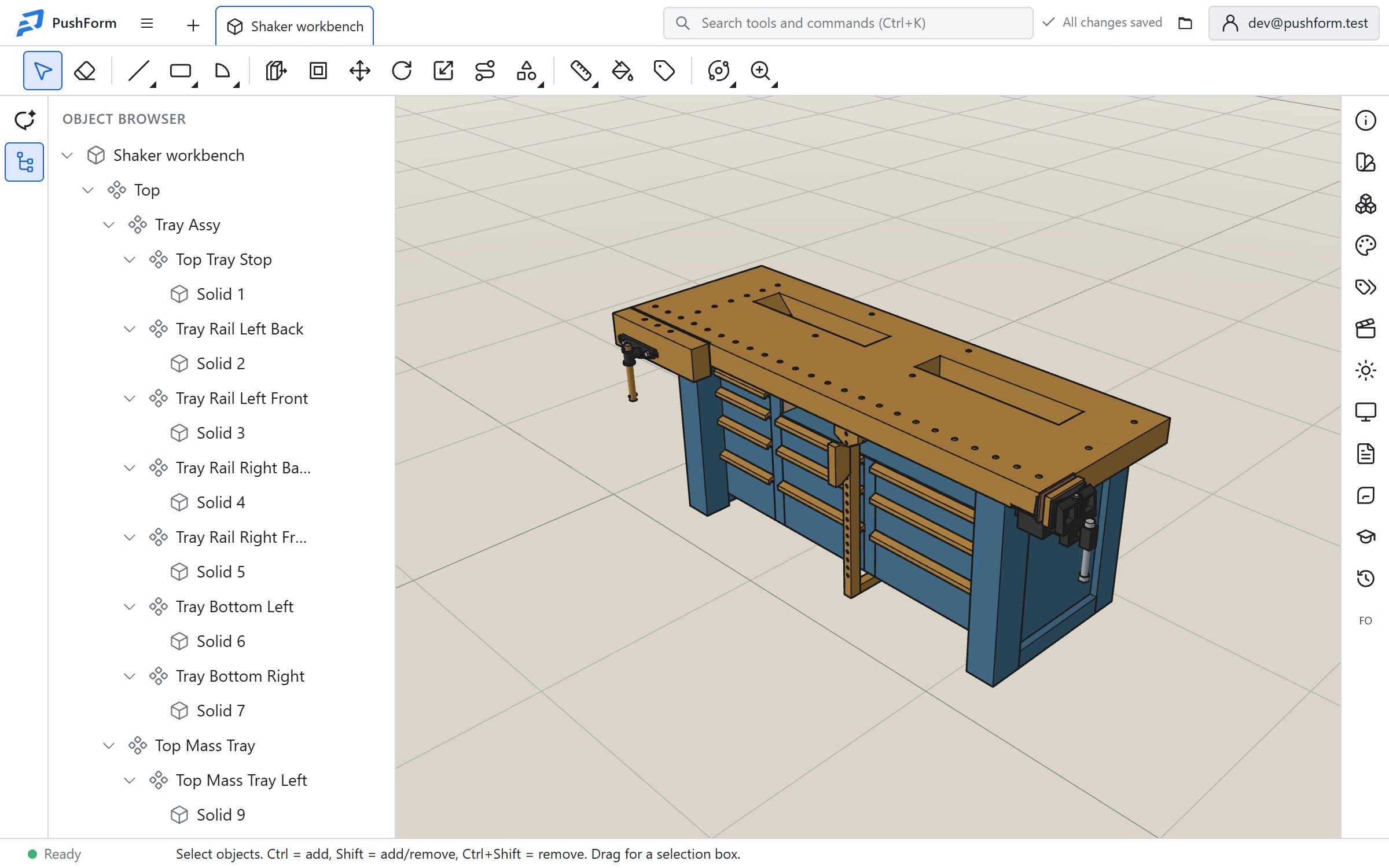
PushForm is an open source 3D modeler for cabinets, furniture and workshop projects. It uses push/pull modeling with exact dimensions, opens SketchUp and LayOut files, and runs in the browser and on the desktop.
PushForm is a 3D modeling application aimed at woodworking, cabinetry and furniture design. It is built around push/pull modeling: a user draws a circle or rectangle on a face, pulls it into a solid, or pushes it into a block to cut pockets and through-holes. A live preview shows the result before the mouse is released, and an exact distance can be typed at any point, which suits projects where real-world dimensions matter. The tool targets cabinet makers, interior designers, furniture builders and hobby woodworkers, with additional use cases in 3D printing, product design and education. Smart inference snaps lines to endpoints, midpoints, edges and axes. Move, Rotate, Offset, Follow Me and Solid Tools handle shaping, while copying at consistent spacing helps with repeated parts such as shelves, dividers and legs. Display styles include shaded, hidden line, wireframe, monochrome and X-ray, so a model can be switched to a drawing-ready look without changing geometry. File compatibility is a central part of the pitch. PushForm opens SketchUp .skp files (with groups, components, materials, tags and scenes) and LayOut documents, imports formats such as STEP, glTF, COLLADA, OBJ, 3DS, STL and DXF, and exports to .skp, STEP, GLB, COLLADA, OBJ and STL. Layout drawings can be exported as PDF, SVG, DXF or page images. Imported STEP parts arrive as lightweight meshes and need Make Editable before faces can be changed. The application runs on the web and on the desktop. Documents save automatically to a cloud library, and a native copy can be exported locally. The software is open source under GNU GPLv3, with code on GitHub, and a Community Edition is offered for learning, teaching and personal projects. Client sharing through secure links is marked as coming soon. Within the field, PushForm sits close to SketchUp-style modelers and is a fit for people who want that workflow with open code and file interchange rather than a parametric engineering CAD system.
The homepage does not list prices. It mentions a Community Edition for learning, teaching and personal projects and points to a separate pricing page for plan details.
Learn moreOpens and saves SketchUp .skp and LayOut files, and imports or exports STEP, glTF/GLB, COLLADA, OBJ, 3DS, STL and DXF, with PDF, SVG and image export for drawings.
Learn morePush/pull modeling, smart inference, exact dimension entry, Move, Rotate, Offset, Follow Me and Solid Tools, copying at set spacing, multiple view styles including X-ray, SketchUp and LayOut compatibility, STEP and mesh format exchange, and automatic cloud saving.
Learn more AI Angels400+ customizable AI girlfriends for NSFW chat, voice calls, and roleplay
 Candy AIExperience the future of companionship with AI friends who chat, role-play, and connect with you on a human level.
 ourdream.aiA vast AI roleplay platform with millions of characters for chat, images, video and voiceAI Angels400+ customizable AI girlfriends for NSFW chat, voice calls, and roleplayCandy AIExperience the future of companionship with AI friends who chat, role-play, and connect with you on a human level.ourdream.aiA vast AI roleplay platform with millions of characters for chat, images, video and voice


