Integrations
Offers an official Adobe Photoshop plugin and a Chrome Web Store browser extension; Figma, Microsoft Edge, and Firefox support are listed as coming soon.
Converts flat images into separated, editable PSD or PNG layers with AI.

Images to layers is a background tool that converts flat images into separated, editable PSD or PNG layers with AI. AI tool that splits a single flat image into separated, editable layers (subjects, props, background) and reconstructs hidden areas, exporting to PSD, PNG, or ZIP for design and marketing workflows.
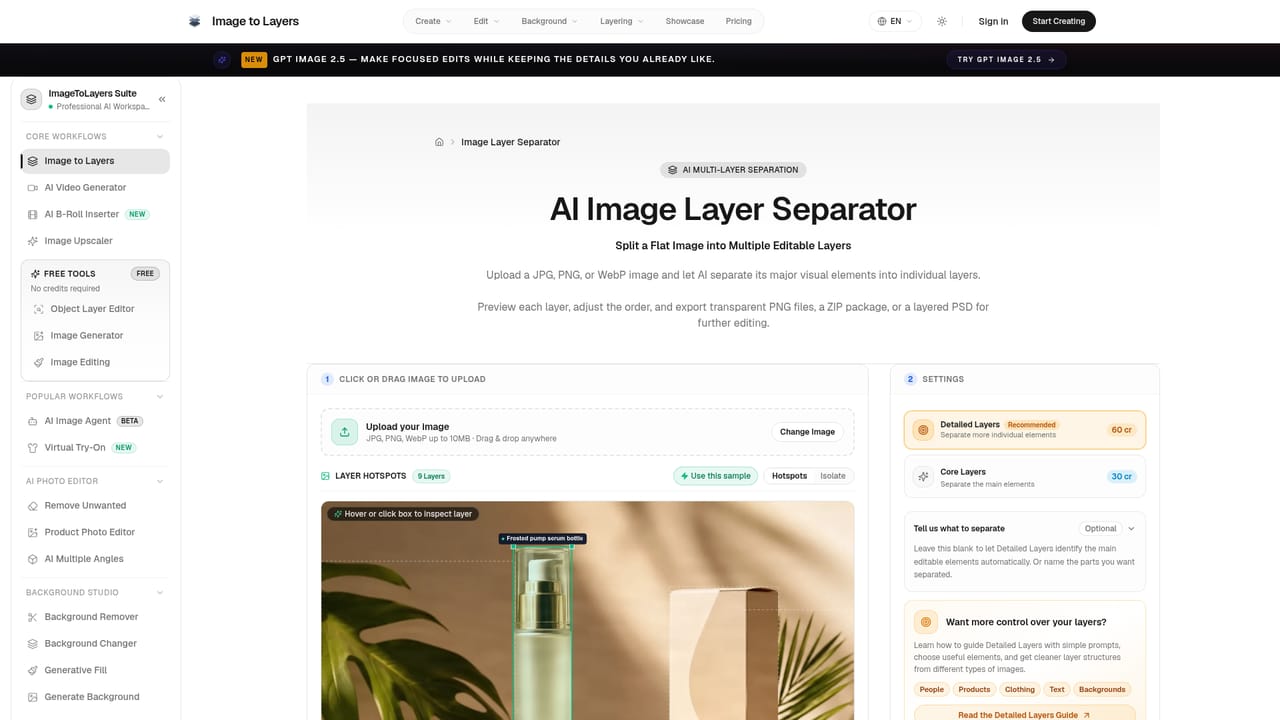
Images to Layers is an AI-driven conversion tool that takes a single flattened image (JPG, PNG, or WebP) and breaks it apart into independent layers: subjects, props, foliage, text, logos, and background. Rather than simply cutting a subject out and leaving a hole, the tool reconstructs the parts of the background that were hidden behind foreground objects, so each exported layer is a complete, usable asset rather than a partial cutout. The tool is built for designers, e-commerce sellers, marketers, and animation or game artists who need to keep editing an image after the fact without rebuilding it from scratch. Typical uses include separating a product photo into bottle, props, and background for a new composition, splitting a character illustration into hair, face, body, and clothing for Live2D or Spine rigging, or isolating text and logo layers in an ad so copy can be swapped without touching the rest of the creative. A dedicated Ad Text Editor lets users click into detected text blocks on a finished ad and change headlines, offers, or CTAs directly. In practice, a user uploads an image, the system processes it (most jobs finish in 60 to 120 seconds), and returns a layer hierarchy with bounding boxes, labels (product, prop, foliage, background), and a stacking order that can be reviewed before export. Results can be downloaded as transparent PNGs, a structured ZIP, or a layered PSD file ready for Photoshop. Beyond the core separation workflow, the site bundles adjacent tools: background removal, background replacement and generation, generative fill, object and text removal, image upscaling, and a logo-to-SVG converter. Compared with plain background removers, which only produce a transparent cutout, this tool positions itself around the added reconstruction step and the breadth of downstream editing workflows it supports, from Photoshop plugin integration to ad creative editing.



Offers an official Adobe Photoshop plugin and a Chrome Web Store browser extension; Figma, Microsoft Edge, and Firefox support are listed as coming soon.
Separates flat images into editable subject, object, prop, and background layers; reconstructs areas hidden behind overlapping elements; exports to PSD, PNG, or ZIP; includes an ad text editor, character-to-layers splitting, background removal and replacement, generative fill, object and text removal, and image upscaling.
Learn more AI Angels400+ customizable AI girlfriends for NSFW chat, voice calls, and roleplay
 Candy AIExperience the future of companionship with AI friends who chat, role-play, and connect with you on a human level.
 ourdream.aiA vast AI roleplay platform with millions of characters for chat, images, video and voiceAI Angels400+ customizable AI girlfriends for NSFW chat, voice calls, and roleplayCandy AIExperience the future of companionship with AI friends who chat, role-play, and connect with you on a human level.ourdream.aiA vast AI roleplay platform with millions of characters for chat, images, video and voice


