Free trial
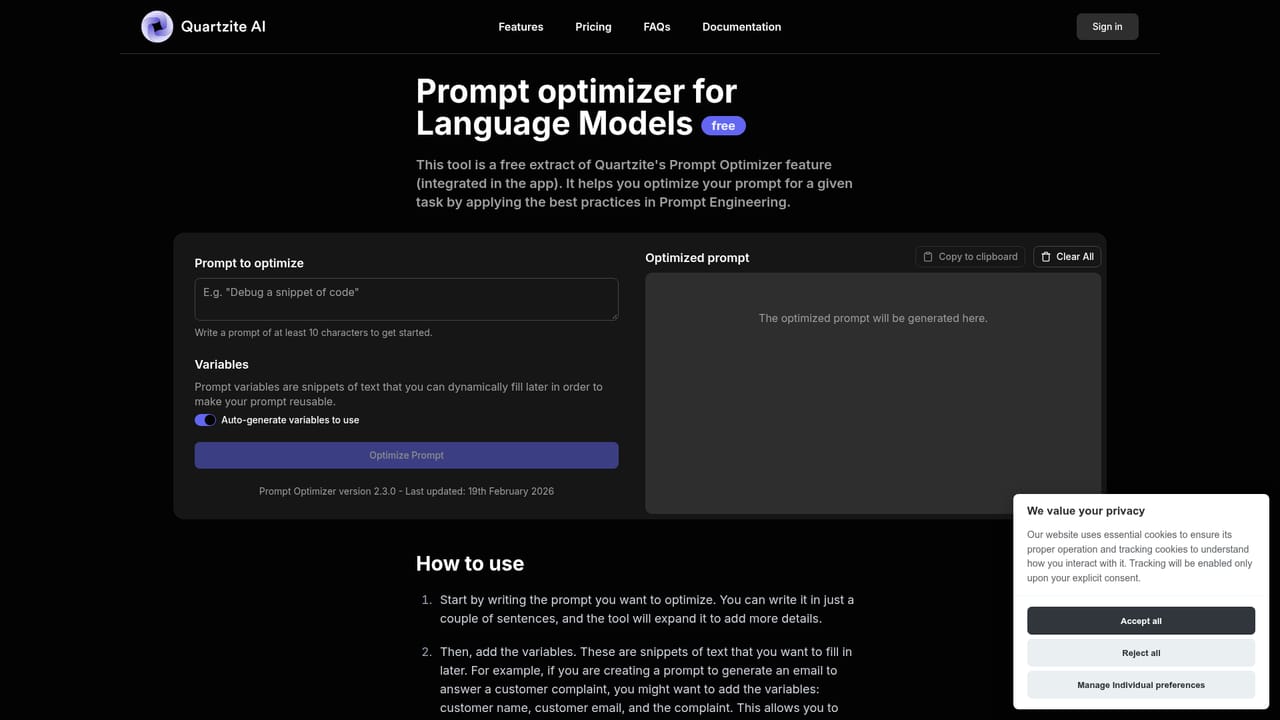
No time-limited trial is described. A free standalone version of the Prompt Optimizer is open to anyone, and the paid plan is framed as early access rather than a trial.
Learn moreA multi-model chat and prompt workbench for people who take prompting seriously.

Quartzite is a multi-model AI chat and prompt workbench: Markdown prompt editor, version history, cost preview, templates, variables and CSV imports, plus an automatic Prompt Optimizer. It is bring-your-own API key, so model usage is billed by providers rather than through a flat subscription.
Quartzite is a chat interface and prompt workbench for language models, built around the idea that serious prompting deserves better tooling than a single scrolling chat box. It puts the major models in one place (Opus 4.5, Gemini 3, GPT-5.1, GPT-5, o3 and o3-pro, DeepSeek, Perplexity AI, Llama 3, Mistral, with OpenRouter as an additional route) so a task can be handed to whichever engine suits it without hopping between subscriptions. The site frames the typical workload as complex tasks: research, learning, strategic thinking and creative writing. The distinguishing layer is everything around the prompt. A Markdown editor handles long, structured instructions and saves drafts. Version history tracks iterations and model configurations so experiments can be compared instead of lost. A cost preview estimates token usage and spend before a prompt is run. Template repositories remove the need to retype recurring prompts, variables and CSV imports generate many variants quickly, and outputs can be exported in several file formats. A Prompt Optimizer applies prompt engineering practices to a draft automatically, and a free standalone version of that tool is available without full signup. Quartzite is a bring-your-own-key product. Users supply API keys for the providers they want, and pay those providers for usage rather than paying Quartzite a model subscription. The team says typical usage runs under a few dollars a month and positions this against ChatGPT Plus or Claude subscriptions, arguing that one key-based setup costs less than picking a single subscription. Keys are encrypted by default, and cloud sync can be switched off so data lives only in the browser. An optional onboarding call and Discord access come with paid plans. The audience is developers, researchers, prompt engineers and writers who already understand tokens and APIs, or are willing to learn. It sits between a bare provider playground and a polished consumer chatbot: more structured than either, but demanding more setup. The $3.99 monthly early supporter rate is a platform fee, not model credit.
No time-limited trial is described. A free standalone version of the Prompt Optimizer is open to anyone, and the paid plan is framed as early access rather than a trial.
Learn moreThe early supporter plan costs $3.99 per month instead of $7.99, with the rate locked in for as long as the subscription continues. That fee covers the platform, not model usage: models are billed separately through your own API keys, which the team says typically runs under $2 to $3 a month. Payment is handled by Lemon Squeezy (Stripe).
Learn morePaid plans include an optional onboarding call and a Discord channel for talking with the team. The FAQ notes free help with account and API key setup, and the site points to guides for obtaining keys.
The main integration is model access: provider APIs, including OpenRouter, are reached with your own keys. CSV import brings in bulk data for templated prompts, and users can request additional models by feature request form.
Unified chat across Opus 4.5, Gemini 3, GPT-5.1, GPT-5, o3 and o3-pro, DeepSeek, Perplexity AI, Llama 3, Mistral and OpenRouter. Around the prompt: a Markdown editor with drafts, version history across iterations and model settings, cost and token preview, a template repository with variables and CSV import, data export, and an AI Prompt Optimizer.
 AI Angels400+ customizable AI girlfriends for NSFW chat, voice calls, and roleplay
 Candy AIExperience the future of companionship with AI friends who chat, role-play, and connect with you on a human level.
 ourdream.aiA vast AI roleplay platform with millions of characters for chat, images, video and voiceAI Angels400+ customizable AI girlfriends for NSFW chat, voice calls, and roleplayCandy AIExperience the future of companionship with AI friends who chat, role-play, and connect with you on a human level.ourdream.aiA vast AI roleplay platform with millions of characters for chat, images, video and voice


