Sana AI

AI agents that chat with your team's knowledge and meetings

Beginner
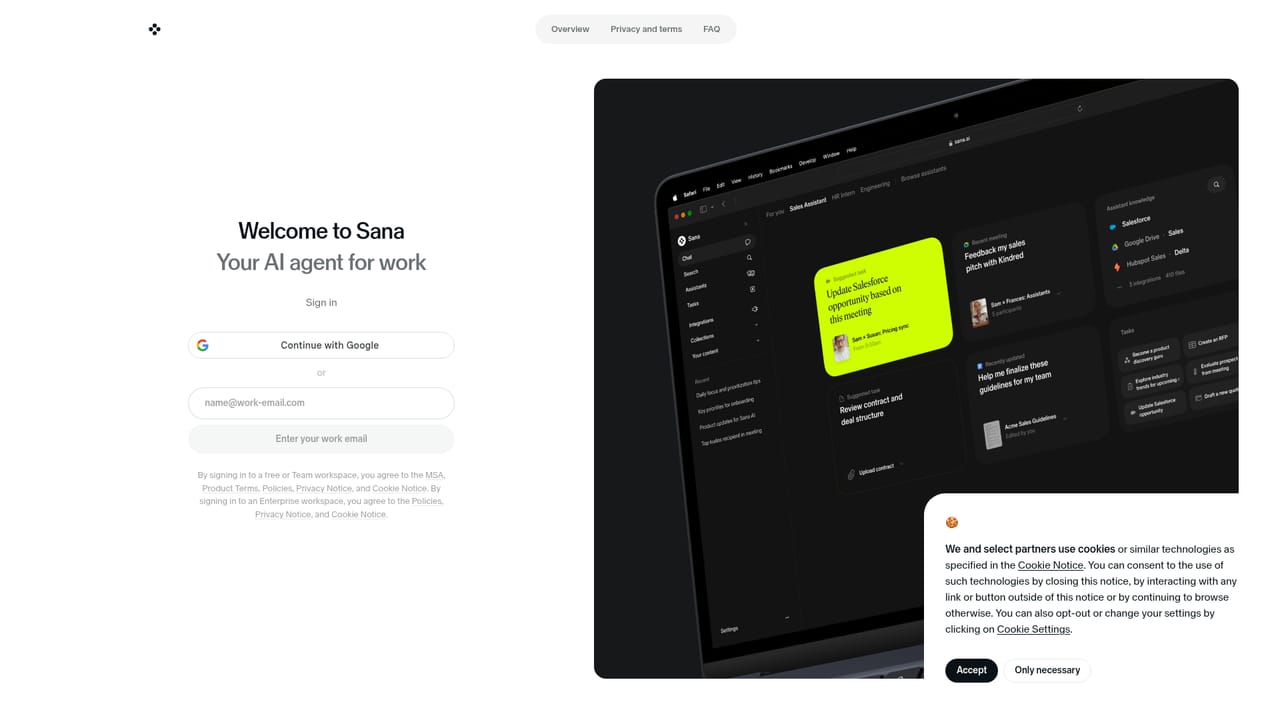
Screenshot of Sana AI, AI agents that chat with your team's knowledge and meetings

What is Sana AI?

Sana AI is a chat based assistant that searches and interacts with a team's own knowledge, including meeting content, positioned as AI agents for every team alongside the Sana Learn platform.

Sana AI is an AI assistant built around a simple premise: the knowledge a team needs to do its work is scattered across documents, messages and meeting recordings, and a good assistant should be able to reach all of it from one chat box. The product is presented as a set of AI agents for every team, sitting alongside Sana Learn, the company's AI-native learning platform. Where a general purpose chatbot starts from a blank slate, Sana AI is positioned to work against the material an organisation already holds. The core interaction is conversational. A user opens a chat, asks a question, and the assistant searches and reasons over the connected knowledge base rather than returning a list of links to read later. Meetings are called out specifically, which matters for teams whose decisions live in conversations rather than in written briefs. That makes the tool most relevant to operations, strategy, sales enablement and internal knowledge management, plus anyone who spends a meaningful part of the week reconstructing what was agreed and why. In practice the workflow is close to a research assistant rather than a content generator. A question goes in, the agent searches across sources, and the answer comes back in chat where it can be followed up conversationally. The site frames this as interacting with all your knowledge, which suggests answers are grounded in the customer's own material rather than the open web alone. Because the public pages are thin, details such as which connectors exist, how permissions are enforced and how meeting capture is configured should be verified directly with the vendor before committing a team. The competitive set is crowded: enterprise search tools, meeting note takers and general assistants all claim a slice of this problem. Sana AI's differentiator is packaging chat, search and meetings as one agent layer while bundling a learning product for the same buyer. Buyers weighing it should test retrieval quality on their own messy corpus first, since that, more than the interface, determines whether the assistant earns daily use.

How do you use Sana AI?

  1. 1Create a free account
    Start from the Sana homepage and move to sign in to register the free account. The homepage invites visitors to create one before exploring the agents.
    Sana AI — Create a free account
  2. 2Sign in and reach your workspace
    Use the sign in page to access the workspace tied to your account. Existing team members land in the same shared environment rather than a personal sandbox.
  3. 3Ask your first question in chat
    Open a chat and phrase a real work question rather than a test query. Watch how the agent pulls from your knowledge sources and follow up in the same thread.
  4. 4Bring meetings into scope
    Check which meeting content is available to the assistant and how it is captured. Meeting knowledge is the headline use case, so confirm it works before rollout.
  5. 5Review with your team
    Have colleagues ask questions they already know the answer to. Comparing responses against ground truth is the fastest way to judge retrieval quality.

Pros and cons

Pros

  • Combines chat, search and meeting knowledge in a single conversational surfaceAI
  • Answers are framed as grounded in the organisation's own material rather than generic web resultsAI
  • Sits next to Sana Learn, so learning and knowledge access can come from one vendorAI
  • Free account sign up makes it easy to evaluate before involving a wider teamAI
  • Clear enterprise positioning aimed at whole teams rather than lone individualsAI

Cons

  • Public product detail is thin, with pricing, connectors and admin controls not stated on the homepageAI
  • Retrieval quality depends entirely on how well a company's knowledge is organised and wired inAI
  • Meeting-focused value overlaps heavily with dedicated note takers and enterprise search toolsAI
  • No indication of platform availability beyond the web sign in pageAI
  • Buyers must contact sales or dig through Sana Labs materials to compare plansAI

How much does Sana AI cost?

Features

Sana AI centres on chat, search and interaction with a team's knowledge, including meeting content, delivered as AI agents for every team. The homepage also points to Sana Learn, an AI-native learning platform offered as a separate product from the same company.

Frequently asked questions about Sana AI

  • How do you use Sana AI?
    The walkthrough on this page covers 5 steps: 1. Create a free account 2. Sign in and reach your workspace 3. Ask your first question in chat 4. Bring meetings into scope 5. Review with your team.
  • What platforms does Sana AI support?
    Sana AI is available on Web App.
  • What are the limitations of Sana AI?
    Public product detail is thin, with pricing, connectors and admin controls not stated on the homepage. Retrieval quality depends entirely on how well a company's knowledge is organised and wired in. Meeting-focused value overlaps heavily with dedicated note takers and enterprise search tools.

Status

StatusActive
Views0
Outbound clicks0
Added10/21/2026

Platforms

Web App

Pricing

FreeFreemium