
QuickReadAI

One-click summaries of anything you would rather not read in full

Beginner
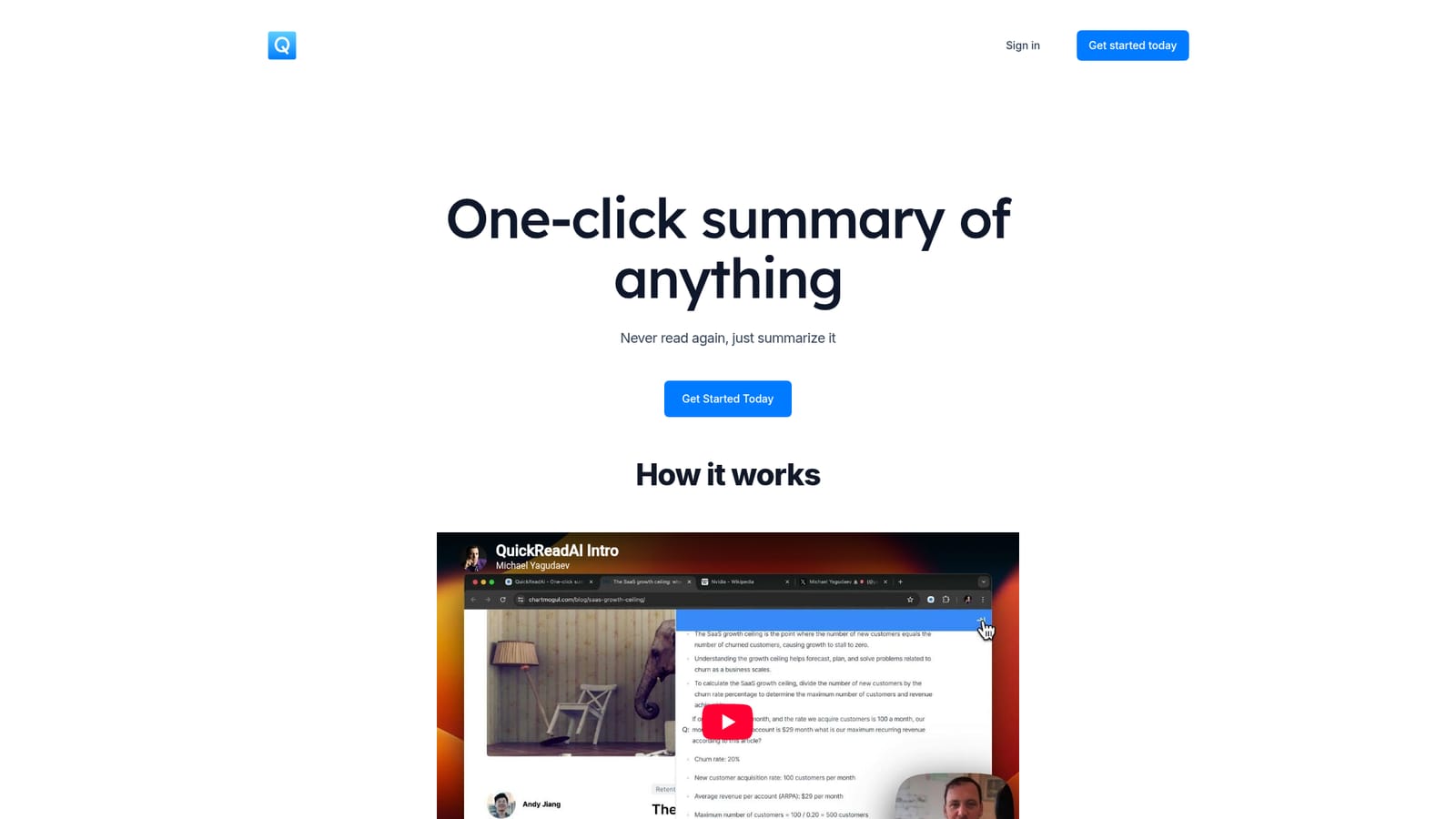
Screenshot of QuickReadAI, One-click summaries of anything you would rather not read in full

What is QuickReadAI?

QuickReadAI summarizes long posts and threads in one click, with stated support for Reddit, LinkedIn, Twitter and similar sources. A free tier covers 50K words per month; Pro at $7/mo (early access) removes the cap and adds priority support and early access to new features.

QuickReadAI is a summarization tool built around a single promise: reduce long or scattered text to something readable in less time than it takes to skim the original. The homepage positions it bluntly with the line "Never read again, just summarize it," and the product is presented as a one-click operation rather than a prompt-and-tune workflow. Instead of asking users to paste text into a chat window and negotiate with an assistant, the tool is oriented toward taking a piece of content and returning a shortened version of it. The stated coverage leans toward social and community sources. The pricing table lists summarization for Reddit, LinkedIn, Twitter "and more," which suggests the intended workflow is reading threads, posts and long feeds rather than full-length books or internal documents. That makes the tool a reasonable fit for people who monitor discussion platforms as part of their job: community managers, marketers tracking sentiment, researchers skimming conversations, and freelancers who need the gist of a long thread without losing an afternoon to it. In practice, the mechanics described on the site are thin. A YouTube walkthrough demonstrates the flow, and the registration page is the on-ramp for new accounts. What the homepage does commit to is usage volume: the free tier caps processing at 50K words per month, while Pro removes the cap and adds priority support plus early access to features that have not shipped to everyone yet. Daily and annual billing exist, with 30 percent saved on the yearly option, and the Pro plan is currently listed at an early access discount of 40 percent ($7/mo against a $12/mo standard rate). The alternatives here are general-purpose chat assistants and dedicated read-it-later apps. QuickReadAI's differentiation is narrowness: it does not try to be a writing partner or a research database, only a compression layer over content you already have. Buyers who want source citations, multi-document analysis or exports should confirm those capabilities before subscribing, because the homepage does not claim them. For a lightweight, low-cost habit of summarizing feeds and threads, the entry price is low enough to test without much risk.

How do you use QuickReadAI?

  1. 1Create an account
    Go to the registration page and sign up. The homepage routes new users straight here through the Get Started button, so this is the first real step before any summarizing happens.
    QuickReadAI — Create an account
  2. 2Watch the intro walkthrough
    The homepage embeds a short video by Michael Yagudaev demonstrating the product. Watching it first gives a clearer picture of the interface than the marketing copy does.
    QuickReadAI — Watch the intro walkthrough
  3. 3Summarize your first link or post
    Once signed in, submit a piece of content such as a Reddit thread, LinkedIn post or tweet. The product is built around a one-click flow rather than a chat prompt.
  4. 4Track your monthly word usage
    Free accounts are capped at 50K words processed per month. Check usage before leaning on the tool for long threads, or the cap will arrive mid-month.
  5. 5Decide between monthly and yearly Pro
    If the free cap becomes a constraint, compare the monthly and yearly toggles on the pricing section. Yearly billing saves 30 percent, and Pro currently carries a 40 percent early access discount.
  6. 6Reach out for priority support
    Pro subscribers get priority support, so raise account or billing questions after upgrading. The free tier does not include that channel.

Pros and cons

Pros

  • Low entry cost: free tier allows 50K words per month and Pro is listed at $7/mo during early accessAI
  • Removes the word cap entirely on Pro, which suits heavy readers who summarize dailyAI
  • Named coverage of Reddit, LinkedIn and Twitter suggests it is tuned for social threads rather than generic textAI
  • Yearly billing saves 30 percent, and the yearly toggle is visible directly in the pricing tableAI
  • Company logos on the homepage indicate use by small studios and freelance clients as well as individualsAI

Cons

  • Homepage gives no detail on summary length controls, language support or output format, so quality cannot be judged before signing upAI
  • No mention of file or PDF upload, browser extension or app, so the input path appears limited to pasted or linked web contentAI
  • Free tier cap of 50K words per month is modest for anyone summarizing long threads regularlyAI
  • Priority support is a paid feature with no stated response time, and no help centre or documentation is linkedAI
  • Pricing shows an early access discount of 40 percent, which implies rates may rise once the discount period endsAI

How much does QuickReadAI cost?

Pricing

Two tiers. Free is $0/mo with up to 50K words processed monthly and summarization for Reddit, LinkedIn, Twitter and more. Pro is listed at $7/mo against a $12/mo standard rate under a 40 percent early access discount, with unlimited words, the same source coverage, priority support and early access to new features. Yearly billing saves 30 percent.

Learn more

Support

Priority support is listed as a Pro plan benefit. No support email, help centre, documentation or stated response time appears on the homepage, and the free tier does not include the priority channel.

Features

One-click summarization of content, with the homepage naming Reddit, LinkedIn and Twitter among supported sources. Free accounts process up to 50K words per month; Pro removes the limit. Pro also adds priority support and early access to new features. A short intro video demonstrates the flow. Beyond summarization and usage limits, the homepage does not describe summary length options, export formats or additional document types.

Frequently asked questions about QuickReadAI

  • How much does QuickReadAI cost?
    Two tiers. Free is $0/mo with up to 50K words processed monthly and summarization for Reddit, LinkedIn, Twitter and more. Pro is listed at $7/mo against a $12/mo standard rate under a 40 percent early access discount, with unlimited words, the same source coverage, priority support and early access to new features. Yearly billing saves 30 percent.
  • How do you use QuickReadAI?
    The walkthrough on this page covers 6 steps: 1. Create an account 2. Watch the intro walkthrough 3. Summarize your first link or post 4. Track your monthly word usage 5. Decide between monthly and yearly Pro 6. Reach out for priority support.
  • What platforms does QuickReadAI support?
    QuickReadAI is available on Web App.
  • What are the limitations of QuickReadAI?
    Homepage gives no detail on summary length controls, language support or output format, so quality cannot be judged before signing up. No mention of file or PDF upload, browser extension or app, so the input path appears limited to pasted or linked web content. Free tier cap of 50K words per month is modest for anyone summarizing long threads regularly.

Status

StatusActive
Views0
Outbound clicks0
Added10/22/2026

Platforms

Web App

Pricing

FreeFreemiumSubscription