reAPI

One API key for top AI image, video, chat and music models with failover

Advanced API
Screenshot of reAPI, One API key for top AI image, video, chat and music models with failover

What is reAPI?

reAPI is a developer tool. reAPI routes chat, image, video and music generation through one API key and base URL, with automatic failover, zero request logging and per-call pricing below official list rates.

reAPI is a unified API gateway that routes a single key to a catalog of AI models for chat, image generation, video, music and text rewriting. The catalog includes OpenAI GPT-5.x and GPT Image models, Anthropic Claude, Google Gemini, Veo and Imagen, ByteDance Seedream and Seedance, Black Forest Labs Flux, Suno, Midjourney, Z.AI GLM and others. The proposition is consolidation: one endpoint, one auth scheme and one dashboard replace a trail of vendor accounts and SDKs. The integration path is short. Teams mint a key in the dashboard, point an OpenAI, Anthropic or Google client at the reAPI base URL, and change the model name per call while everything else stays put. The gateway handles vendor selection, routing and automatic failover, and it states that request and response payloads are never stored on its side. Interactive studios for video, image, chat and music are also provided in the browser, so a model can be tested before it is wired into production code. It suits developers and small product teams who already know what they want from an AI stack and do not want to maintain separate billing and reliability work per provider. Agencies juggling several creative models, and engineering groups shipping agents or media pipelines on tight schedules, are the core audience. Pricing is metered per call from one prepaid balance. reAPI positions its rates below vendor list prices, with examples ranging from $0.004 per GPT Image 2 1K render to per-second video billing and per-token LLM rates. Failed generations are refunded in full and no hidden fees are claimed. The trade-off is dependence on a reseller layer: costs move with the aggregator, and anything outside the catalog still needs its original vendor account.

How do you use reAPI?

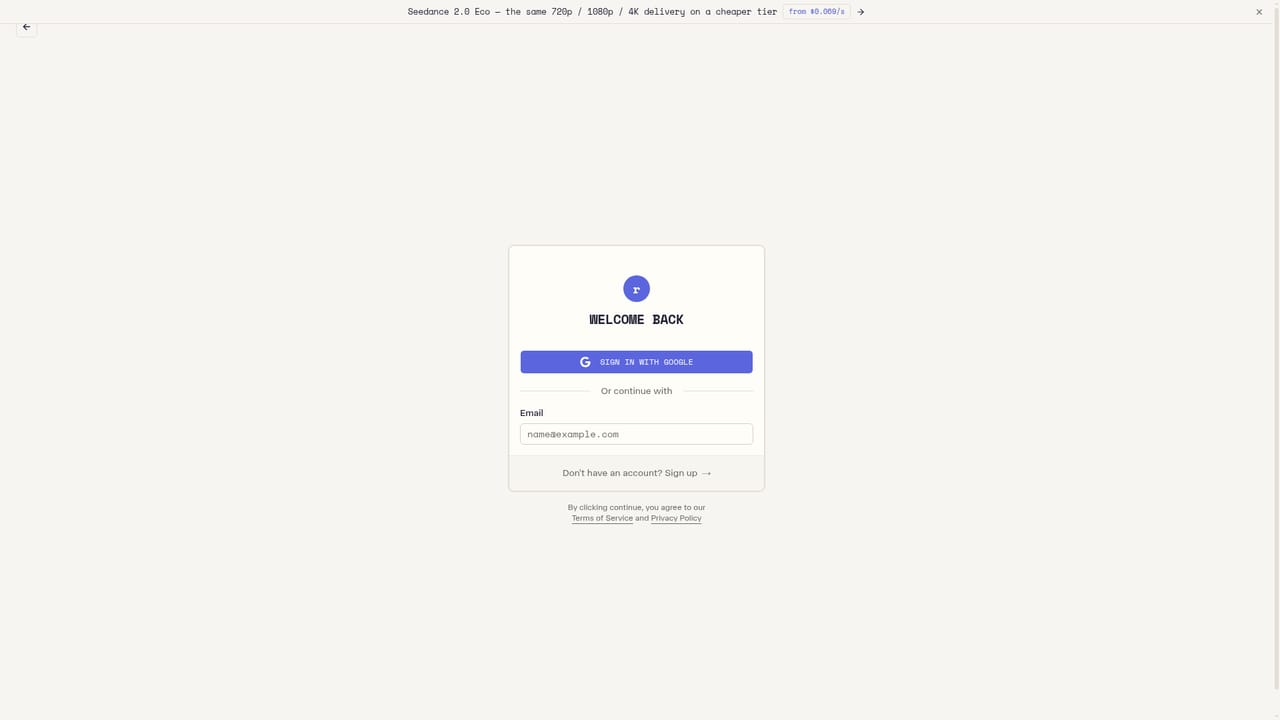
  1. 1Create an account and mint an API key
    Sign up, then generate a key from the dashboard. The homepage states that one key opens every model in the catalog, so a single credential covers all calls.
    reAPI — Create an account and mint an API key
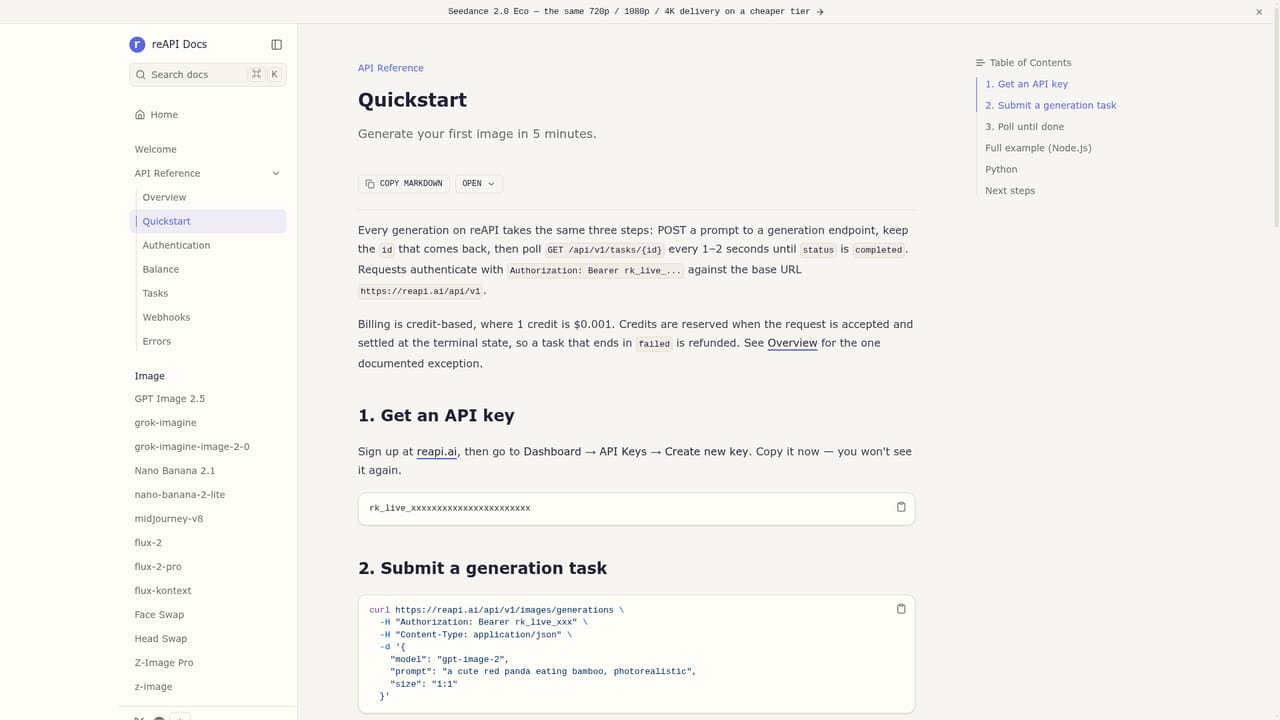
  2. 2Read the quickstart and confirm the base URL
    The docs show the request shape and the base URL. Existing OpenAI, Anthropic or Google SDK users typically change only the base URL and the model field.
    reAPI — Read the quickstart and confirm the base URL
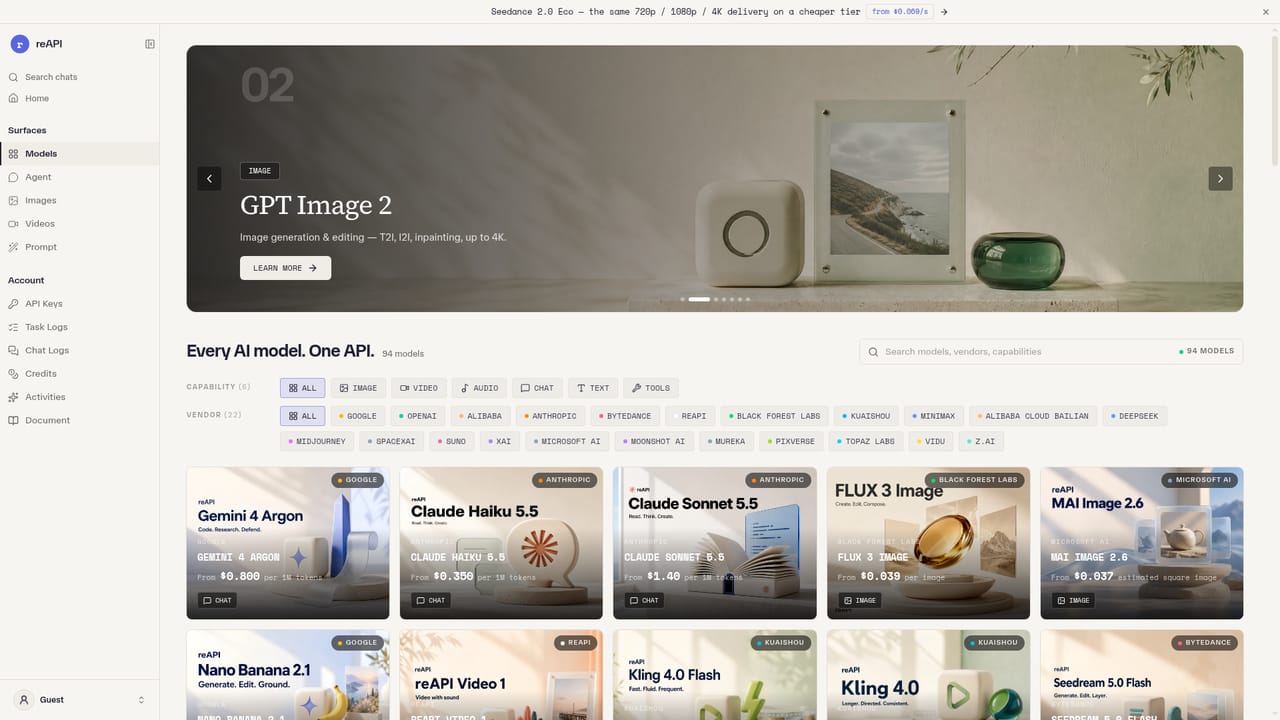
  3. 3Pick a model and note its live rate
    Browse the catalog to compare prices and capabilities across image, video, chat and music models. Each model page shows the per-call rate your key is billed at.
    reAPI — Pick a model and note its live rate
  4. 4Send a first request from your own client
    Point your client at the reAPI endpoint, set the model field to your chosen model, and send a test prompt. Failed generations are refunded automatically per the pricing table.
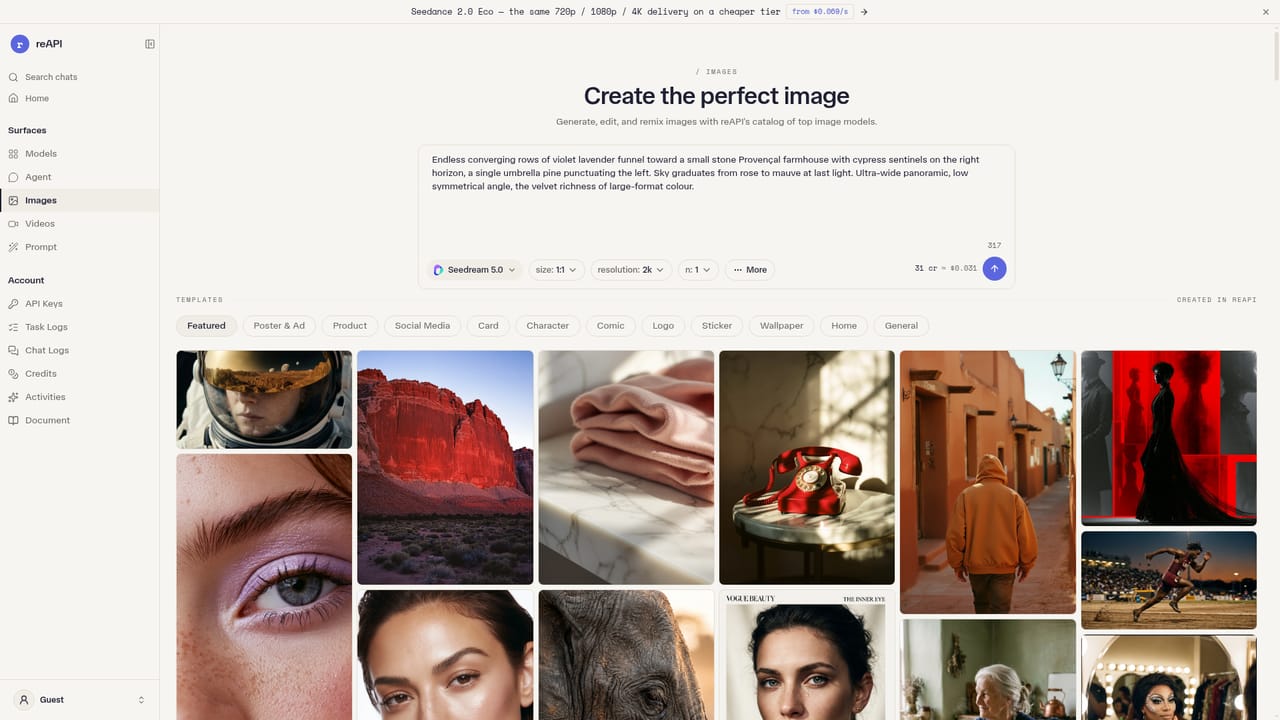
  5. 5Try the browser studios before production
    The image and video studios let you prompt models and inspect output without writing code, which is useful for checking quality and orientation before wiring a pipeline.
    reAPI — Try the browser studios before production
  6. 6Track changes and new model arrivals
    The changelog lists model additions and platform updates, which matters when a new release lands and you want to swap the model name in an existing call.

Pros and cons

Pros

  • Single key and OpenAI-compatible base URL cover chat, image, video and music models from several vendorsAI
  • Automatic failover across redundant routes aims at 99.96% uptime for production workloadsAI
  • Requests and responses are not stored server side, which helps teams with data handling constraintsAI
  • Published per-call rates compare favorably with vendor list prices, and failed generations are refundedAI
  • Browser studios let you test image, video and chat models before writing any codeAI

Cons

  • Pricing tracks a live rate rather than fixed contract terms, so cost planning needs regular monitoringAI
  • Models outside the catalog still require direct vendor accounts and separate billingAI
  • No independent uptime verification is published; the 99.96% figure is the vendor's own claimAI
  • The catalog spans several generations of models, so choosing the right one requires careful comparisonAI
  • Teams needing dedicated throughput guarantees or enterprise invoices will not find them on the public siteAI

How much does reAPI cost?

Pricing

Metered per call from one prepaid balance, with no hidden fees claimed and failed generations refunded in full. Published rates sit below vendor list prices: GPT Image 2 at $0.004 per 1K image, video from $0.033 per second, and LLM output priced per 1M tokens.

Learn more

Support

Documentation and a quickstart guide are public. No separate help centre, ticket desk or contact channel is described on the homepage.

Learn more

Integrations

OpenAI, Anthropic and Google SDK clients work by changing the base URL. Calls follow the canonical chat completions schema, and cURL examples are provided alongside Python, JavaScript, Go, Java and PHP.

Learn more

Features

One base URL and key for chat, image, video, music and humanize models, with automatic failover, zero request logging and OpenAI client compatibility. A dispatcher routes calls across vendors, browser studios cover image, video, chat and music, and the catalog spans OpenAI, Anthropic, Google, ByteDance, Black Forest Labs, Suno and Midjourney.

Learn more

Frequently asked questions about reAPI

  • How much does reAPI cost?
    Metered per call from one prepaid balance, with no hidden fees claimed and failed generations refunded in full. Published rates sit below vendor list prices: GPT Image 2 at $0.004 per 1K image, video from $0.033 per second, and LLM output priced per 1M tokens.
  • Does reAPI have an API?
    Yes, reAPI offers an API.
  • How do you use reAPI?
    The walkthrough on this page covers 6 steps: 1. Create an account and mint an API key 2. Read the quickstart and confirm the base URL 3. Pick a model and note its live rate 4. Send a first request from your own client 5. Try the browser studios before production 6. Track changes and new model arrivals.
  • What platforms does reAPI support?
    reAPI is available on Web App.
  • What does reAPI integrate with?
    OpenAI, Anthropic and Google SDK clients work by changing the base URL. Calls follow the canonical chat completions schema, and cURL examples are provided alongside Python, JavaScript, Go, Java and PHP.
  • What are the limitations of reAPI?
    Pricing tracks a live rate rather than fixed contract terms, so cost planning needs regular monitoring. Models outside the catalog still require direct vendor accounts and separate billing. No independent uptime verification is published; the 99.96% figure is the vendor's own claim.

Status

StatusActive
Views0
Outbound clicks0
Added10/21/2026

Platforms

Web App

Pricing

PaidFree Trial