Free trial
Three free applications are included with no credit card required, and the homepage states all features are unlocked during that trial.
Learn moreAI resume and cover letter builder with job analysis and ATS optimization

ReApply builds tailored resumes and cover letters by analyzing a job posting for fit, company culture and ATS keywords, then asking targeted questions to surface your real experience. It adds interview coaching and a Chrome extension for instant job fit scores.
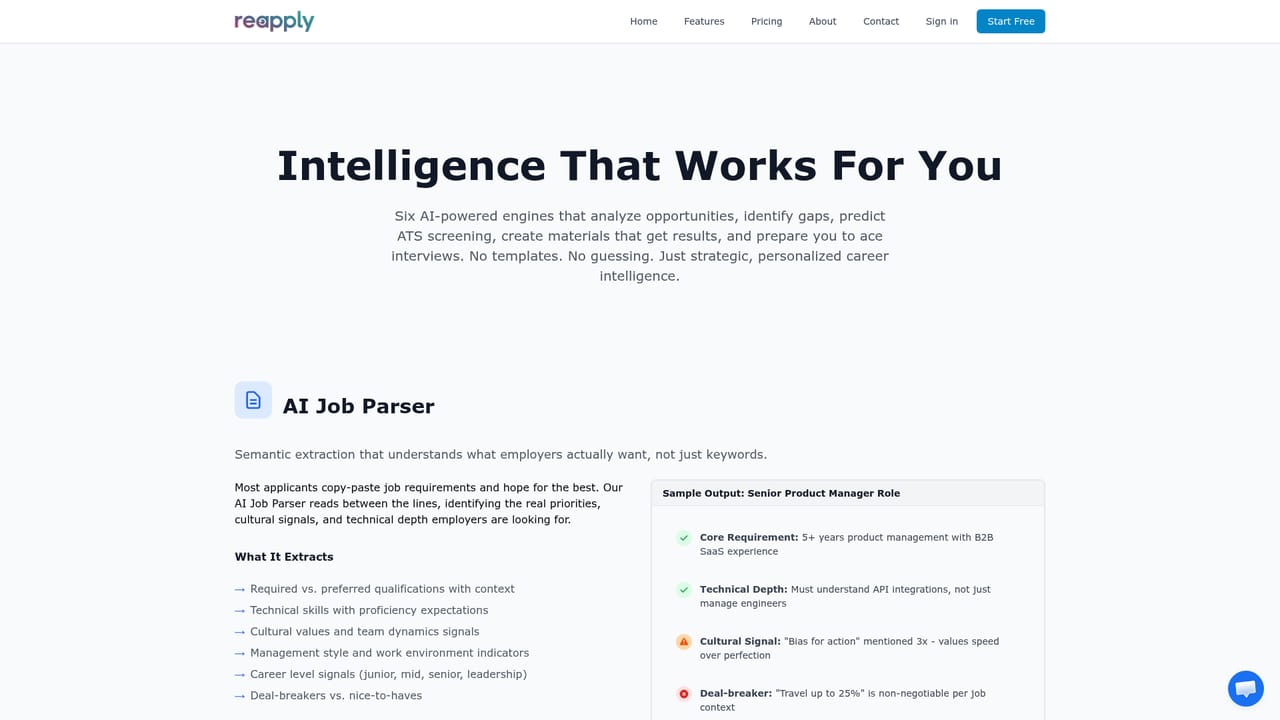
ReApply is an AI resume and cover letter builder aimed at job seekers who suspect their materials are being filtered out before a person ever reads them. The pitch is straightforward: employers screen with applicant tracking systems, keyword scanning and internal knowledge of what they want, while candidates apply with guesswork. ReApply tries to close that information gap by analyzing both the resume and the specific job posting, then producing tailored documents and interview preparation for that role. The workflow runs in four stages. You upload an existing resume in PDF, DOCX or plain text, which becomes the foundation document. You then paste a job posting, and the system analyzes fit, company, culture and ATS keyword requirements. Rather than generating text from nothing, it asks five to seven targeted questions designed to pull out relevant experience you may not have written down. The answers feed into a custom resume and cover letter delivered as PDFs, with every suggested change shown against the original so you can accept, reject or refine it. When an interview arrives, a coaching module adds positioning advice, company intelligence, gap strategies and likely questions. A Chrome extension called FitCheck scores your fit for any posting while you browse. The underlying engines are gap analysis with fit scoring and bridge strategies, automated company research covering mission, culture and technology stack, ATS keyword matching with confidence scores, and a cultural fit assessment that looks at behavioral compatibility and management style. ReApply positions itself as an enhancement layer rather than a ghostwriter, stating that it never fabricates experience. The product suits three broad groups: qualified candidates who get some interviews but want better ones, people with employment gaps or unusual career stories, and applicants who are repeatedly rejected without understanding why. Compared with generic AI writing assistants, the differentiator is per-application analysis and ATS framing rather than prose generation. Pricing is credit based with no subscription, and credits do not expire, which separates it from monthly resume platforms. Three free applications are offered without a card. The homepage does not detail data handling or integration options beyond the extension.
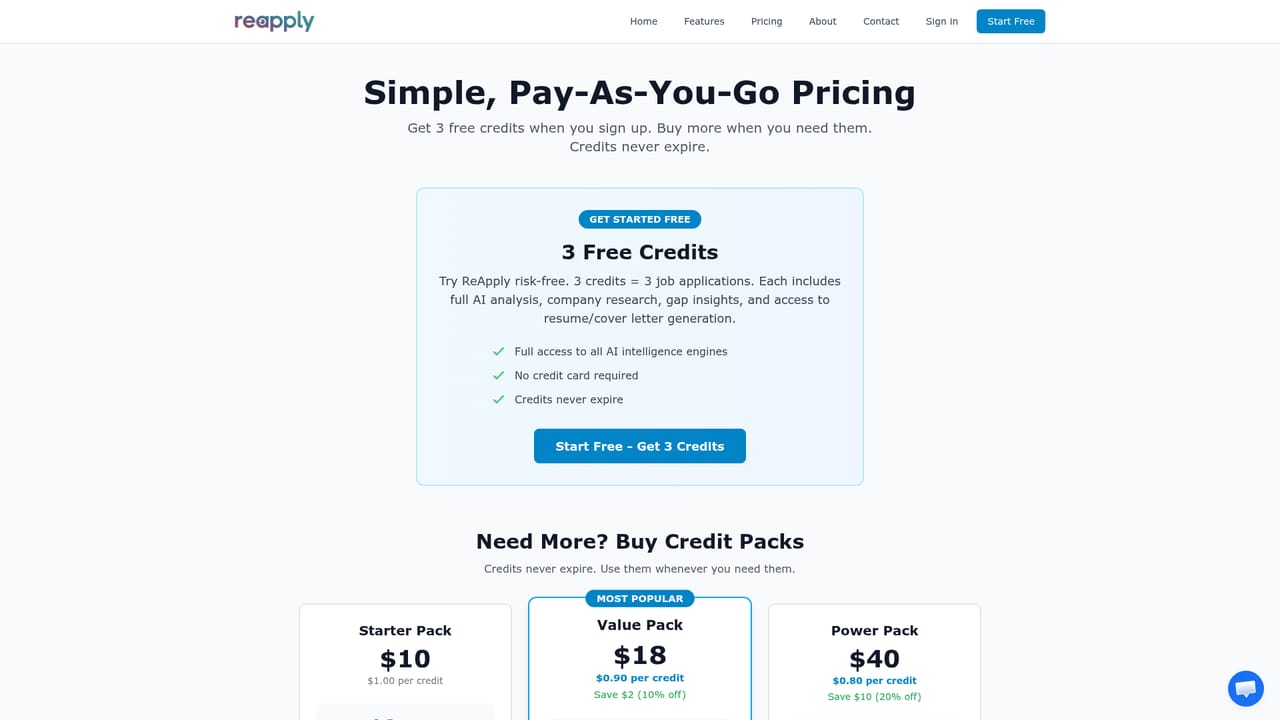
Three free applications are included with no credit card required, and the homepage states all features are unlocked during that trial.
Learn moreCredit-based pricing with no subscriptions and no recurring charges. Credits are bought only when needed and never expire. The homepage lists all intelligence engines, custom resume and cover letter generation, interview coaching and unlimited FitCheck analysis as part of the offering, but exact credit prices appear only on the pricing page.
Learn moreThe only integration described on the homepage is a Chrome extension, FitCheck, which analyzes job fit while browsing postings. No job board or applicant tracking system connections are listed.
Learn moreCore engines are gap analysis with fit scoring and bridge strategies, automated company research, ATS keyword optimization with match confidence, cultural fit assessment, and interview preparation. The process adds targeted enhancement questions, designer-quality PDF output, version management and a Chrome extension, FitCheck, that scores job fit while browsing.
Learn more AI Angels400+ customizable AI girlfriends for NSFW chat, voice calls, and roleplay
 Candy AIExperience the future of companionship with AI friends who chat, role-play, and connect with you on a human level.
 ourdream.aiA vast AI roleplay platform with millions of characters for chat, images, video and voiceAI Angels400+ customizable AI girlfriends for NSFW chat, voice calls, and roleplayCandy AIExperience the future of companionship with AI friends who chat, role-play, and connect with you on a human level.ourdream.aiA vast AI roleplay platform with millions of characters for chat, images, video and voice