Free trial
A trial option exists: the homepage links to a dedicated trial page alongside the Mac App Store download, which suggests the app can be evaluated before purchase.
Learn moreA private, local-first AI chat client built for the Mac

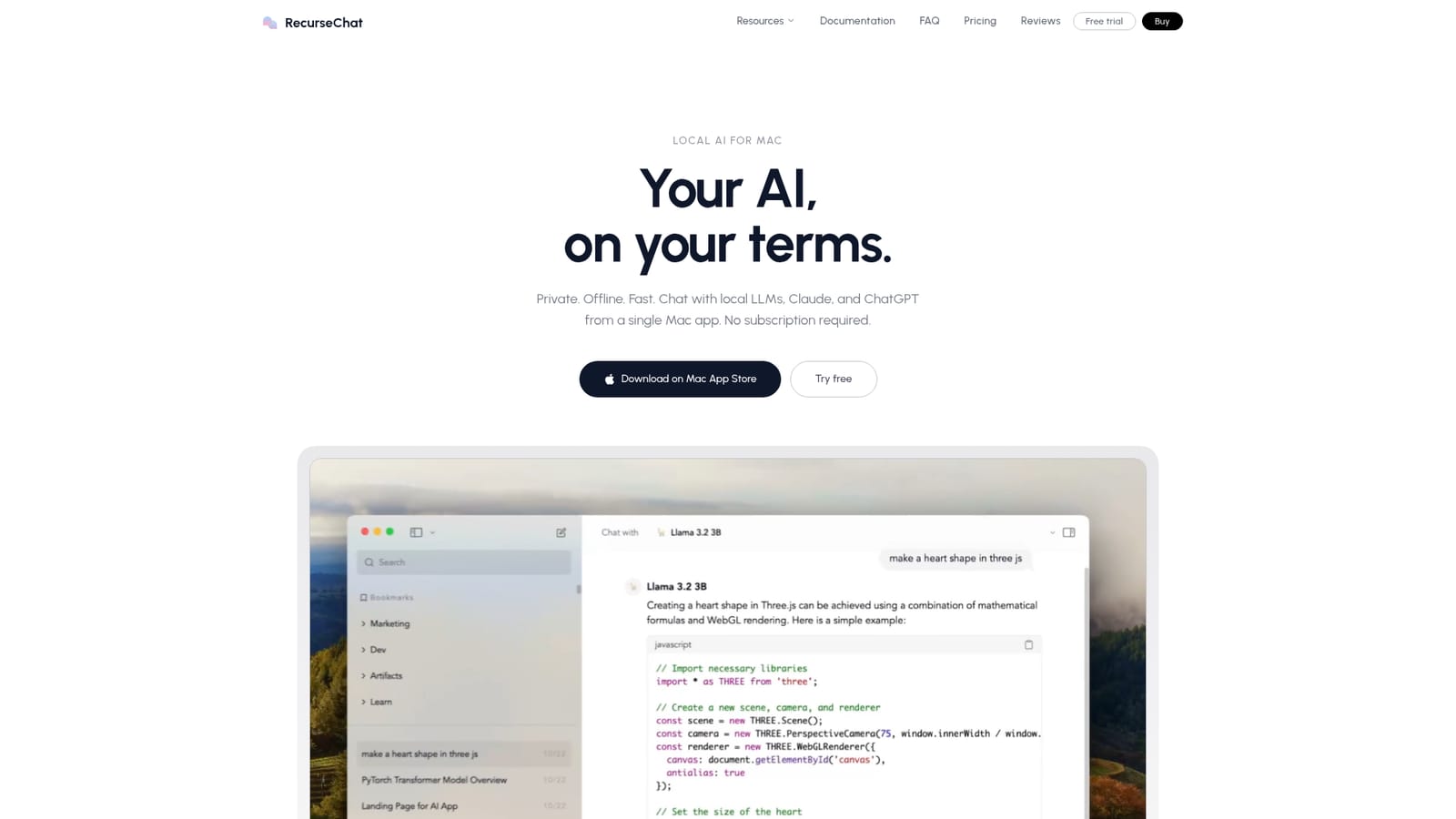
RecurseChat is a Mac chat app that runs GGUF language models locally and also connects to Claude, ChatGPT, Hugging Face and OpenAI-compatible endpoints. It adds a floating shortcut panel, on-device retrieval over PDFs and text files, and ChatGPT history import, sold as a one-time purchase with no subscription.
RecurseChat is a Mac application that puts a chat interface around large language models, with a deliberate emphasis on running those models on the machine itself. GGUF model files execute locally through the app, so a conversation can continue without an internet connection and without prompts travelling to a third party server. The same window also accepts cloud backends, including Claude, ChatGPT, OpenAI-compatible endpoints and models pulled from Hugging Face, which makes it a single front end for both self-hosted and hosted inference. In daily use the app is organised around two habits. The first is a floating chat panel summoned with a keyboard shortcut from inside any other application, which keeps the assistant on top of other windows and removes the need to switch context. The second is file chat: PDFs, markdown and plain text documents can be attached and queried through retrieval that runs on the device, with embedding and vector search handled locally rather than on a remote service. Existing ChatGPT history can be imported, so older threads can be continued against a local model instead of the original provider. The audience is fairly specific: Mac users who care about where their data goes, people who already keep model weights on disk, and anyone who wants one client rather than a browser tab per provider. The purchase model reflects that positioning. It is a one-time payment with no subscription and no data collection, which sets it apart from the subscription tiers most hosted chat products use. The trade-offs are structural. There is no Windows, Linux, iOS or Android build, so the tool is only as portable as the Apple hardware it runs on. Local inference is limited by the memory and speed of that hardware, and large models will not run comfortably on modest configurations. File understanding stops at PDF, markdown and text, and the app does not claim to generate images, browse the web or automate workflows. It is a focused chat client, and it should be judged as one.
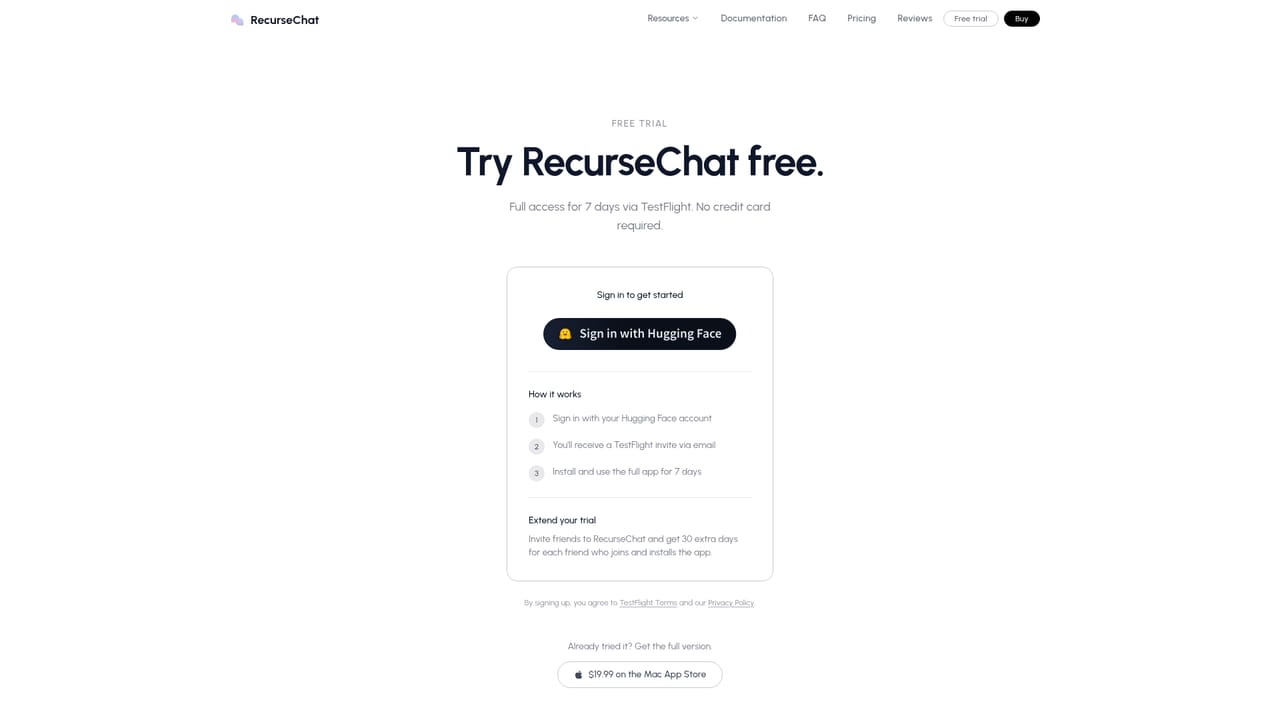
A trial option exists: the homepage links to a dedicated trial page alongside the Mac App Store download, which suggests the app can be evaluated before purchase.
Learn moreThe homepage describes a one-time purchase with no subscription and no data collection. It does not publish a price, so the exact cost has to be checked in the Mac App Store listing before buying.
Learn moreConnects to Hugging Face for model downloads, OpenAI-compatible endpoints, and cloud providers including Claude and ChatGPT. GGUF model files can be loaded directly, and ChatGPT conversation history can be imported.
Local GGUF model inference that works offline, a floating chat panel summoned by keyboard shortcut over any app, and on-device retrieval across PDFs, markdown and text files. The same client also reaches Hugging Face models, OpenAI-compatible endpoints, Claude and ChatGPT, and can import ChatGPT history so old threads continue against a local model.
 AI Angels400+ customizable AI girlfriends for NSFW chat, voice calls, and roleplay
 Candy AIExperience the future of companionship with AI friends who chat, role-play, and connect with you on a human level.
 ourdream.aiA vast AI roleplay platform with millions of characters for chat, images, video and voiceAI Angels400+ customizable AI girlfriends for NSFW chat, voice calls, and roleplayCandy AIExperience the future of companionship with AI friends who chat, role-play, and connect with you on a human level.ourdream.aiA vast AI roleplay platform with millions of characters for chat, images, video and voice


