Free trial
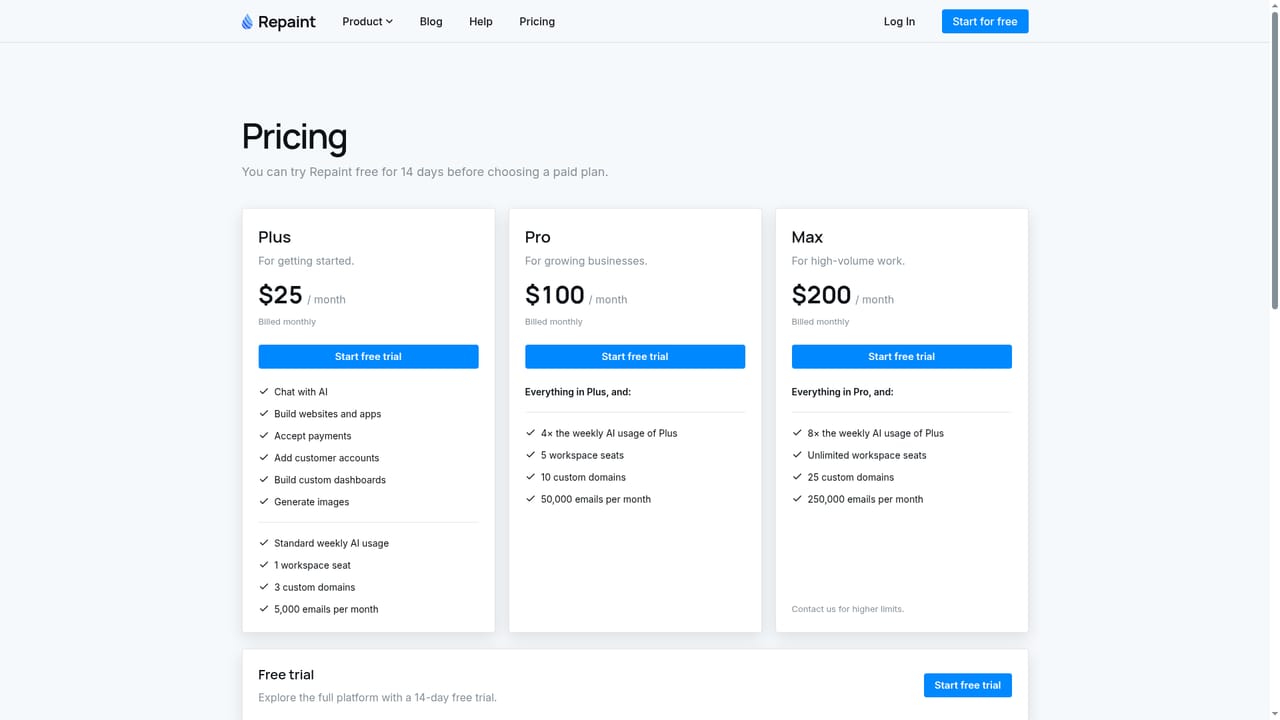
Every plan can be tried free for 14 days before choosing a paid plan.
Learn moreChat with AI to build a website, take payments and run a small business

Repaint is a productivity tool that chats with AI to build a website, take payments and run a small business. Repaint is a chat-based AI platform that builds business websites with payments, bookings, stores, memberships, courses and dashboards in one workspace.
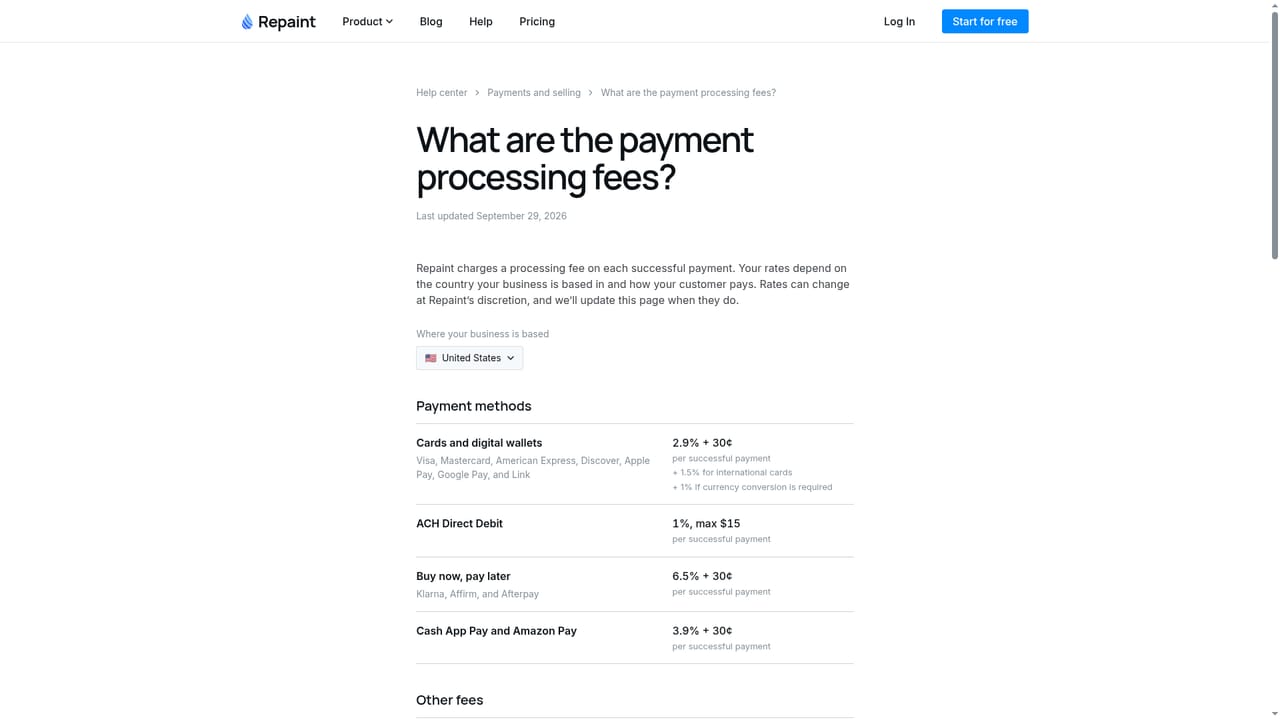
Repaint is an AI-driven business builder that turns a plain-language request into a working website with commerce features attached. Instead of assembling templates and plugins, the user describes what the business needs, such as a photo studio where clients book a session and pay online, and the assistant produces the site along with the supporting pieces. In the homepage example, that included a gallery, session details, online booking and a separate dashboard with a calendar, client details and payment tracking. The product covers several common small-business formats: websites, online stores with inventory, memberships with recurring billing, courses with progress tracking, appointment booking with real-time availability, and group classes with capacity limits. Payments are handled inside the same workspace, supporting one-time charges, subscriptions and custom billing models. Other built-in pieces include AI-written branded emails for notifications and campaigns, customer accounts for managing profiles, orders and memberships, custom dashboards, and image generation for creating or editing site photos. In practice the workflow is conversational. A user signs in, describes the business, reviews what the assistant builds, and keeps adjusting it through further chat messages. Day-to-day tasks are meant to be handled the same way. Plans are tiered by weekly AI usage, workspace seats, custom domains and monthly email volume, and a 14-day free trial is offered before a paid plan begins. Help pages cover payment fees and the countries where payments are supported, which matters for anyone planning to sell internationally. Repaint suits solo operators and small service businesses such as coaches, studios, instructors and boutique sellers who want a site, checkout and scheduling in one place without hiring a developer. It sits between conventional website builders, which rely on manual editing, and general AI coding tools, which generate software but leave payments and hosting to the user. Teams that need deep control over code or a large existing e-commerce stack may find a bundled, chat-first platform less flexible than specialised tools, but for launching quickly the all-in-one approach reduces the number of services to manage.
Every plan can be tried free for 14 days before choosing a paid plan.
Learn morePlus is $25 per month, Pro is $100 per month and Max is $200 per month, all billed monthly. Higher tiers add AI usage (4x and 8x Plus), workspace seats, custom domains and monthly email limits.
Learn moreHelp pages cover payment fees and supported payment countries. No other support channels are stated on the homepage.
Learn moreChat-based building of websites, stores, memberships, courses, appointments and classes, plus payment processing, AI-written emails, customer accounts, custom dashboards and image generation.


