RoomX AI

AI virtual staging that furnishes empty listing photos in about 30 seconds

Beginner
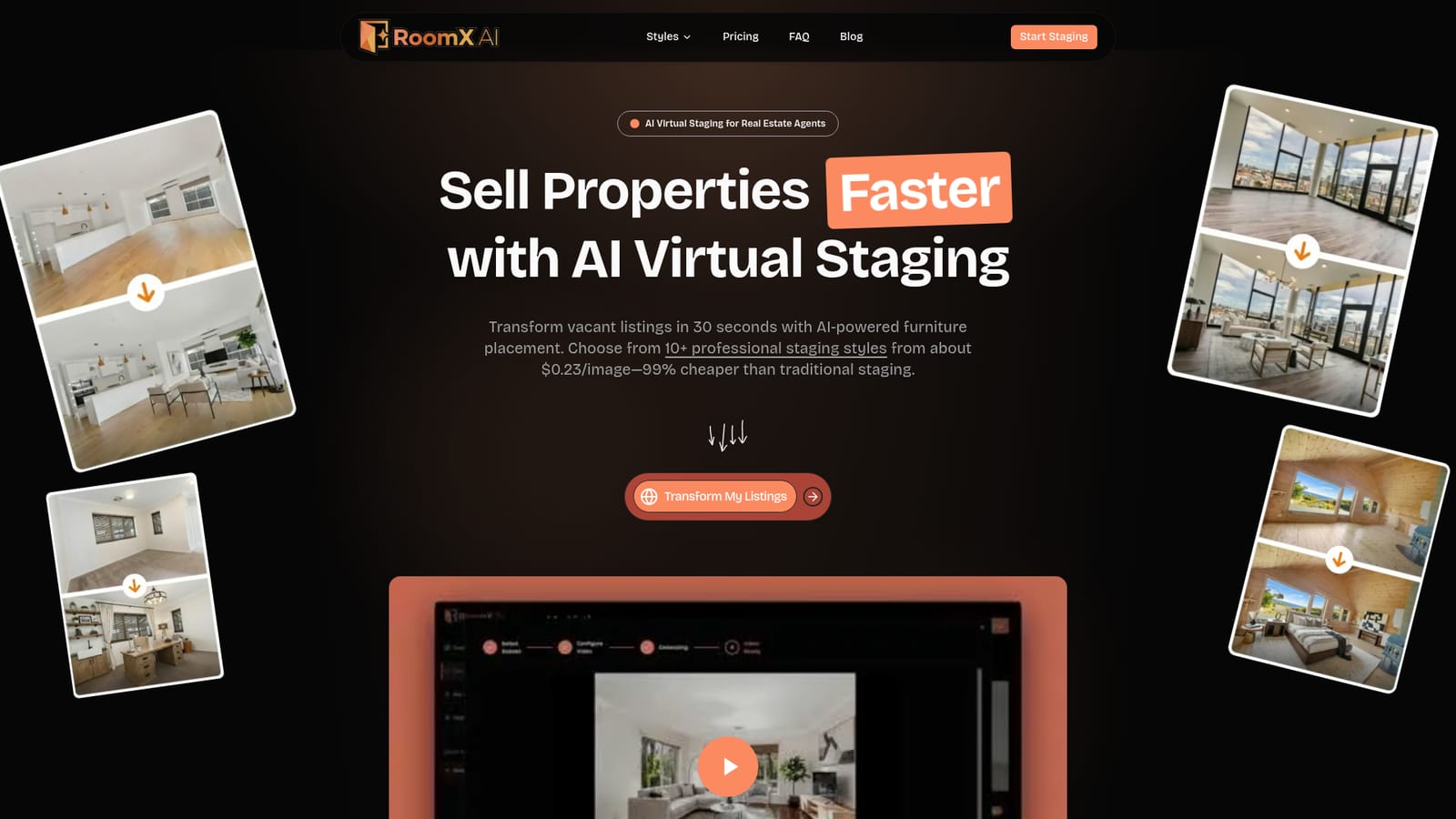
Screenshot of RoomX AI, AI virtual staging that furnishes empty listing photos in about 30 seconds

What is RoomX AI?

RoomX AI is a virtual staging tool for real estate agents. It furnishes empty room photos in about 30 seconds across 10+ styles, and can also produce scene videos and property slideshow videos. Pricing is credit-based from $12.90 a month.

RoomX AI is a virtual staging service built for real estate agents who need to show vacant properties as lived-in homes. The workflow starts with a photo of an empty room. The software adds furniture and decor with AI, and a finished image comes back in roughly half a minute. More than ten staging styles are available, and a photo can be regenerated in a different style whenever the first result is not the right fit for the target buyer. The product goes beyond still images. Staged photos can be turned into scene videos, with camera movement options such as Push Forward and Static Showcase, and several staged photos can be combined into a property slideshow video. Slideshows offer Modern, Luxury, Warm and Cinematic looks, with zoom effects, transitions and background music included. These outputs are aimed at social media posts, listing presentations and property websites, so one set of photos can feed several marketing channels without a separate video tool. Billing runs on credits. Three monthly plans exist, Lite at $12.90, Pro at $29.90 and Ultimate at $49.90, granting 200, 600 and 1,400 credits per billing month respectively. Credits on these plans expire at the end of each billing period, and renewals can be cancelled from the dashboard. Yearly plans and one-time packs are also offered, and the site quotes about $0.23 per image on a yearly plan. The homepage invites visitors to start free without a credit card. Within the wider market, RoomX AI sits between traditional staging companies, which involve scheduling, logistics and much higher per-room costs, and general-purpose image generators that lack a real estate focus. Its narrow scope suits agents, brokers and photographers handling many listings. The FAQ mentions MLS and Zillow usage and watermark removal, but those answers are not visible on the homepage, so buyers should confirm the details before relying on the output for portal uploads.
How do you use RoomX AI?

  1. 1Open RoomX AI and start free
    Visit the homepage and choose the option to transform your listings. The site states that a free start requires no credit card.
    RoomX AI — Open RoomX AI and start free
  2. 2Upload a photo of an empty room
    Add a clear photo of the vacant space. Living rooms, bedrooms, home offices and dining rooms are the spaces the site highlights.
  3. 3Pick a staging style
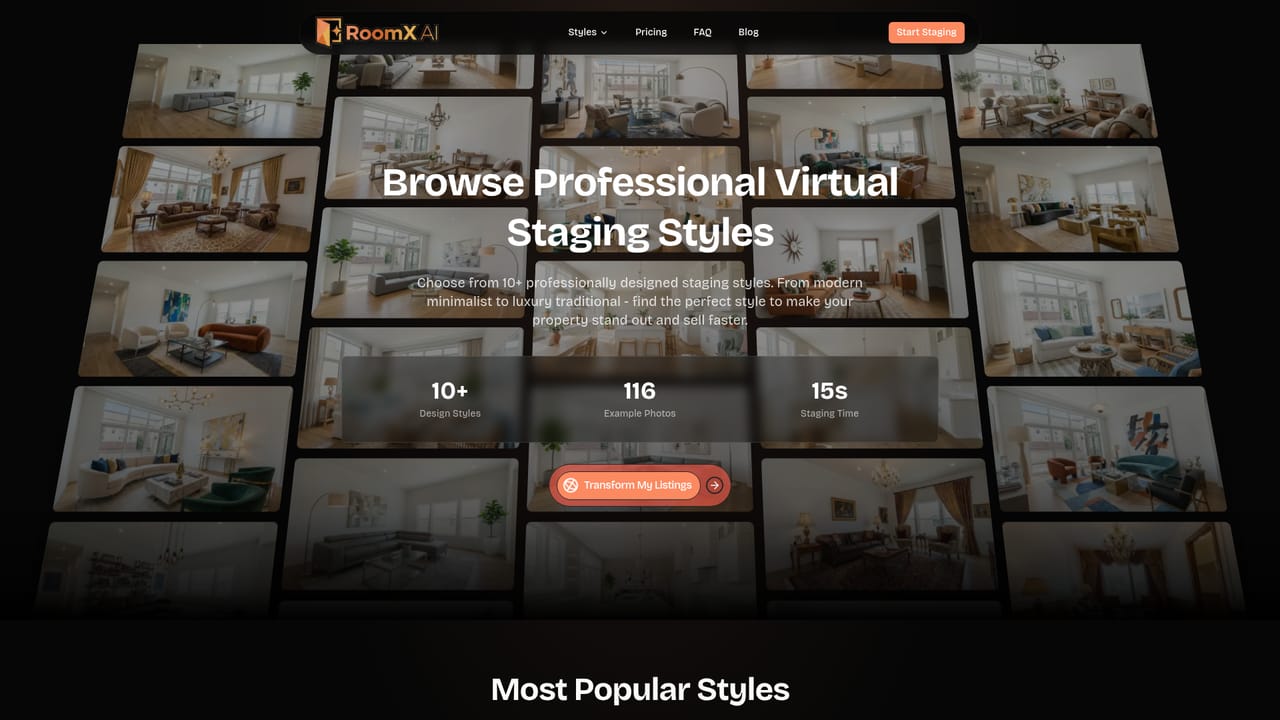
    Browse the available design styles and select one that suits the property and its likely buyers. A different style can be used later by regenerating.
    RoomX AI — Pick a staging style
  4. 4Review the staged image
    The AI places furniture and decor in roughly 30 seconds. Regenerate with another style if the first result does not fit.
  5. 5Create a scene or slideshow video
    Turn staged rooms into a scene video with a camera movement, or combine several photos into a slideshow in Modern, Luxury, Warm or Cinematic style.

Pros and cons

Pros

  • Staged images arrive in about 30 seconds, which suits agents handling many listingsAI
  • More than ten design styles, with regeneration in a new style whenever neededAI
  • Scene videos and slideshow videos extend the same photos into social and listing contentAI
  • Low entry price at $12.90 a month, and the site quotes about $0.23 per image on yearly billingAI
  • Free start with no credit card required lets agents test results firstAI

Cons

  • Subscription credits expire at the end of each billing period, so unused credits are lostAI
  • Focused on real estate, so it is of limited use for other interior or product imageryAI
  • The homepage does not show answers on MLS or Zillow compliance, so disclosure rules need checkingAI
  • Watermark behavior is unclear from the homepage, and free output may be restrictedAI
  • No integrations, API or mobile apps are mentioned, so workflows stay in the web interfaceAI

How much does RoomX AI cost?

Free trial

The homepage says visitors can start free with no credit card required. It does not detail what the free tier includes.

Learn more

Pricing

Credit-based plans: Lite $12.90 a month (200 credits), Pro $29.90 a month (600 credits), Ultimate $49.90 a month (1,400 credits). Yearly plans and one-time packs also exist, with about $0.23 per image quoted on yearly billing. Prices in USD, auto-renewing until cancelled.

Learn more

Support

The homepage carries an FAQ covering workflow, credits, photo formats, MLS and Zillow use, watermarks and data security. Credit subscriptions can be cancelled from the dashboard.

Features

AI virtual staging of empty room photos in about 30 seconds, 10+ design styles, regeneration in new styles, scene videos with camera movements, and slideshow videos in Modern, Luxury, Warm or Cinematic styles with transitions and music.

Learn more

Frequently asked questions about RoomX AI

  • How much does RoomX AI cost?
    Credit-based plans: Lite $12.90 a month (200 credits), Pro $29.90 a month (600 credits), Ultimate $49.90 a month (1,400 credits). Yearly plans and one-time packs also exist, with about $0.23 per image quoted on yearly billing. Prices in USD, auto-renewing until cancelled.
  • Does RoomX AI offer a free trial?
    The homepage says visitors can start free with no credit card required. It does not detail what the free tier includes.
  • How do you use RoomX AI?
    The walkthrough on this page covers 5 steps: 1. Open RoomX AI and start free 2. Upload a photo of an empty room 3. Pick a staging style 4. Review the staged image 5. Create a scene or slideshow video.
  • What platforms does RoomX AI support?
    RoomX AI is available on Web App.
  • What are the limitations of RoomX AI?
    Subscription credits expire at the end of each billing period, so unused credits are lost. Focused on real estate, so it is of limited use for other interior or product imagery. The homepage does not show answers on MLS or Zillow compliance, so disclosure rules need checking.

Status

StatusActive
Views0
Outbound clicks0
Added10/18/2026

Platforms

Web App

Pricing

FreemiumSubscription