Pricing
Dubbing requires an active subscription, as stated on the dubbing page. No plan tiers, price figures, minute allowances or usage limits appear on the homepage, so the pricing page is the place to confirm current rates.
Learn moreAI dubbing that puts your voice in 30+ languages

Sawtly is an audio editing tool. Sawtly Dubbing localizes video and audio into more than 30 languages using cloned AI voices, automatic subtitle sync and lip-sync matching. Users upload a file or paste a YouTube link, pick source and target languages, then export a dubbed video, audio track or subtitle file.
Sawtly Dubbing is a web based service that converts video and audio files into localized versions with cloned voices, synchronized subtitles and lip movement matching. Content can be uploaded from a device in common formats (MP4, MOV, AVI, MP3, WAV) or pulled in by pasting a YouTube URL, so the same workflow covers a finished YouTube upload and a raw camera export. The process is deliberately short. A file or link goes in, the main language and one or more target languages are selected, an AI voice is chosen for the output, and the finished dub is downloaded as video, audio or subtitles. Sawtly states that a dub can be ready in minutes and, on its own comparison table, positions that against traditional dubbing studios that take weeks and cost considerably more. Its sample clips, a Veritasium science video dubbed into French and a National Geographic wildlife piece dubbed into Arabic, show what the output is meant to sound like. The tool is built for people who publish in one language and want to publish in others: YouTubers and influencers chasing international audiences, e-learning teams localizing course material, news outlets and publishers distributing across markets, and businesses translating training videos or internal communications. Voice cloning aims to preserve the character of the original speaker, and context aware translation is meant to keep phrasing natural rather than literal. Subtitle generation and sync are handled inside the same run, with a review and adjust step before export. Language coverage leans heavily on Arabic speaking markets alongside English locales such as the US, UK, Canada, Australia, Ireland and New Zealand, and Sawtly advertises support for more than 30 languages overall. It competes with standalone dubbing services and with the built-in dubbing features of larger video platforms, and its distinguishing pitch is voice fidelity plus lip sync from a single self-serve interface. Dubbing sits behind an active subscription, and the company also offers adjacent repurposing tools that turn video into blog posts, podcasts or SRT files.
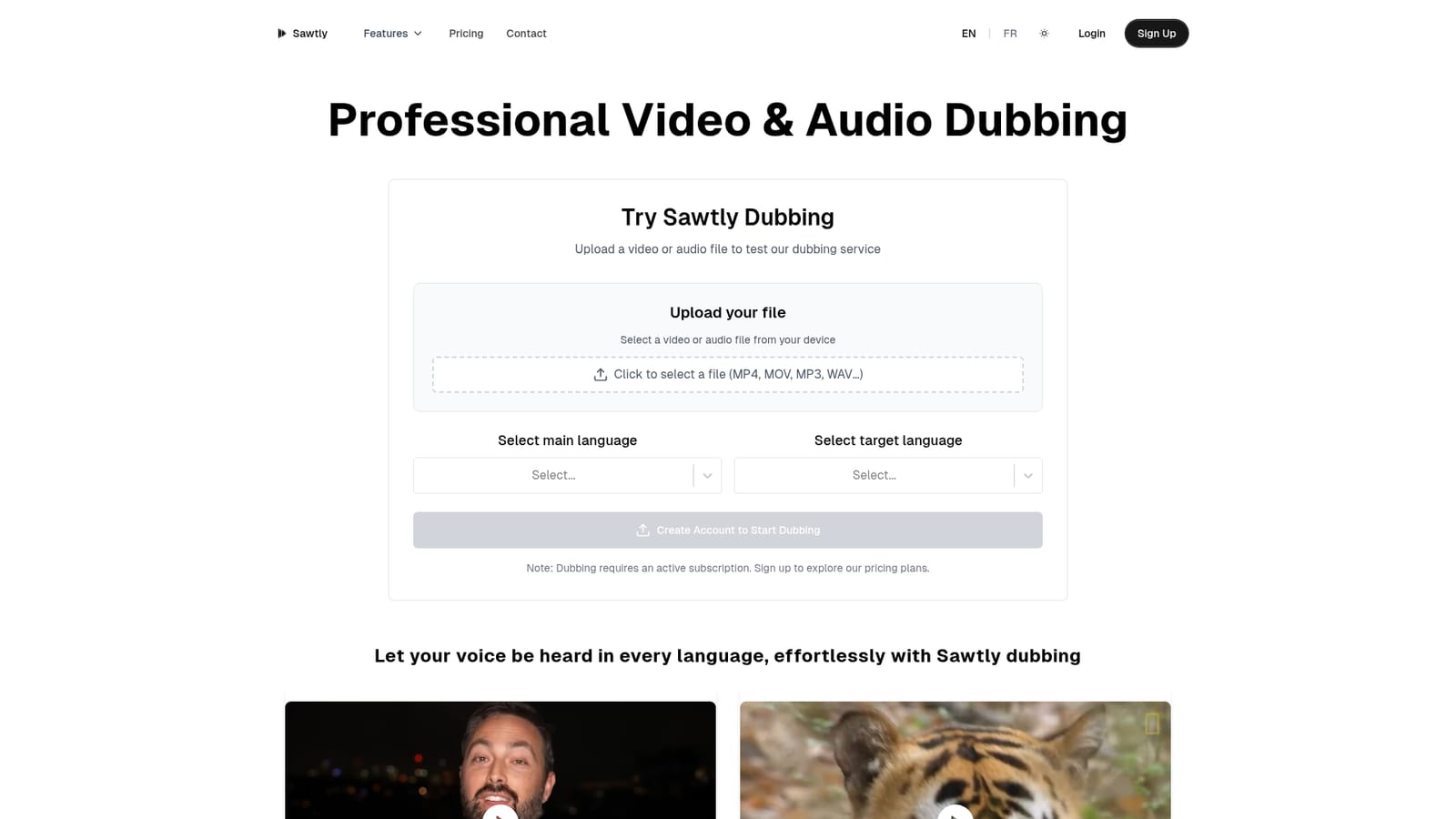
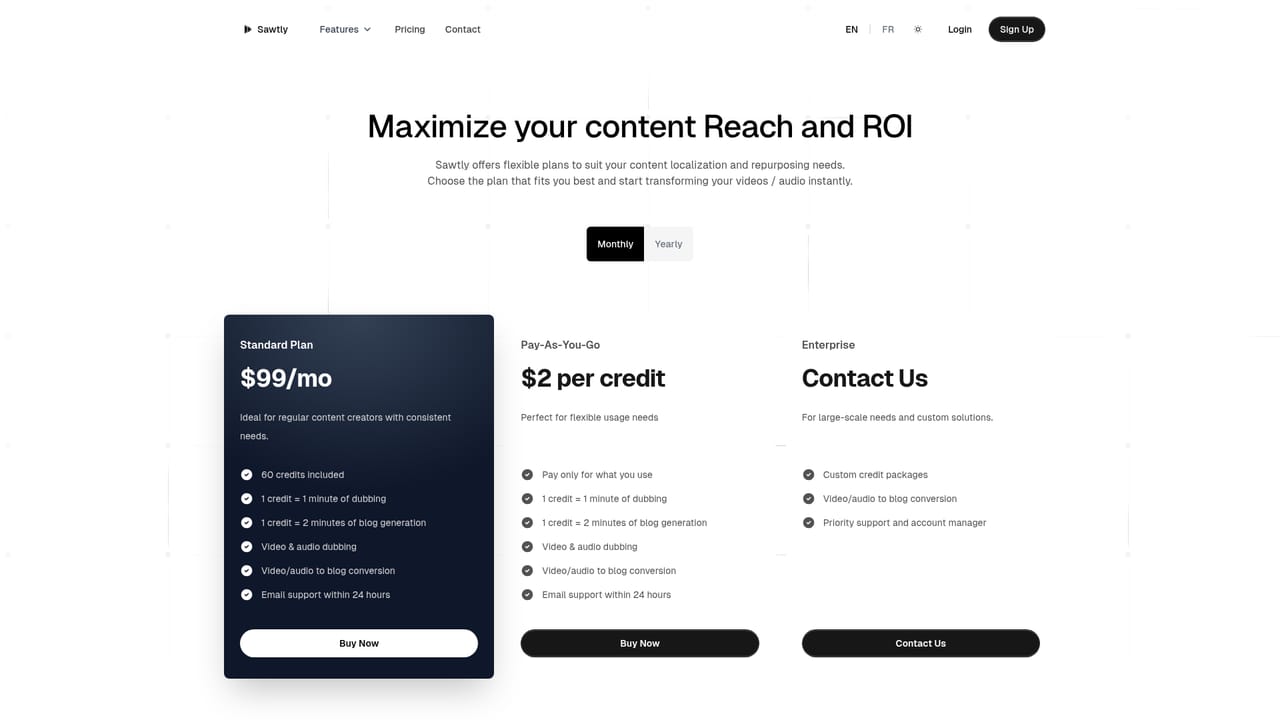
Dubbing requires an active subscription, as stated on the dubbing page. No plan tiers, price figures, minute allowances or usage limits appear on the homepage, so the pricing page is the place to confirm current rates.
Learn moreA contact page is available for reaching the Sawtly team. No help centre, documentation library or live chat is referenced on the dubbing page.
Learn moreDirect input from YouTube links sits alongside device uploads. Sawtly also runs separate repurposing tools for video to blog post, podcast to blog post, video to podcast and subtitle generation.
Natural voice cloning with high fidelity output, support for 30+ languages with native speaking voices, lip-sync technology that aligns movement with the new audio, context aware translation, automated subtitle generation and sync, export as video, audio or subtitles, YouTube URL input plus direct upload of MP4, MOV, AVI, MP3 and WAV files.
 AI Angels400+ customizable AI girlfriends for NSFW chat, voice calls, and roleplay
 Candy AIExperience the future of companionship with AI friends who chat, role-play, and connect with you on a human level.
 ourdream.aiA vast AI roleplay platform with millions of characters for chat, images, video and voiceAI Angels400+ customizable AI girlfriends for NSFW chat, voice calls, and roleplayCandy AIExperience the future of companionship with AI friends who chat, role-play, and connect with you on a human level.ourdream.aiA vast AI roleplay platform with millions of characters for chat, images, video and voice


