Scribbletoart

Turn rough sketches into finished art with AI

Beginner
Screenshot of Scribbletoart, Turn rough sketches into finished art with AI

What is Scribbletoart?

Scribbletoart is a 32-bit pixel art tool that turns rough sketches into finished art with AI. Sketch To Image converts hand drawn or digital sketches into finished artwork in twelve styles including Hyper Realistic, Anime, Studio Ghibli and Pixel Art.

Sketch To Image (also branded Scribbletoart) takes a hand drawn or digitally made sketch and rebuilds it as a polished image in a chosen art style. The homepage workflow is deliberately short: paint directly on the app canvas or upload an existing sketch, add a text prompt describing the subject, pick a style and generate. The style list covers Hyper Realistic, Digital Art, Anime, 3D, Studio Ghibli, Retro Comic, Pixel Art, Cyberpunk, Low Poly and Cute Sticker among others, with the site advertising a total of twelve styles plus the ability to layer user prompts on top of each preset. Beyond the first render, the tool adds two post-processing options that matter for real work. Images can be upscaled up to 8x for higher resolution downloads with more visible detail, and a separate image to video feature animates a generated still, which is pitched as giving finished art a new dimension. Generated artwork is stated to be copyright free and usable commercially, a detail that makes the tool interesting for marketing decks, pitch presentations, client mockups and social posts rather than only hobby doodling. The gallery shows the intended range: portraits, animals, interior and furniture design sketches, vehicles and fan style character art. The product is credited for its balance of simplicity and creative range. Web only, no integrations or API listed on the homepage.

How do you use Scribbletoart?

  1. 1Create an account and open the app
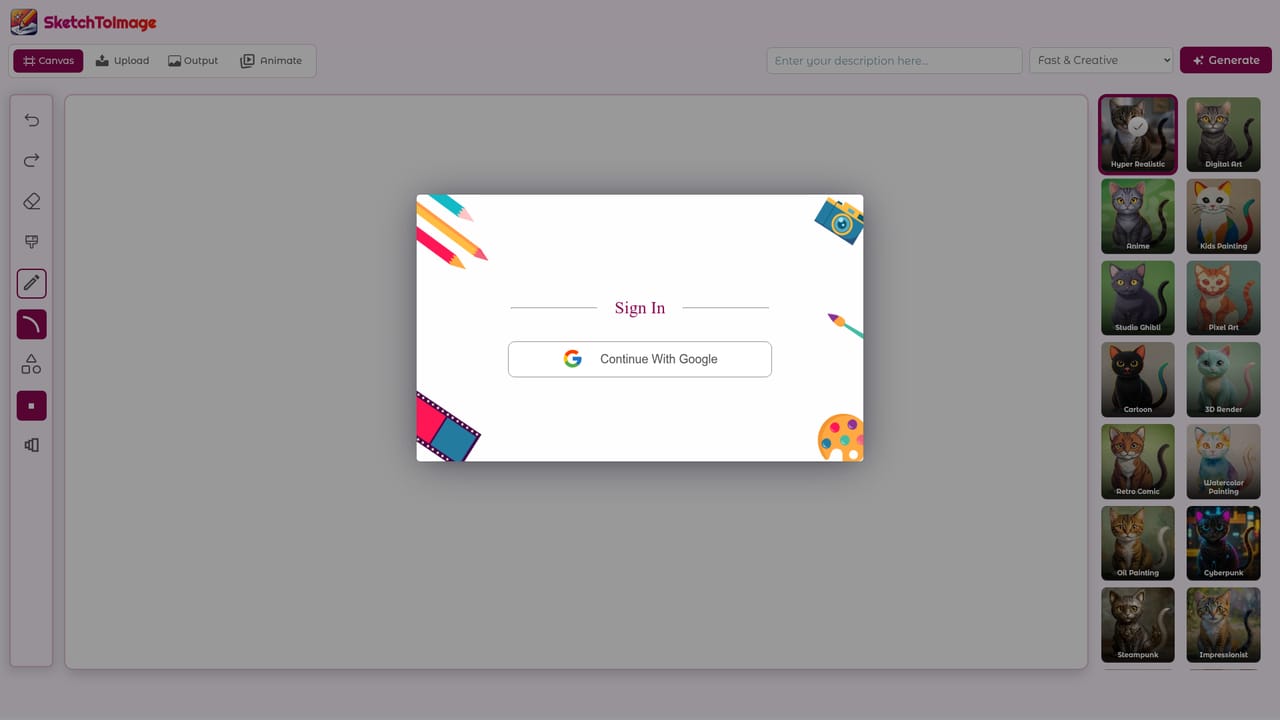
    Sign in at the app subdomain. Generations run on credits, so the plan you pick determines how many images, upscales and videos you can make.
    Scribbletoart — Create an account and open the app
  2. 2Paint a sketch or upload an existing one
    Draw on the built in canvas or upload a hand drawn or digital sketch. The homepage examples show simple line drawings as the typical input.
  3. 3Write a prompt and pick a style
    Describe the subject in the prompt field, then choose a style such as Hyper Realistic, Anime, Studio Ghibli or Pixel Art before generating.
  4. 4Generate and review the output
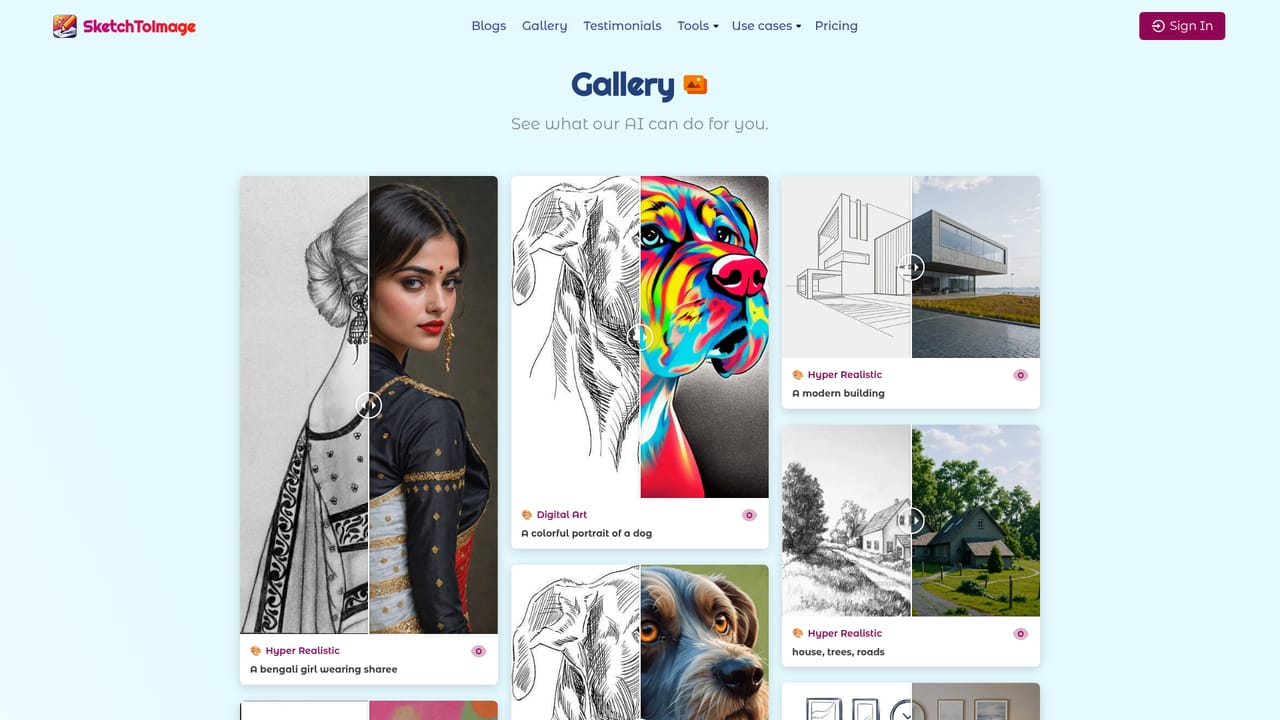
    Run the generation, then compare the result against the sketch. Style choice and prompt wording are the two variables worth adjusting on a retry.
    Scribbletoart — Generate and review the output
  5. 5Upscale or animate the result
    Upscale the finished image up to 8x for a higher resolution download, or run the image to video feature to produce a short animation.
  6. 6Check plan limits before scaling up
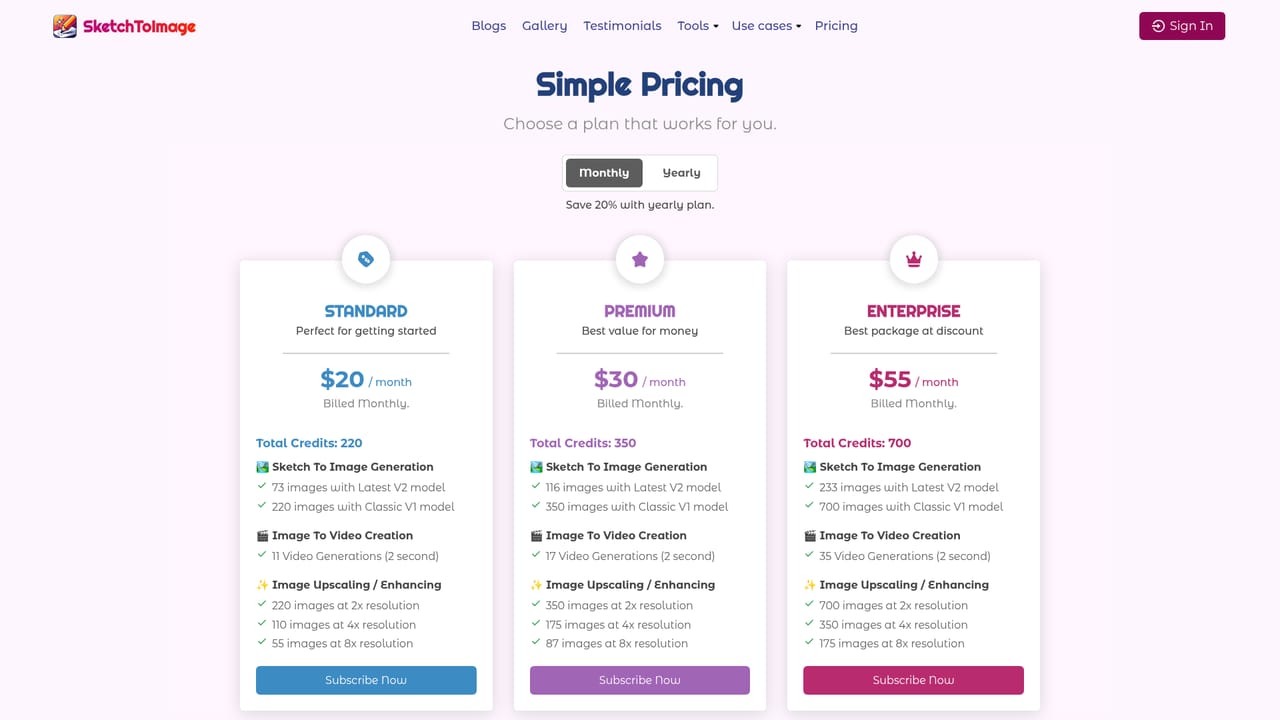
    The pricing page lists how many V2 and V1 images, upscales and 2 second videos each credit package covers.
    Scribbletoart — Check plan limits before scaling up

Pros and cons

Pros

  • Style menu covers distinct looks (Hyper Realistic, Anime, Studio Ghibli, Pixel Art, Cyberpunk) rather than small tonal variationsAI
  • Canvas painting means users without a scanned sketch can still start from scratch inside the appAI
  • 8x upscaling and image to video extend each generation beyond a single still imageAI
  • Output is stated as copyright free for commercial use, which suits client and marketing workAI
  • Credit pricing is transparent about how many images each plan yields per modelAI

Cons

  • No free tier is described on the homepage; paid plans start at $20 per monthAI
  • Generation credits are split across V1 and V2 models, so the cheaper per image rate comes from the older modelAI
  • No API, plugin or third party integrations are mentioned, limiting use in automated pipelinesAI
  • Video output is listed only as 2 second generations, too short for most publishing needsAI
  • The tool is browser based only, with no mobile or desktop app for sketching on a tabletAI

How much does Scribbletoart cost?

Pricing

Three monthly plans, all credit based: Standard at $20 (220 credits, about 73 V2 images), Premium at $30 (350 credits, about 116 V2 images) and Enterprise at $55 (700 credits, about 233 V2 images). A yearly option advertises 20% savings. Credits also pay for upscaling and 2 second video generations.

Learn more

Features

Canvas painting and sketch upload, twelve art styles including Hyper Realistic, Anime, 3D, Studio Ghibli, Retro Comic, Pixel Art and Cyberpunk, prompt driven control over the subject, upscaling up to 8x, and image to video generation. Output is stated to be copyright free for commercial use.

Frequently asked questions about Scribbletoart

  • How much does Scribbletoart cost?
    Three monthly plans, all credit based: Standard at $20 (220 credits, about 73 V2 images), Premium at $30 (350 credits, about 116 V2 images) and Enterprise at $55 (700 credits, about 233 V2 images). A yearly option advertises 20% savings. Credits also pay for upscaling and 2 second video generations.
  • How do you use Scribbletoart?
    The walkthrough on this page covers 6 steps: 1. Create an account and open the app 2. Paint a sketch or upload an existing one 3. Write a prompt and pick a style 4. Generate and review the output 5. Upscale or animate the result 6. Check plan limits before scaling up.
  • What platforms does Scribbletoart support?
    Scribbletoart is available on Web App.
  • What are the limitations of Scribbletoart?
    No free tier is described on the homepage; paid plans start at $20 per month. Generation credits are split across V1 and V2 models, so the cheaper per image rate comes from the older model. No API, plugin or third party integrations are mentioned, limiting use in automated pipelines.

Status

StatusActive
Views0
Outbound clicks0
Added10/21/2026

Platforms

Web App

Pricing

PaidSubscription