Free trial
New users receive 200 free credits after signing up and joining the Discord server. The allowance covers access to all listed video and image models, with no watermark on free output and commercial use permitted.
Learn moreMulti-model studio for AI video and image generation

SeeGen AI is a generative image tool. A multi-model AI video and image platform bundling Seedance, Grok Imagine, Wan, GPT Image, Nano Banana and Qwen engines behind one credit wallet. Includes reference-based video workflows, an editor, an upscaler and API access.
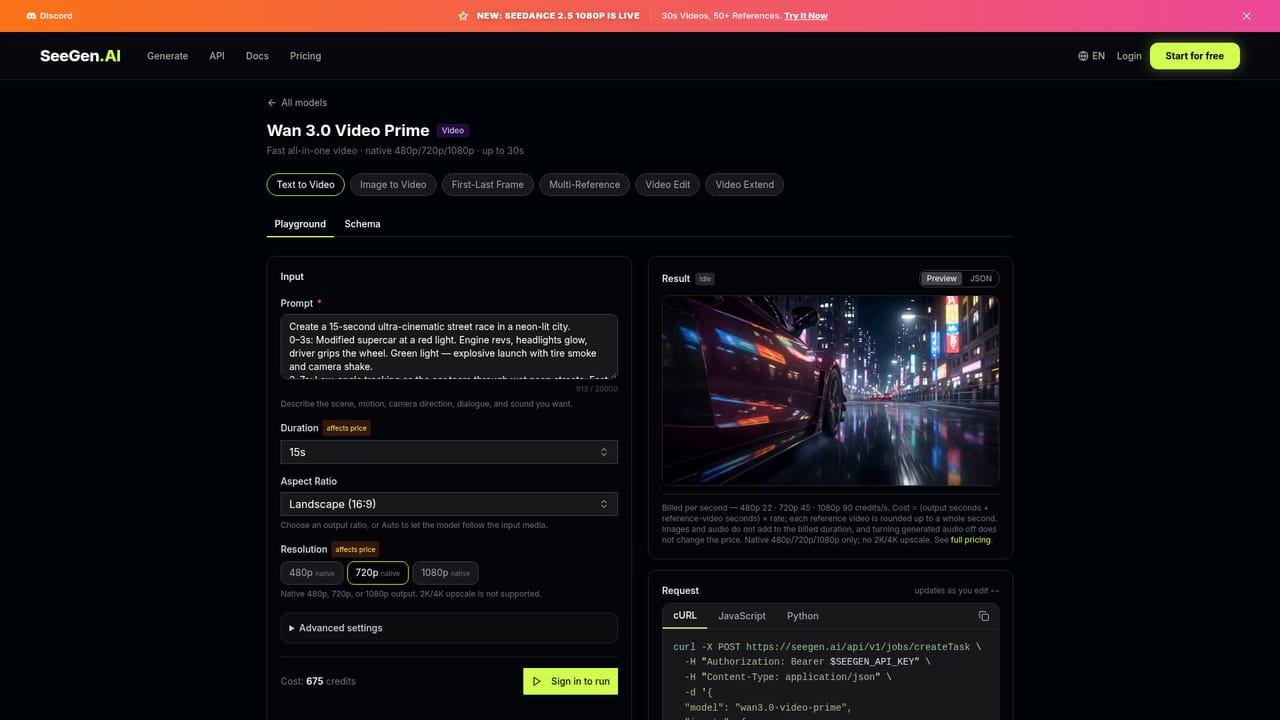
SeeGen AI is a browser-based studio that gathers a set of third-party video and image models under a single credit system. The video roster covers Seedance 2.0 (Pro, Fast and Mini), Seedance 2.5 Pro, Grok Imagine Video 1.5 and its Lite variant, and Wan 3.0 Video plus Prime. On the image side it lists GPT Image 2.0 and 2.5, Nano Banana 2.1, 2 and Pro, Seedream 5.0 Lite and Pro, and Qwen Image 2.1 Pro and Turbo. Because the underlying engines differ in speed, resolution and cost, the product is less a single generator than a switcher for picking the right model per job. The workflow is prompt driven. Text-to-video and image-to-video are the entry points, and more controlled modes sit alongside them: first and last frame to video for transitions and reveals, and multi-reference to video that accepts images, clips and audio to hold characters, products and timing consistent across shots. A built-in editor handles scene changes and detailed refinements, and a separate upscaler takes 720P output to 1080P, 2K or 4K, a cheaper route than rendering natively at high resolution. Real human face references are supported, which matters for UGC style ads and character work. Creators making short films, social clips, product ads and anime style footage are the obvious audience, but the platform also courts developers through API access with up to 480 concurrent jobs and a playground for testing calls. Billing is credit based and pay as you go rather than subscription: packs run from 3,000 credits at $17.99 to 500,000 at $2,000, with an enterprise tier quoted on request. Video is priced per second and varies by model and resolution, so Seedance 2.5 Pro at 1080p costs considerably more than Seedance 2.0 Mini at 480p. Compared with single-model tools, SeeGen trades simplicity for breadth and price flexibility. Support runs through Discord and a business email address for enterprise inquiries.


New users receive 200 free credits after signing up and joining the Discord server. The allowance covers access to all listed video and image models, with no watermark on free output and commercial use permitted.
Learn morePay as you go credits, no subscription. Free tier gives 200 credits after signup and Discord join. Paid one-time packs: 3,000 credits for $17.99, 22,000 for $99.99, 125,000 API credits for $500, 500,000 for $2,000. Custom enterprise pricing available. Video is billed per second and image per image, with rates varying by model and resolution.
Learn moreHelp is available through the SeeGen AI Discord community, and an enterprise contact address is listed for sales and dedicated technical support inquiries. No live chat or phone support is stated on the homepage.
API access to the video and image models, including Seedance, Grok Imagine, GPT Image, Nano Banana and Qwen, with a playground for testing endpoints and concurrency advertised at 480 or more.
Text and image to video, first and last frame to video, multi-reference video using images, clips and audio, an editor for scene changes, and a 720P to 1080P, 2K or 4K upscaler. Image generation spans GPT Image, Nano Banana, Seedream and Qwen models. Real human face references are supported, and API access runs through a testing playground.
 AI Angels400+ customizable AI girlfriends for NSFW chat, voice calls, and roleplay
 Candy AIExperience the future of companionship with AI friends who chat, role-play, and connect with you on a human level.
 ourdream.aiA vast AI roleplay platform with millions of characters for chat, images, video and voiceAI Angels400+ customizable AI girlfriends for NSFW chat, voice calls, and roleplayCandy AIExperience the future of companionship with AI friends who chat, role-play, and connect with you on a human level.ourdream.aiA vast AI roleplay platform with millions of characters for chat, images, video and voice






