Free trial
New accounts get 100 free credits with no card needed, usable on the photo tools. Video generation requires a paid plan, and paid plans are watermark-free.
Learn moreTurn one product photo into a UGC-style video ad with script

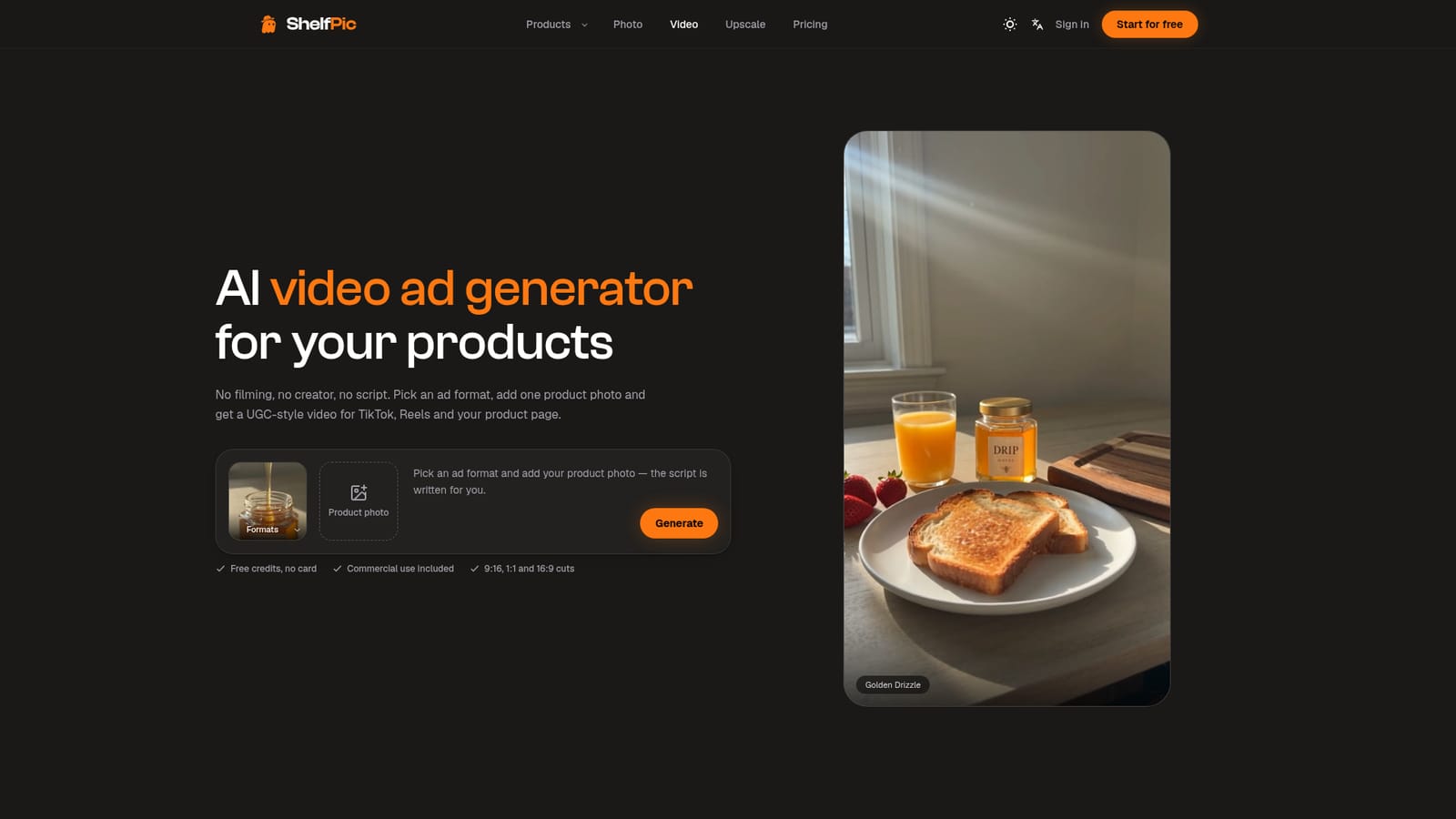
ShelfPic is a marketing tool that turns one product photo into a UGC-style video ad with script. ShelfPic generates UGC-style video ads from one product photo. Pick a format like unboxing or try-on, get a written script, and export vertical, square or landscape clips.
ShelfPic is a web-based studio for e-commerce sellers that produces short video ads from a single product photo. Instead of opening a blank video canvas, the user starts from a commerce ad format such as UGC, unboxing, demo or try-on. Each format ships with its own script and shot list, so nothing has to be filmed, written or voiced. The aim is footage that looks like a creator shot it on a phone, with handheld framing, ordinary rooms and natural light, for TikTok, Reels and product pages. In practice the workflow has three steps. The seller uploads a product image, picks a format from the library, then sets aspect ratio, duration and quality before downloading the result. Output can be vertical 9:16, square 1:1 or landscape 16:9, from 4 to 15 seconds, at 480p, 720p or 1080p. The uploaded photo acts as the visual reference for every frame, which is meant to keep packaging, labels and colors close to the real item. For ads that need a person on screen, a built-in presenter library is available, or a user can upload their own face and reuse the same presenter across a campaign. Video sits alongside a wider photo toolkit that draws on the same credit balance: an AI product photo generator with scene templates, a background remover and a 2x or 4x image upscaler. Plans are credit-based and start at $19 a month, with a free allowance of credits for the photo tools that needs no card. Rendered videos can be used commercially as paid social and marketplace ads, and paid plans remove the watermark. ShelfPic fits small shops and solo sellers who need a steady supply of ad creative without hiring creators. Compared with general-purpose AI video generators, it trades open-ended control for ready-made ad formats and scripts. Compared with UGC creator marketplaces, it replaces booking and shipping with generation. Teams that want freeform cinematic clips or fine editing will likely look elsewhere.
New accounts get 100 free credits with no card needed, usable on the photo tools. Video generation requires a paid plan, and paid plans are watermark-free.
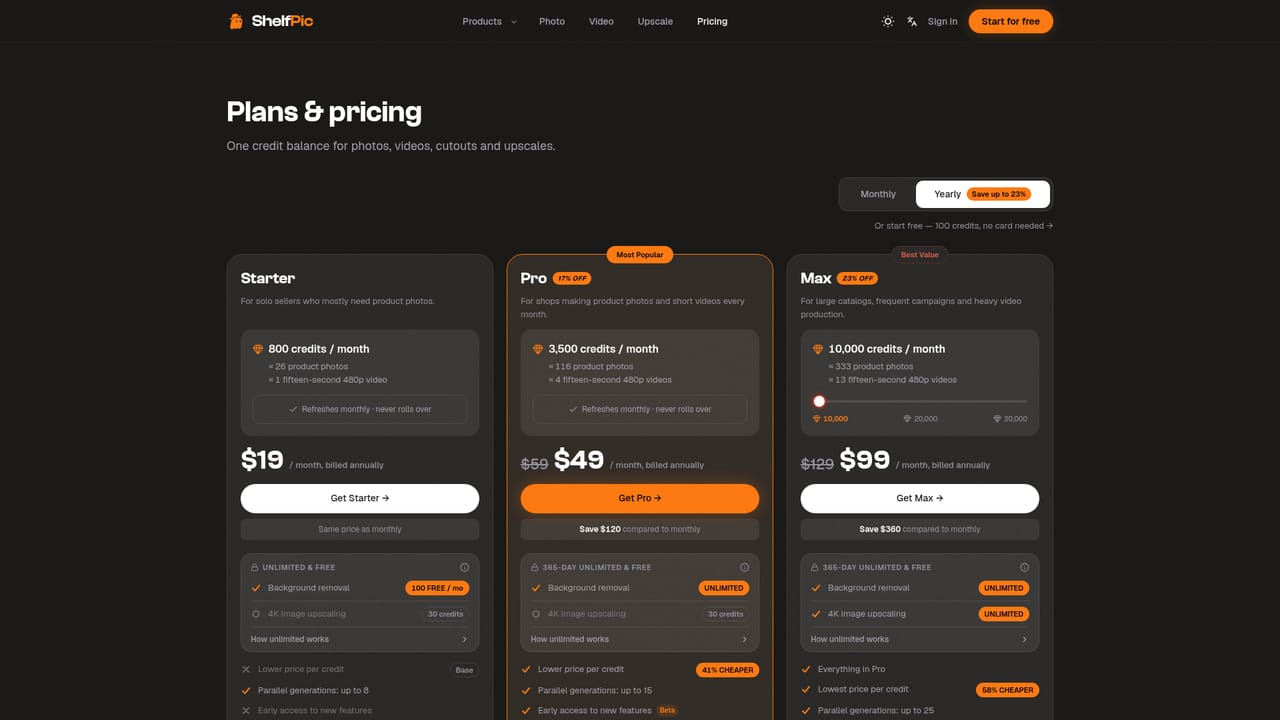
Learn moreCredit-based monthly or yearly plans. Starter is $19 a month billed annually (800 credits), Pro $49 (3,500 credits) and Max $99 (10,000 credits). Prices in USD, excluding tax. Credits refresh monthly, never roll over, and failed generations are refunded.
Learn morePriority support is included on the Max plan only. The pricing page has FAQs on credits and unlimited allowances.
Ad formats (UGC, unboxing, demo, try-on) with written scripts and shot lists, product-faithful frames, a presenter library or your own face, 9:16, 1:1 and 16:9 output, 4 to 15 seconds at 480p to 1080p, plus photo generation, background removal and upscaling.
Learn more


