Integrations
A dedicated Shopify to mobile app route is documented on its own page, indicating a Shopify connection for merchants converting a store into an app. No further integrations are named on the homepage.
Learn moreBuild a full product or business by chatting with AI

Shipper.now is an app creation tool that builds a full product or business by chatting with AI. Shipper.now is a chat-driven builder that turns a described idea into a website, online store or iOS and Android app, including a route for converting an existing site or Shopify store into a mobile app.
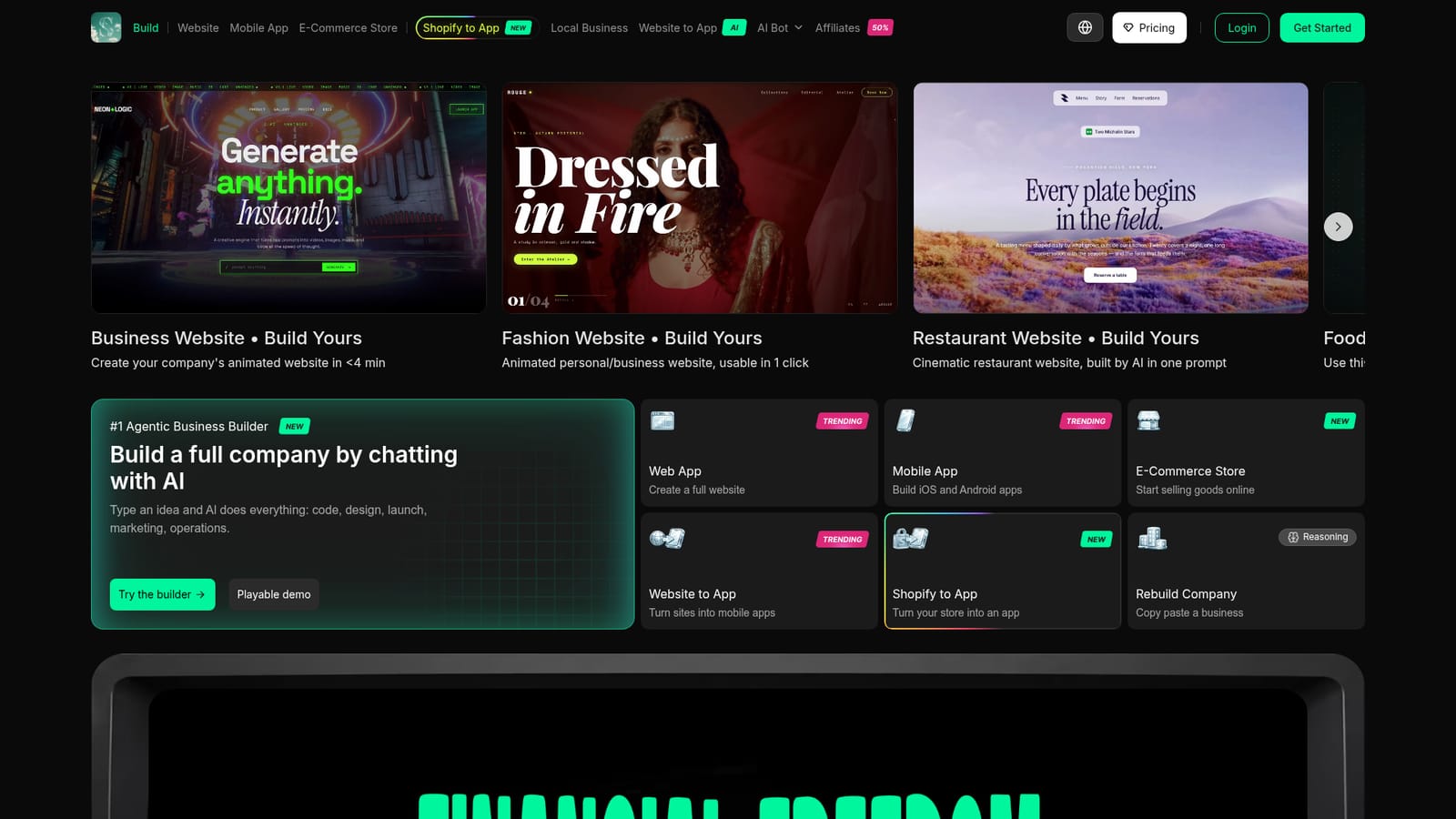
Shipper.now is a conversational builder that positions itself as an agentic business builder. Instead of assembling a website in a visual editor or writing code in a separate environment, you describe the idea you have in mind and the assistant works through the rest. The homepage frames the scope broadly: code, design, launch, marketing and operations are all listed as tasks the AI handles once a prompt arrives. In practice that means the product sits somewhere between a website builder, a mobile app generator and an AI coding assistant, with the chat thread as the single control surface. The stated output types are specific. Shipper can produce a full website, an e-commerce store, or iOS and Android apps. Two conversion paths are called out separately: turning an existing website into a mobile app, and a dedicated Shopify to app route for merchants who already sell through that platform. A reasoning mode labelled Rebuild Company lets you copy and paste a business concept and have the system reconstruct it, which points at founders who want a working starting point rather than a blank canvas. The showcase is the most concrete evidence of how the tool behaves. It contains dozens of live examples spanning agency sites, fashion labels, restaurants, travel, real estate, editorial magazines, portfolios and meditation apps, each presented as a template you can build on. Visitors can open a playable demo before creating an account, and the interface is said to show work in progress as though you were looking at a phone screen, with prompt suggestions offered along the way. Users quoted on the site emphasise speed and the accuracy of site recreation. Shipper.now is aimed at non-technical founders, small business owners and merchants who need a functioning storefront or app without hiring a developer or designer. Compared with general-purpose coding assistants, the value is the bundled deployment, hosting and marketing layer rather than raw code output. Against template site builders, the difference is that the conversation drives structure and design together. The trade-off is control: it suits people who can evaluate a finished result but would rather not manage the underlying stack.

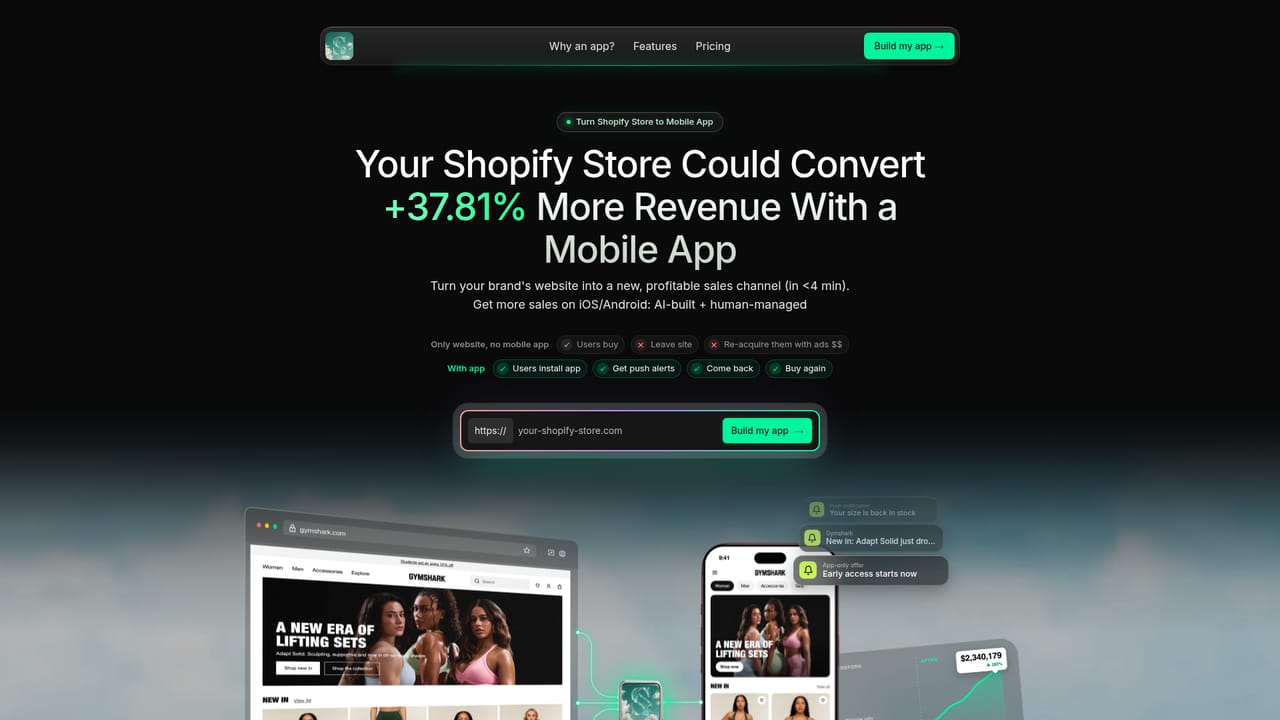
A dedicated Shopify to mobile app route is documented on its own page, indicating a Shopify connection for merchants converting a store into an app. No further integrations are named on the homepage.
Learn moreThe builder produces full websites, e-commerce stores, and iOS and Android apps from conversational prompts. Named capabilities include turning an existing website into a mobile app, a dedicated Shopify to app path, and a Rebuild Company reasoning mode for reconstructing a business concept. The workspace shows work in progress plus prompt suggestions, and dozens of live showcase sites illustrate the output range.
 AI Angels400+ customizable AI girlfriends for NSFW chat, voice calls, and roleplay
 Candy AIExperience the future of companionship with AI friends who chat, role-play, and connect with you on a human level.
 ourdream.aiA vast AI roleplay platform with millions of characters for chat, images, video and voiceAI Angels400+ customizable AI girlfriends for NSFW chat, voice calls, and roleplayCandy AIExperience the future of companionship with AI friends who chat, role-play, and connect with you on a human level.ourdream.aiA vast AI roleplay platform with millions of characters for chat, images, video and voice


