Free trial
Every new user gets a 14-day trial of the Team plan, which allows up to 4,000 translation keys. No credit card is required to start.
Learn moreAuto-translate your app strings with AI, DeepL or Google inside a translation editor
Own SimpleLocalize? Verify ownership to get a dofollow link
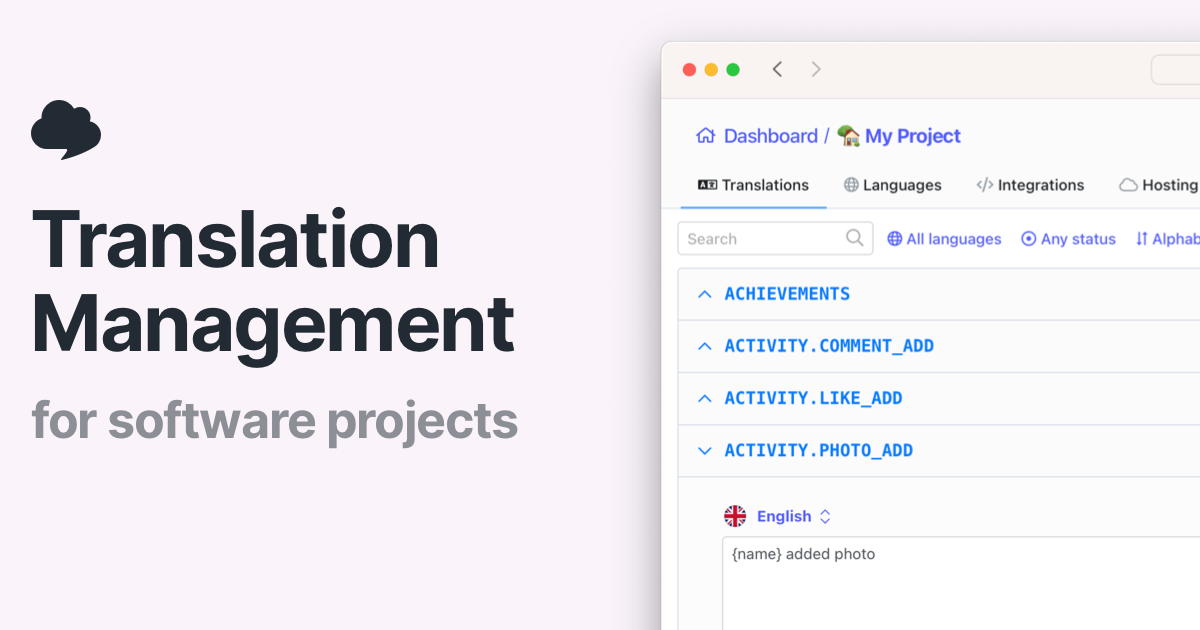
SimpleLocalize is a developer tool. SimpleLocalize adds one-click, bulk and automated machine translation to a web-based translation editor. It supports OpenAI, DeepL, Google Translate, Gemini and Claude, lets you bring your own API keys on any plan, and includes monthly character allowances on paid tiers.
SimpleLocalize is a localization platform whose auto-translation layer fills in missing strings for apps, websites and games. Instead of exporting a spreadsheet and running it through a translation API by hand, teams connect their translation files, add a language, and let the editor translate keys in place. The tool routes text to OpenAI, DeepL, Google Translate, Gemini or Claude, so technical UI strings can go through a cheaper engine while marketing copy is handed to a model that accepts tone and context instructions. In practice the work happens inside a built-in editor with list, side-by-side and table views. A single key can be translated with one click, a selection of keys can be pushed through a bulk action with chosen languages and providers, or the whole project can be run at once to onboard a new locale. Automations go further and trigger translation when a new string arrives or when the default language text is edited, which suits mobile apps and SaaS products that ship continuously. Screenshots with OCR, variable highlighting, review statuses, comments and change history sit alongside the machine output so a human can approve or correct it. Costs are handled in two ways. Paid plans include a monthly allowance of auto-translation characters for DeepL and Google, and unused characters roll over to the next month. Alternatively, teams bring their own API keys for any provider, including on the free plan, and pay the provider directly. That second route appeals to projects translating a fixed body of content once, such as a desktop game, where a subscription makes little sense. The product competes with heavier translation management systems and with raw API access. Its pitch is that most tools are overkill: setup is quick, flat plans include a set number of team members, and developer tooling (CLI, VS Code, IntelliJ, Figma, CI/CD, an MCP server for AI agents) is part of the same platform. Teams that want deep linguistic workflow customization or vendor-managed human translation may still prefer a larger TMS.
Every new user gets a 14-day trial of the Team plan, which allows up to 4,000 translation keys. No credit card is required to start.
Learn moreFlat plans with a fixed number of team members per tier and a monthly allowance of auto-translation characters for DeepL and Google, which rolls over if unused. OpenAI can be used with your own key without limits, and extra characters can be purchased without upgrading.
Learn morePersonal support from the SimpleLocalize team, covering onboarding questions and feature requests, with customer quotes citing fast response times.
CLI tool, VS Code extension, IntelliJ plugin and Figma plugin, plus an API and CI/CD workflows. An MCP server connects AI agents such as Cursor, Windsurf and Claude Desktop.
Learn moreOne-click, bulk and project-wide auto-translation across OpenAI, DeepL, Google Translate, Gemini and Claude. A translation editor with list, side-by-side and table views, screenshots with OCR, variable highlighting, review statuses, comments, change history and quality checks. Automations trigger translation on new or edited strings, and context-aware AI adds tone instructions and key-level descriptions.
Learn more AI Angels400+ customizable AI girlfriends for NSFW chat, voice calls, and roleplay
 Candy AIExperience the future of companionship with AI friends who chat, role-play, and connect with you on a human level.
 ourdream.aiA vast AI roleplay platform with millions of characters for chat, images, video and voiceAI Angels400+ customizable AI girlfriends for NSFW chat, voice calls, and roleplayCandy AIExperience the future of companionship with AI friends who chat, role-play, and connect with you on a human level.ourdream.aiA vast AI roleplay platform with millions of characters for chat, images, video and voice


