Free trial
Free use needs no signup (2 scripts per day, 15 slides each). Signing in free gives a welcome gift of one premium script run on the paid AI model.
Learn moreTurns PDF or PPTX slide decks into timed, word-for-word speaking scripts
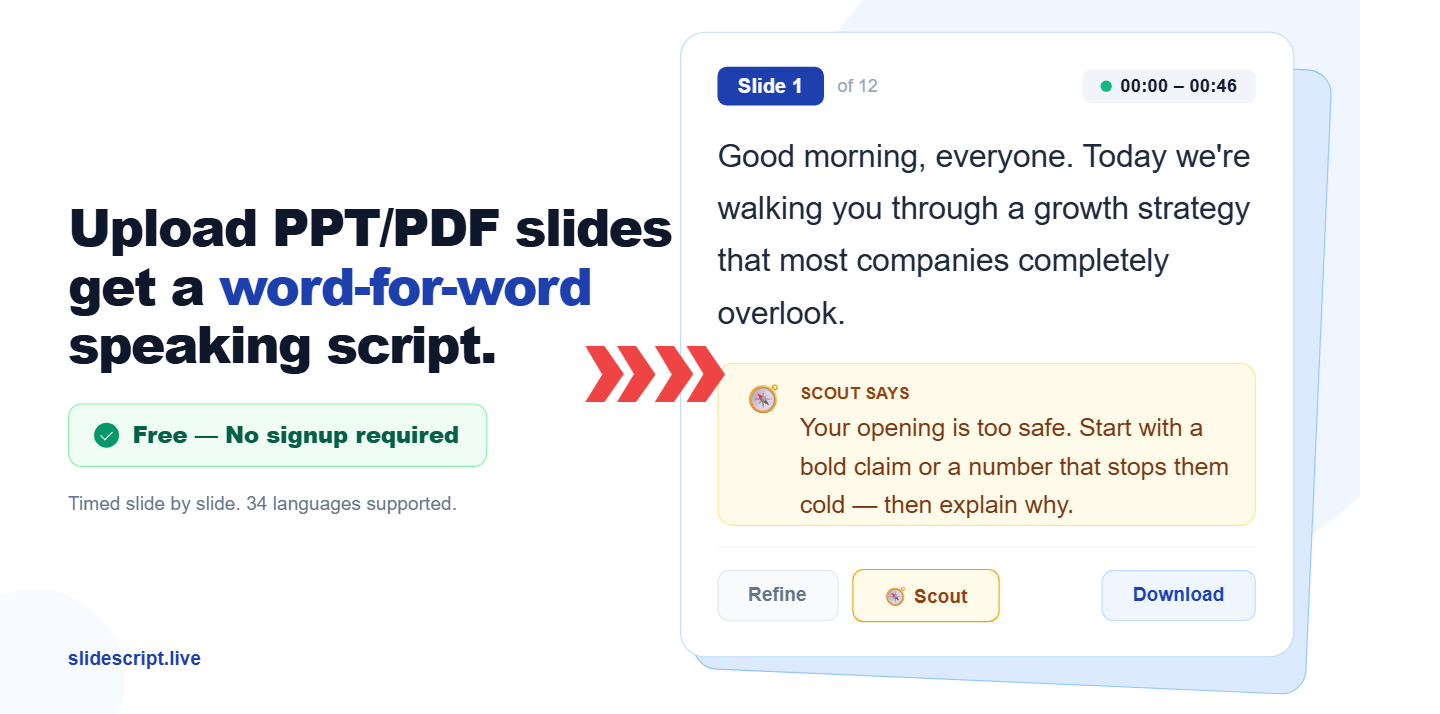
SlideScript is a script tool that turns PDF or PPTX slide decks into timed, word-for-word speaking scripts. SlideScript converts PDF or PPTX slide decks into word-for-word speaking scripts timed slide by slide, in 34 languages. It includes per-slide AI refinement, an AI coach named Scout, and TXT, DOCX or PDF export, with a free tier that needs no signup.
SlideScript is a web-based script generator for people who have finished their slides but not their talk. A user uploads a PDF or PowerPoint deck, chooses a total speaking time and an output language, and receives a full script with a separate timed section for every slide. The output is written as continuous spoken prose with transitions between slides, which sets it apart from bullet-point speaker notes. The audience is broad: thesis and viva candidates, students giving class presentations, founders preparing pitch decks, sales teams, and conference speakers. The site offers dedicated landing pages for some of these cases, including a thesis defense script page with an academic tone. Scripts can be generated in 34 languages, and the output language does not have to match the language of the slides. Talks of up to 60 minutes are supported. In practice, the workflow continues after generation. Each slide sits next to an image preview of the original, so the text can be checked against what the audience will see. Individual slides can be edited by hand, rewritten with a plain-English instruction such as shortening to 30 seconds, or locked so later AI refinements skip them. Each slide keeps its own undo and redo history of up to three steps. A built-in coach called Scout reviews a slide, points out what works and what does not, and proposes a refine prompt that can be applied in one click. Finished scripts export as TXT, DOCX or PDF on every plan. The free tier needs no signup and allows two scripts per day, with a limit of 15 slides each. Paid plans, starting from $0.99, raise slide limits, save scripts and open up the full Scout experience, and paying users get a newer Claude model with native PDF reading. Compared with general chatbots, which can also draft scripts from pasted text, SlideScript is narrower but handles file upload, timing allocation and per-slide editing in a single interface. It is less suited to presenters who want a full slide-design tool or a live teleprompter.
Free use needs no signup (2 scripts per day, 15 slides each). Signing in free gives a welcome gift of one premium script run on the paid AI model.
Learn moreFree to try with no signup or credit card: 2 scripts per day and up to 15 slides per script. Paid plans start from $0.99 and add more slides, saved scripts and the full Scout coaching experience. Full limits are on the pricing page.
Learn moreTimed word-for-word scripts per slide, PDF and PPTX upload, 34 languages, per-slide AI refine, slide lock, undo and redo, manual editing, slide image preview, Scout AI coach, and TXT, DOCX or PDF export.
 AI Angels400+ customizable AI girlfriends for NSFW chat, voice calls, and roleplay
 Candy AIExperience the future of companionship with AI friends who chat, role-play, and connect with you on a human level.
 ourdream.aiA vast AI roleplay platform with millions of characters for chat, images, video and voiceAI Angels400+ customizable AI girlfriends for NSFW chat, voice calls, and roleplayCandy AIExperience the future of companionship with AI friends who chat, role-play, and connect with you on a human level.ourdream.aiA vast AI roleplay platform with millions of characters for chat, images, video and voice