Integrations
Exports to MIDI, audio and stems for use in any DAW, and the underlying Vibin AI Audio Engine is available for licensing into third-party plugins, apps and platforms.
AI beat maker for Mac and iPhone that generates MIDI loops in nearly 50 styles

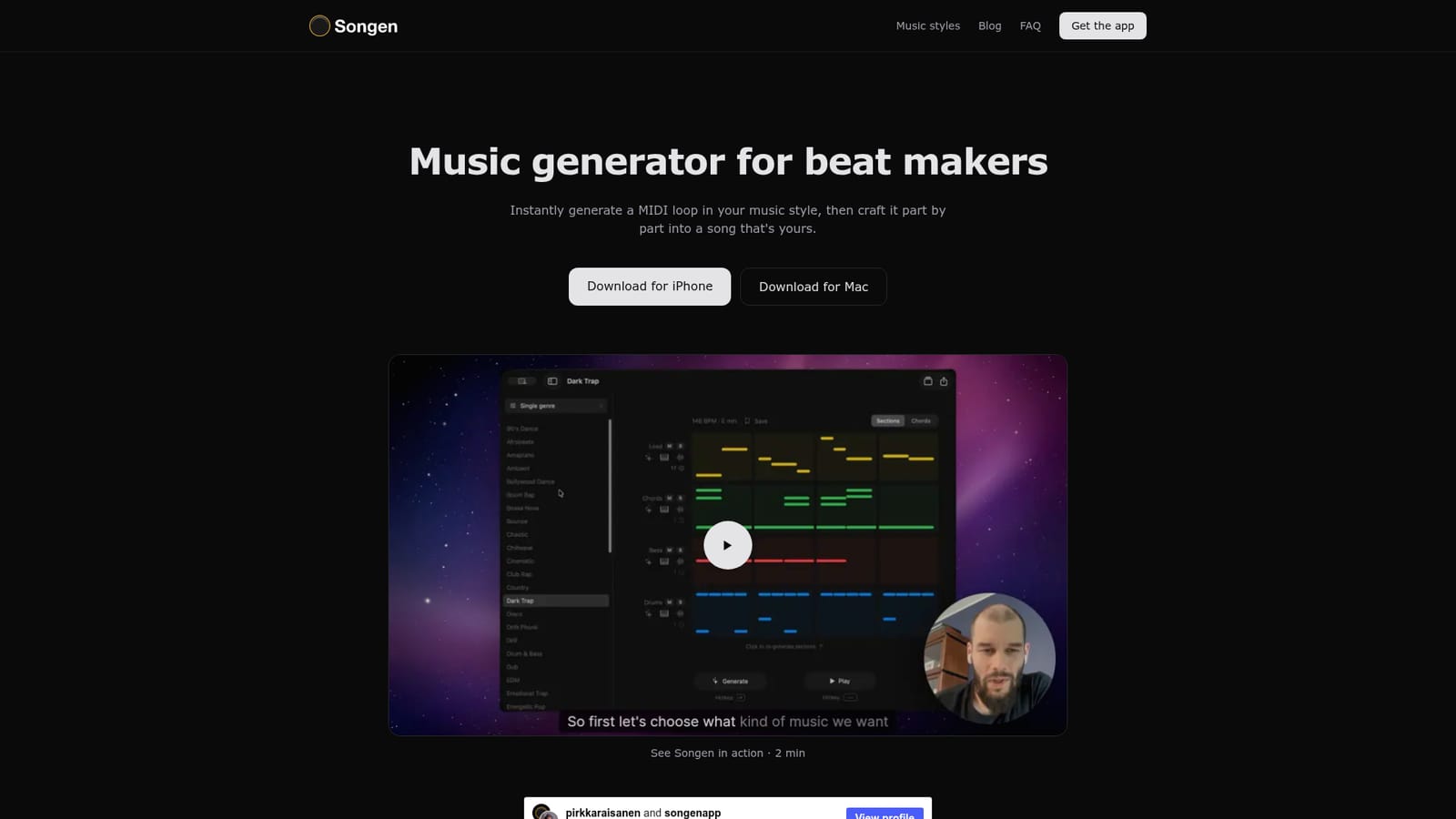
Songen is a Mac and iPhone beat-making app that generates unique MIDI loops in nearly 50 styles with no prompt typing, then lets you regenerate parts, edit notes in a chord-aware piano roll, and export audio, MIDI or stems royalty free.
Songen is a beat-making app for Mac and iPhone built around a generative MIDI engine. You pick a style, tap generate, and the app builds a complete loop on the spot: lead, chords, bass and drums. The site is explicit that nothing comes out of a premade sample library, so each loop is constructed fresh rather than pulled off a shelf. Generation is fast with essentially no waiting, which is the pitch the App Store reviews repeat most often. Generation is the starting point, not the finished product. Any part of the loop can be regenerated on its own, and from there you edit note by note in a piano roll that is aware of the underlying harmony and steers you toward notes that fit the current chord. The workflow is aimed at producers who want a usable sketch quickly and then want real control over the details instead of accepting whatever the model returned. Exports cover audio and MIDI, delivered as a full mix or as separate stems, and the output is royalty free and ready to drop into a DAW. The style catalogue is the other headline: close to 50 genres, from drill, dark trap and pluggnb through drum and bass, techno and amapiano to country, bossa nova and cinematic. That breadth suits producers who work across briefs, and the app describes blending styles as a way to reach less crowded territory. On iPhone it runs fully offline, which makes it viable for sketching on a commute, with the finished idea later opened on a Mac and exported into a desktop session. Songen sits in the same conversation as prompt-driven music generators, but the interaction is different: no text prompting is required, and the deliverable is editable MIDI rather than a rendered track alone. Beginners get an idea in one tap, while experienced producers get stems and a note-level editor. The engine is also licensed to other developers for use in DAW plugins, mobile apps and platforms.
Exports to MIDI, audio and stems for use in any DAW, and the underlying Vibin AI Audio Engine is available for licensing into third-party plugins, apps and platforms.
Generates a complete loop in a chosen style with no waiting and no prompt writing, building each result on the fly instead of drawing on a premade loop library. Individual parts can be regenerated, then edited note by note in a piano roll that tracks the current chord. Exports cover audio and MIDI as a full mix or separate stems, royalty free and ready for a DAW. Nearly 50 genres are available, with styles that can be blended.
 AI Angels400+ customizable AI girlfriends for NSFW chat, voice calls, and roleplay
 Candy AIExperience the future of companionship with AI friends who chat, role-play, and connect with you on a human level.
 ourdream.aiA vast AI roleplay platform with millions of characters for chat, images, video and voiceAI Angels400+ customizable AI girlfriends for NSFW chat, voice calls, and roleplayCandy AIExperience the future of companionship with AI friends who chat, role-play, and connect with you on a human level.ourdream.aiA vast AI roleplay platform with millions of characters for chat, images, video and voice