Integrations
Ideas transfer directly into BandLab Studio as editable MIDI tracks, which is where the arrangement and virtual instrument work happens. No third-party integrations are listed on the homepage.
AI song idea generator that seeds royalty-free beats and melodies
Own SongStarter by BandLab? Verify ownership to get a dofollow link
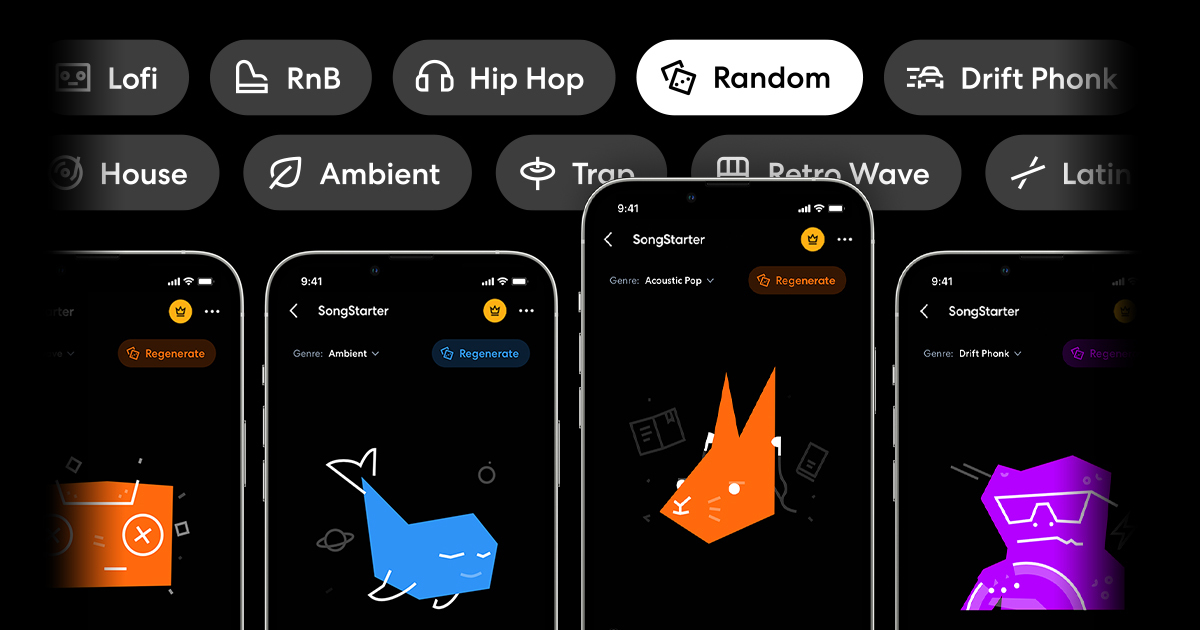
SongStarter by BandLab is a metal riff generator tool. SongStarter is BandLab's AI idea generator: pick from 11 genres, adjust vibe, pitch and tempo, and get three royalty-free compositions per request that open as editable MIDI tracks in BandLab Studio, ready for arrangement with 385+ virtual instruments.
SongStarter is an AI music idea generator built into BandLab, the browser and mobile music creation platform. Rather than producing a finished track, it generates short musical starting points: beats and melodic sketches that a producer or songwriter can develop further. The premise is simple. Pick one of eleven genres, listen to what the model returns, and carry anything promising into a full arrangement. The genre list covers Acoustic, Pop, Ambient, Drift Phonk, Hip Hop, House, Latin, Lofi, R&B, Retrowave and Trap, plus a Random option for people who would rather not choose. Each request returns three distinct compositions, and a Regenerate button lets users keep rolling until something clicks. Two controls shape the output before generation: a vibe setting (Bright, Chill or Moody) that shifts instruments and effects, and pitch and tempo adjustments for finer steering. Output is described as unlimited and royalty-free, so ideas can be used without rights concerns. The real differentiator is where the ideas land. Chosen sketches open as editable MIDI tracks inside BandLab Studio, where they can be rearranged, re-voiced with a library of 385+ virtual instruments, and built into a full song. That MIDI handoff matters: the AI output is a starting point rather than a locked audio file, which keeps the tool useful for producers who want to actually compose rather than curate loops. The audience skews toward beginners, hobbyists and teachers. On the homepage, users describe getting unstuck when uninspired, learning production basics, and using generated beats to teach music to children. Experienced producers will likely treat it as a quick sketchpad. Alternatives split into two camps: prompt-driven audio generators that output finished audio, and loop and sample marketplaces. SongStarter sits between them, offering AI ideas that stay editable inside a free creation platform. Genres are limited to the eleven listed, and anyone wanting full song structures or vocals will need to build them manually after the handoff.
Ideas transfer directly into BandLab Studio as editable MIDI tracks, which is where the arrangement and virtual instrument work happens. No third-party integrations are listed on the homepage.
Eleven genres plus a Random option, three compositions per generation, unlimited regeneration, three vibe settings (Bright, Chill, Moody), pitch and tempo adjustment, royalty-free output, and MIDI export into BandLab Studio for editing with 385+ virtual instruments.
 AI Angels400+ customizable AI girlfriends for NSFW chat, voice calls, and roleplay
 Candy AIExperience the future of companionship with AI friends who chat, role-play, and connect with you on a human level.
 ourdream.aiA vast AI roleplay platform with millions of characters for chat, images, video and voiceAI Angels400+ customizable AI girlfriends for NSFW chat, voice calls, and roleplayCandy AIExperience the future of companionship with AI friends who chat, role-play, and connect with you on a human level.ourdream.aiA vast AI roleplay platform with millions of characters for chat, images, video and voice