Free trial
The free plan is available without signup and includes access to voices in multiple languages, though the homepage does not detail download limits or which voices are included.
Learn moreTurn any text or PDF into natural speech with 2000+ AI voices.
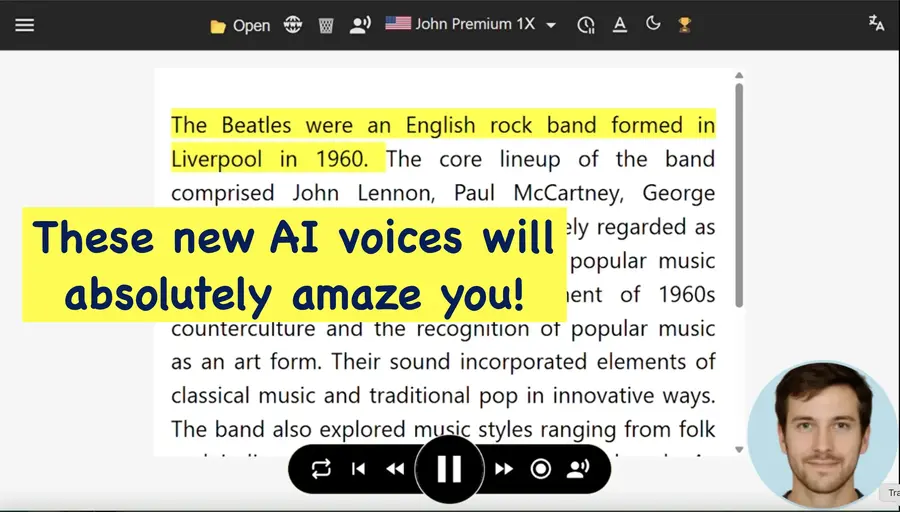
SpeechReader is a natural text to speech tool that turns any text or PDF into natural speech with 2000+ AI voices. SpeechReader converts text, PDFs and images into natural-sounding audio with more than 2000 AI voices across 60+ languages. The free tier requires no signup, and premium unlocks a large daily credit pool, MP3 downloads and higher-tier voices.
SpeechReader is a text to speech tool that turns written content into spoken audio using AI voices. Its core promise is speed and accessibility: paste text or upload a file, pick a voice, and hear the result in seconds. The voice library is the headline feature, with over 2000 voices spanning 60+ languages, including named examples for English (Stella), Spanish (Alejandro), Japanese (Hana) and French (Pierre). That range makes it practical for multilingual projects or for listeners who prefer content in their native language. The workflow is deliberately simple. There is no software to install and no account required to start. You can drop in a PDF, an image file or raw text, and SpeechReader detects the content and reads it aloud. Output can be played online or downloaded as an audio file, which is the part that matters for people producing voiceovers, e-learning modules or podcast drafts. The vendor also positions the tool for daily listening: emails, articles and documents can be consumed while commuting, cooking or otherwise away from a screen. SpeechReader sits in a crowded field of free and paid TTS services. Its differentiators, as stated on the homepage, are the size of the voice catalogue and a free tier that does not watermark output. It targets individual users first (students, accessibility users, commuters) and content creators second (YouTube narration, ads, tutorials). Premium adds a large daily credit allowance of 500,000 credits, roughly nine hours of listening, plus access to what the site calls ultra-premium voices, MP3 downloads and priority support. The tool is browser-based and does not advertise API access or third-party integrations on its homepage, so teams looking for automation hooks should verify that separately.
The free plan is available without signup and includes access to voices in multiple languages, though the homepage does not detail download limits or which voices are included.
Learn moreSpeechReader offers a free plan with no signup required and a premium tier that provides 500,000 credits per day (around 9 hours of listening), ultra-premium AI voices, MP3 downloads and priority support. Exact prices are listed on the pricing page.
Learn morePriority support is listed as a premium benefit. The homepage does not describe support channels, response times or documentation for free users.
Core features include text to speech with 2000+ AI voices in 60+ languages, PDF and image upload, paste-and-read text input, online listening, audio download (MP3 on premium), and a large daily credit allowance on the premium plan. The homepage also mentions voice styles and expressive voices for narration and accessibility.
 AI Angels400+ customizable AI girlfriends for NSFW chat, voice calls, and roleplay
 Candy AIExperience the future of companionship with AI friends who chat, role-play, and connect with you on a human level.
 ourdream.aiA vast AI roleplay platform with millions of characters for chat, images, video and voiceAI Angels400+ customizable AI girlfriends for NSFW chat, voice calls, and roleplayCandy AIExperience the future of companionship with AI friends who chat, role-play, and connect with you on a human level.ourdream.aiA vast AI roleplay platform with millions of characters for chat, images, video and voice