Free trial
No separate trial is needed: the free tier itself provides 3 recipes without an account and 7 additional recipes after sign-up, with no credit card mentioned.
Learn moreAI recipes with the science behind every step, built for your kitchen.

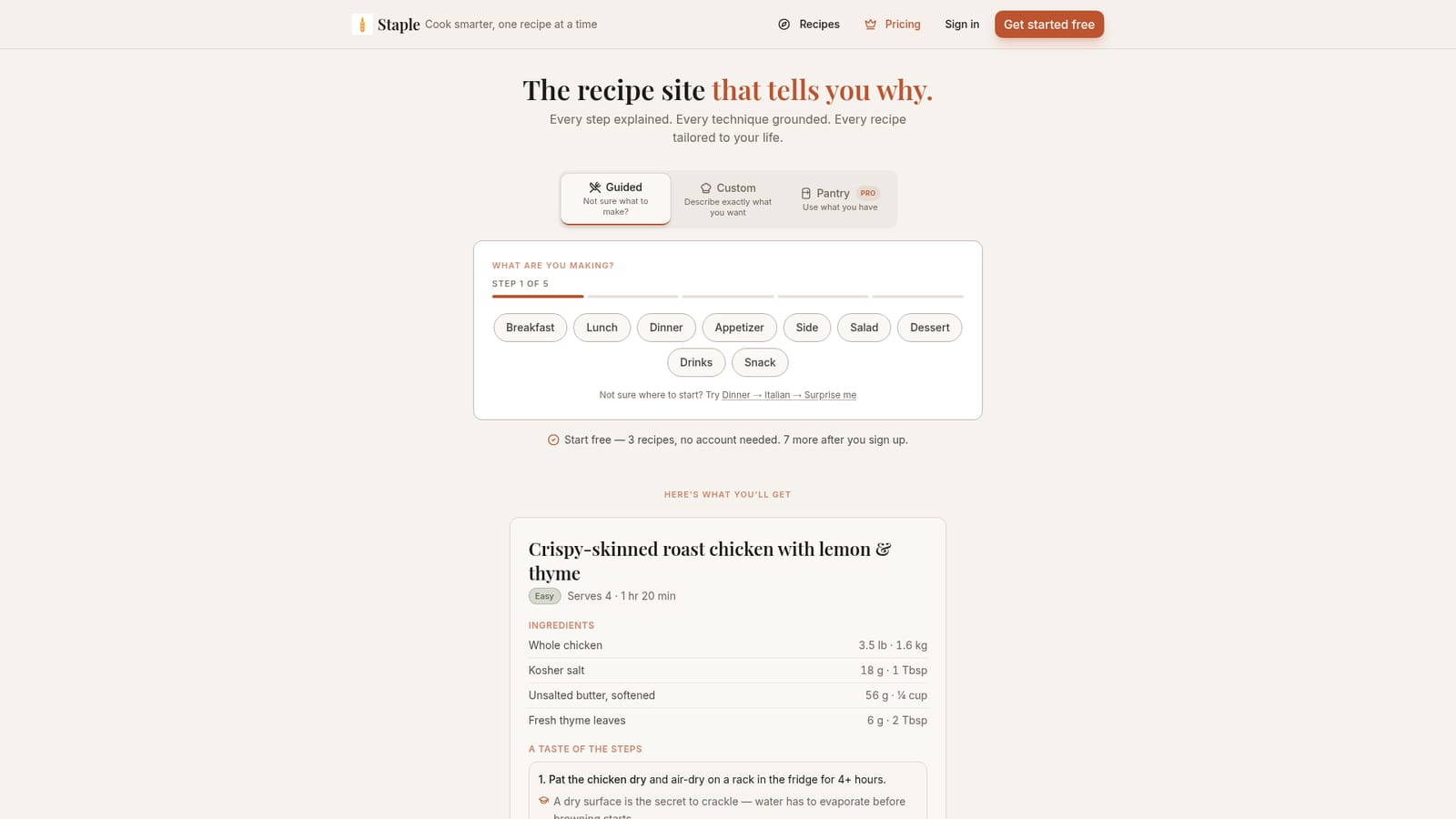
Staple generates AI recipes tailored to your skill level, with the science behind each step explained. It offers guided, custom, and pantry-based modes, scales servings, and suggests ingredient swaps. Free tier includes 3 recipes without an account and 7 more after sign-up.
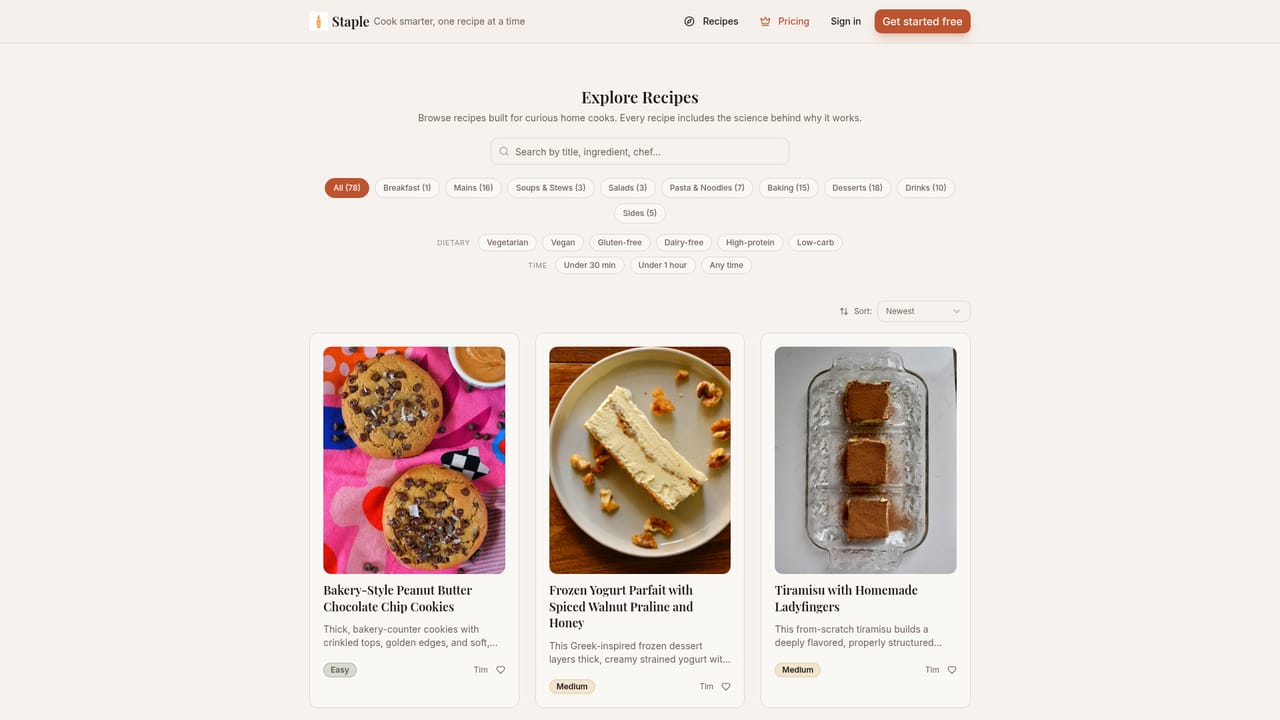
Staple is an AI recipe generator that does more than hand you a list of instructions. Each recipe it produces is calibrated to the cook's stated skill level and comes with an explanation of why each step works, from the Maillard reaction that browns a chicken at high heat to the role of a dry surface in achieving crackly skin. The site is built by two home cooks in Chicago who test recipes in their own kitchen and publish only the ones that hold up. The tool works in two modes. Guided mode walks you through a short sequence of choices (meal type, cuisine, and a surprise option) to narrow down what you want. Custom mode lets you describe a dish in your own words. A third mode, Pantry Pro, focuses on using what you already have on hand. Recipes are generated in about 30 seconds and are structured to scale for two or for ten, with ingredient swaps offered when something is missing. The output includes both metric and imperial measurements, prep and cook times, and serving sizes. Staple is aimed at home cooks who want to build technique rather than just follow orders. Beginners get the reasoning behind each move, while more experienced cooks get a reference that treats cooking as a craft with causes and effects. The public recipe library (explore page) shows what the system produces: community-tested dishes like bakery-style peanut butter cookies, a frozen yogurt parfait, and tiramisu made with homemade ladyfingers, each with a difficulty rating. Compared with generic recipe sites, Staple's differentiator is the explanatory layer and the personalization to skill level. It is not a meal planner or a grocery delivery service, and it does not claim integrations with kitchen hardware or nutrition tracking. The free tier gives three recipes without an account and seven more after sign-up, which is enough to judge whether the teaching style suits you before considering Pro.
No separate trial is needed: the free tier itself provides 3 recipes without an account and 7 additional recipes after sign-up, with no credit card mentioned.
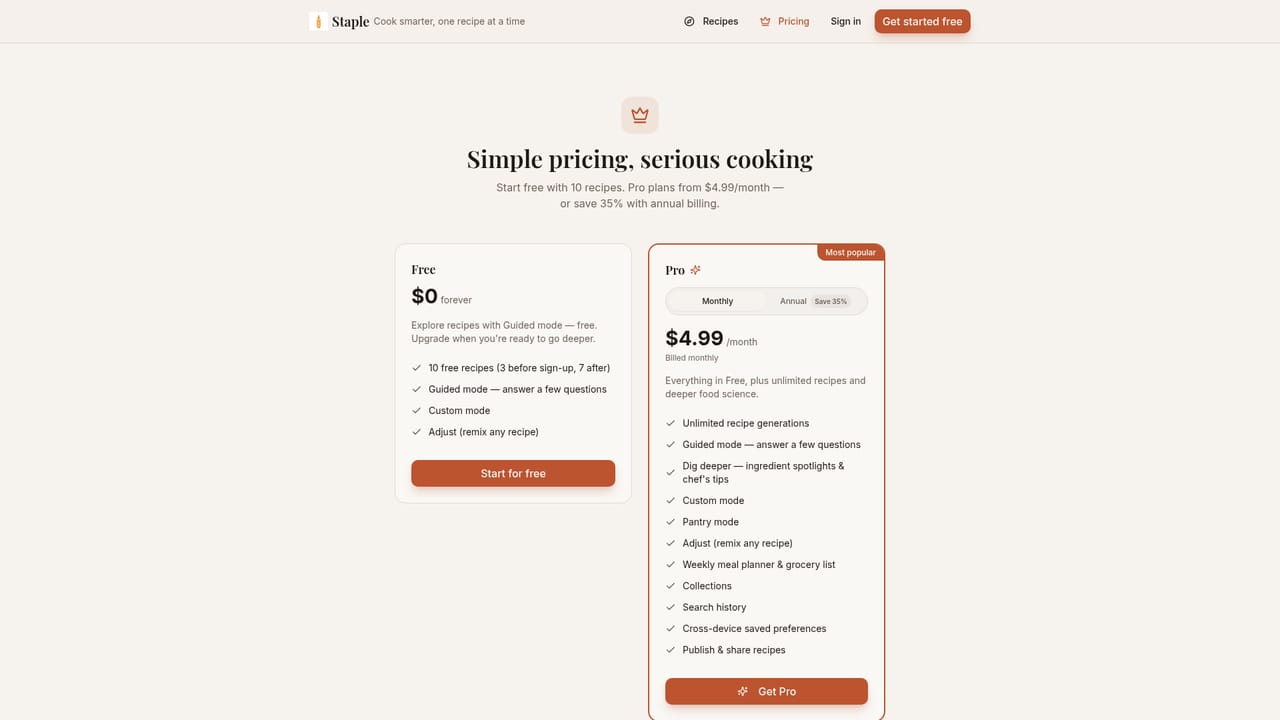
Learn moreStaple offers a free tier with 3 recipes and no account required, then 7 more after signing up. A Pro plan exists (linked from the homepage), but the homepage does not list its price or specific features beyond the Pantry Pro mode label.
Learn moreThe site provides an About page with the founders' story and links to their Instagram baking journal, but no dedicated help center, FAQ, or contact support page is listed.
Learn moreStaple generates recipes in Guided, Custom, and Pantry Pro modes, calibrated to the user's skill level. Each recipe explains the science behind every step, scales for different serving sizes, suggests ingredient swaps, and includes metric and imperial measurements. Recipes are tested in the founders' kitchen before publication, and a public library of community-tested recipes is available to browse.
 AI Angels400+ customizable AI girlfriends for NSFW chat, voice calls, and roleplay
 Candy AIExperience the future of companionship with AI friends who chat, role-play, and connect with you on a human level.
 ourdream.aiA vast AI roleplay platform with millions of characters for chat, images, video and voiceAI Angels400+ customizable AI girlfriends for NSFW chat, voice calls, and roleplayCandy AIExperience the future of companionship with AI friends who chat, role-play, and connect with you on a human level.ourdream.aiA vast AI roleplay platform with millions of characters for chat, images, video and voice


