StellarFirm

AI agent team that plans and ships your project, with you approving

Intermediate
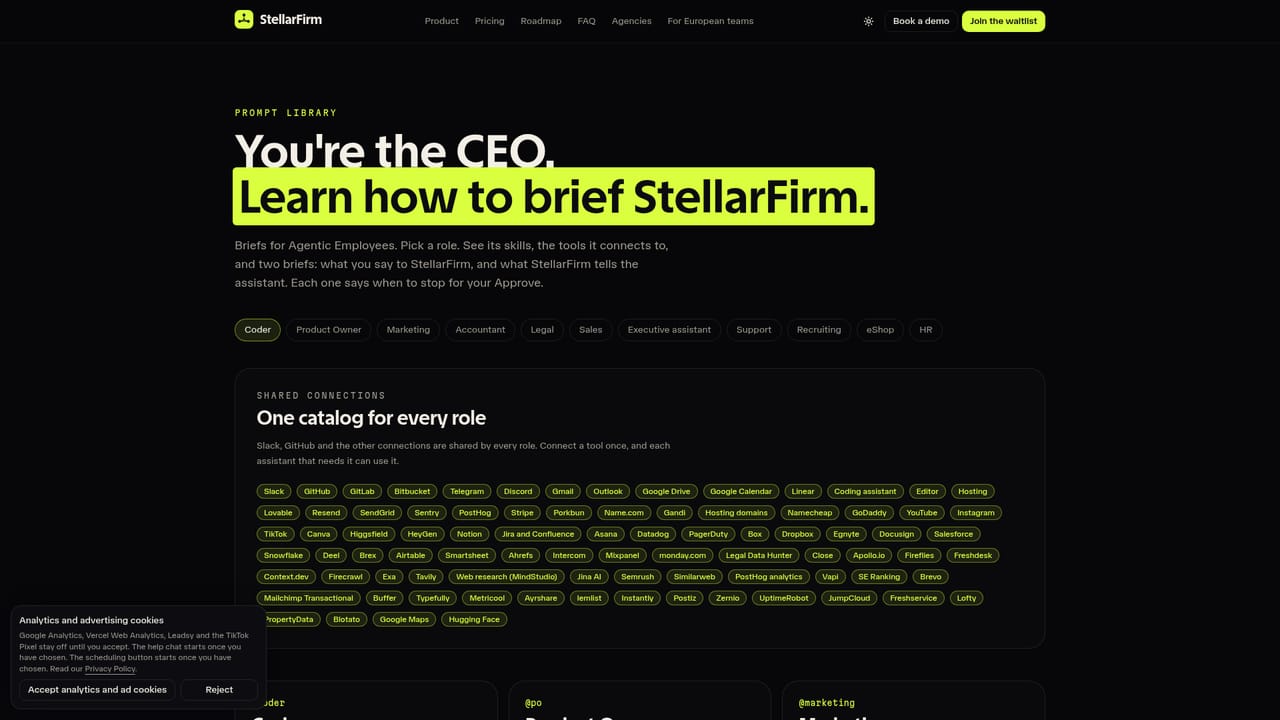
Screenshot of StellarFirm, AI agent team that plans and ships your project, with you approving

What is StellarFirm?

StellarFirm is a productivity tool. StellarFirm gives founders and small teams a set of role-based AI agents (Coder, Product Owner, Marketing, Accountant, Legal) that plan and ship a website or app, while the user approves anything that goes out.

StellarFirm is an agent management platform aimed at founders and small teams who want to turn a saved-for-later idea into a live website or app. Instead of a single chat thread, it provides a roster of role-based AI assistants: Coder, Product Owner, Marketing, Accountant and Legal are available now, with Sales, Executive assistant, Support, Recruiting, eShop manager and DJ assistant listed as coming soon. The user plays the CEO, sets a goal, and the assistants split the work and hand tasks to each other. In practice, each assistant carries out its part and then stops before anything leaves the team. The Coder can open a branch, write a patch and draft a pull request. The Product Owner turns vague requests into tickets, Marketing writes launch copy and changelogs in the user's voice, and the Accountant tracks spend and invoices. Anything that posts, publishes, deletes or saves outside the team lands in an approvals queue with a short explanation of why it asks, and the user chooses Approve or Reject. Actions that would spend money always require approval, and the site states that no setting turns this off. Users can also record a workflow once in the browser so an assistant can replay the captured steps later. The product runs in two modes. The cloud version opens in a browser, with StellarFirm hosting the computer each assistant works on and charging credits as they work. The desktop app, for Mac (Intel and Apple silicon) and Windows, offers the same workspace and lets assistants work on the user's own machine. Android and iOS apps are announced but not yet released. A prompt library is also published on the site. StellarFirm is currently in a free alpha, with waitlist invites sent in daily waves ahead of a public launch on 1 November. It sits between plain chat assistants, which answer one prompt at a time, and fully autonomous agents, differing mainly through its human-approval design. Final plans have not been published, and prepaid credit packs are the only pricing structure shown.

How do you use StellarFirm?

  1. 1Join the waitlist
    Enter a work email in the waitlist form on the homepage. Invites go out in daily waves, and an email arrives when the spot is ready.
    StellarFirm — Join the waitlist
  2. 2Choose cloud or desktop
    Start in the browser with nothing to install, or use the desktop app on Mac or Windows so assistants can work on your own machine.
  3. 3Make your first hire
    Add the Coder as the first assistant, then bring in Product Owner, Marketing, Accountant or Legal as the project needs them.
  4. 4Set a goal and review the work
    Describe what you want built or shipped. The assistants split the goal, hand tasks on and show results before anything goes out.
  5. 5Approve or reject in the queue
    Open the approvals list and read each short reason it asks. Approve to send or publish, or reject so nothing is sent.
  6. 6Browse the prompt library
    Use the prompt library on the site for ideas on how to brief your assistants.
    StellarFirm — Browse the prompt library

Pros and cons

Pros

  • Approval queue stops every outbound post, email or deletion until the user clicks ApproveAI
  • Spending actions always require approval, and the site says no setting disables thatAI
  • Role-based assistants hand work to each other instead of waiting for repeated promptsAI
  • Runs in the browser cloud or as a desktop app on Mac and Windows, so users choose where agents workAI
  • Workflows can be recorded once in the browser and replayed by an assistantAI

Cons

  • Still in alpha and waitlist-only, so access depends on receiving an inviteAI
  • Final subscription plans are unpublished, so long-term cost cannot be judged yetAI
  • Cloud use consumes credits as agents work, which makes costs harder to predictAI
  • Several roles (Sales, Support, Recruiting and others) are only listed as coming soonAI
  • Mobile apps for Android and iOS are not yet in the stores, and multiplayer team use is a later add-onAI

How much does StellarFirm cost?

Free trial

The alpha is free, and new accounts start with free credits. Access is by waitlist, with invites sent in daily waves.

Learn more

Pricing

Plans are not yet published. The alpha is free, new accounts start with free credits, and assistants use StellarFirm credits. Prepaid credit packs of 1,000, 5,000 and 20,000 credits are listed.

Learn more

Support

An on-page chat assistant named Diggy answers from setup guides and passes unresolved questions to the founder. Email support is available, and video docs are coming to YouTube.

Features

Role-based AI agents (Coder, Product Owner, Marketing, Accountant, Legal), an approvals queue for outbound actions, agent-to-agent handoffs, recordable browser workflows, cloud and desktop modes, and a prompt library.

Frequently asked questions about StellarFirm

  • How much does StellarFirm cost?
    Plans are not yet published. The alpha is free, new accounts start with free credits, and assistants use StellarFirm credits. Prepaid credit packs of 1,000, 5,000 and 20,000 credits are listed.
  • Does StellarFirm offer a free trial?
    The alpha is free, and new accounts start with free credits. Access is by waitlist, with invites sent in daily waves.
  • How do you use StellarFirm?
    The walkthrough on this page covers 6 steps: 1. Join the waitlist 2. Choose cloud or desktop 3. Make your first hire 4. Set a goal and review the work 5. Approve or reject in the queue 6. Browse the prompt library.
  • What platforms does StellarFirm support?
    StellarFirm is available on Web App, MacOS and Windows.
  • What are the limitations of StellarFirm?
    Still in alpha and waitlist-only, so access depends on receiving an invite. Final subscription plans are unpublished, so long-term cost cannot be judged yet. Cloud use consumes credits as agents work, which makes costs harder to predict.

Status

StatusActive
Views0
Outbound clicks0
Added10/18/2026

Platforms

Web AppMacOSWindows

Pricing

FreePaid

Categories