Free trial
The site says it is free to start and its FAQ asks whether there is a free trial, but the homepage does not state a trial length or what a trial includes.
Learn moreTurn a prompt into a faceless short video, then schedule it

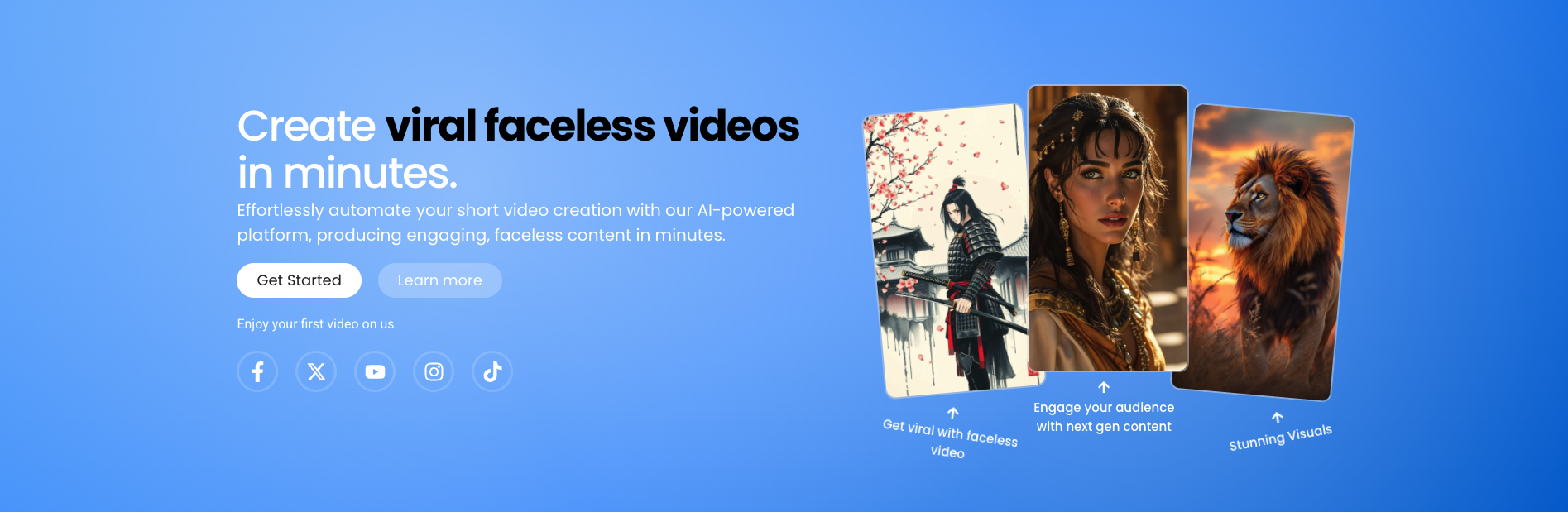
Storyclips is a make reels AI tool that turns a prompt into a faceless short video, then schedule it. Storyclips generates faceless short videos from a text description: it writes the script, creates matching AI clips in styles such as Anime, Cinematic or Comic Book, adds a voiceover and schedules the result for TikTok, YouTube Shorts and Instagram Reels.
Storyclips is a web based video generator built around one specific job: producing faceless short form videos for TikTok, YouTube Shorts and Instagram Reels without a camera, a presenter or a timeline editor. The workflow starts with a written description of the video. Storyclips drafts the script, generates matching clips with AI video models, assembles them into a finished short, and layers a voiceover on top. The company says the tool is used by more than 12,000 creators. The pipeline is deliberately short. A user describes the video in a few sentences, picks a visual style from a library of 10 or more options (Cinematic, Realistic 4K, Anime, Comic Book, Blocky and Scary among those shown), and selects a voiceover. Voiceovers are described as free for any video and are pitched at sounding human rather than robotic. From there Storyclips handles the clip generation and embedding, so the output arrives as a near complete video rather than a folder of assets. The site also advertises a series feature, which is how creators in the testimonials describe running multiple niche channels or posting daily without editing each video by hand. Publishing is the other half. Scheduling lets a creator queue videos for a chosen time and have Storyclips release them, which matters for the consistency that short form algorithms reward. In practice the tool suits faceless channel operators, history and story accounts, motivational pages, and small teams running several themed profiles. It sits alongside general text to video tools, but its emphasis on scripts, narration and a posting calendar makes it closer to a production and publishing service than a raw model front end. Anyone expecting frame level control should look elsewhere: Storyclips is designed for speed and volume. The free tier and credit system are referenced on the homepage, but pricing tiers and specific numbers are not published there, so check the account pages before committing.

The site says it is free to start and its FAQ asks whether there is a free trial, but the homepage does not state a trial length or what a trial includes.
Learn moreThe homepage states that Storyclips is free to start and that voiceovers are free for any video. A credit system is referenced in creator quotes and in the FAQ, but no tier prices, credit amounts or billing periods are published on the homepage.
Learn moreThe homepage includes a FAQ covering credits, ownership, editing, trials, cancellation, refunds and how to get support, but it does not name a support channel or response time.
The homepage mentions publishing to YouTube, TikTok and Instagram, including scheduled posting, but does not list direct account connections or any other integrations.
Core features are an AI script writer driven by a text description, AI video generation that embeds relevant clips, a style library of 10 or more looks (Cinematic, Realistic 4K, Anime, Comic Book, Blocky, Scary and others), free human sounding voiceovers, video series for repeatable output, and scheduling for timed publishing to short form platforms.
 AI Angels400+ customizable AI girlfriends for NSFW chat, voice calls, and roleplay
 Candy AIExperience the future of companionship with AI friends who chat, role-play, and connect with you on a human level.
 ourdream.aiA vast AI roleplay platform with millions of characters for chat, images, video and voiceAI Angels400+ customizable AI girlfriends for NSFW chat, voice calls, and roleplayCandy AIExperience the future of companionship with AI friends who chat, role-play, and connect with you on a human level.ourdream.aiA vast AI roleplay platform with millions of characters for chat, images, video and voice