Free trial
A free first lesson is offered, described as trying Studdy on whatever is due tomorrow. No trial length or feature limits are stated.
Learn moreAI tutor that teaches your own uploaded notes on an interactive whiteboard

Studdy is an exam preparation tool. An AI whiteboard tutor that turns your own notes, slides, textbooks and homework into step-by-step lessons you can interrupt and practice against. Built for students who need worked explanations, not summaries.
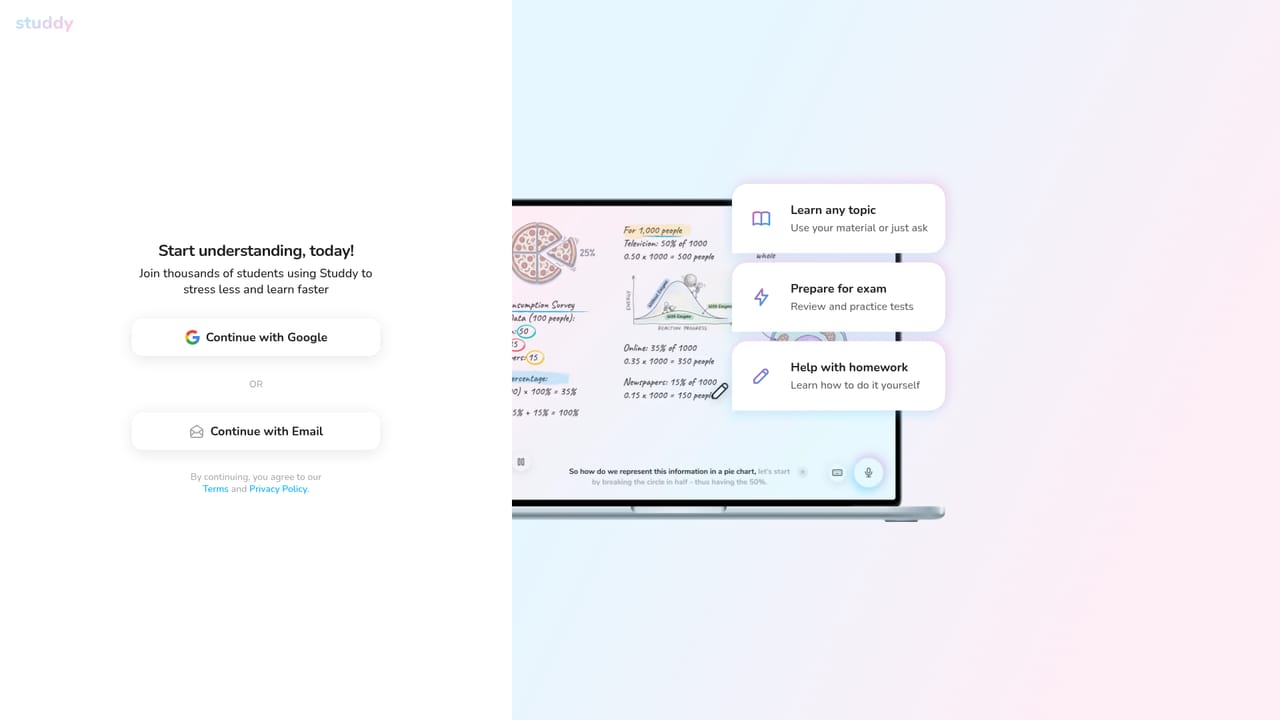
Studdy is an AI tutoring tool built around a single idea: a tutor that draws out explanations on a whiteboard while you watch and interrupt. You bring the material (lecture notes, slides, a textbook PDF, a homework problem, a study guide, even a video lecture) and the tutor turns it into a lesson rather than a text dump. The whiteboard framing matters for subjects where steps and diagrams carry the meaning: algebra, organic chemistry reactions, graphs and equations all get walked through visually rather than summarized in a paragraph. The workflow is short. Upload your material, and the tutor builds a lesson around it and starts teaching at whatever pace you set. From there the session is conversational: stop it, ask for another example, say you did not follow a step, and it adjusts before continuing. A separate practice mode generates questions from your own notes, which means the review is aimed at what you will actually be tested on; when you miss something, the tutor walks you back through it. Studdy is aimed at high school and university students carrying real coursework, and the site leans on language about self-directed study rather than classroom deployment. It positions itself against paid human tutoring on cost, claiming students have saved over 1.2 million dollars in tutoring fees, and it lists students at a long roster of universities as users. Compared with chat-style study assistants, the differentiator is the visual, stepwise teaching format, not the breadth of the model behind it. Be clear about what the homepage does not say. No subscription tiers, per-month figures, free-plan limits, mobile apps, or third-party integrations are described. The first lesson is advertised as free. Contact runs through a site form, and social channels plus a Discord are linked in the footer. That is the full picture presented publicly.
A free first lesson is offered, described as trying Studdy on whatever is due tomorrow. No trial length or feature limits are stated.
Learn moreThe homepage does not publish prices, plan tiers or usage limits. It states that the first lesson is free and cites a claim that students have saved over 1.2 million dollars in tutoring costs, but no subscription detail is given on the page.
Learn moreA contact form on the site plus linked social channels (Twitter, Instagram, Facebook, TikTok) and a Discord community. No help centre or documentation is described on the homepage.
Learn moreUploads of notes, slides, PDFs, textbooks, homework, study guides and video lectures become the lesson plan. Teaching happens step by step on an interactive whiteboard covering equations, diagrams, reactions and graphs. Sessions can be interrupted for questions or extra examples, and the tutor generates practice questions from the user's own materials.
 AI Angels400+ customizable AI girlfriends for NSFW chat, voice calls, and roleplay
 Candy AIExperience the future of companionship with AI friends who chat, role-play, and connect with you on a human level.
 ourdream.aiA vast AI roleplay platform with millions of characters for chat, images, video and voiceAI Angels400+ customizable AI girlfriends for NSFW chat, voice calls, and roleplayCandy AIExperience the future of companionship with AI friends who chat, role-play, and connect with you on a human level.ourdream.aiA vast AI roleplay platform with millions of characters for chat, images, video and voice


