Stylize

One click photo edits, AI styles and background removal

Beginner
Screenshot of Stylize, One click photo edits, AI styles and background removal

What is Stylize?

Stylize is a web app for AI photo editing that applies style presets (animated, cyberpunk, painting), removes backgrounds automatically, edits images from text prompts, upscales photos to 4x, and colorizes old pictures.

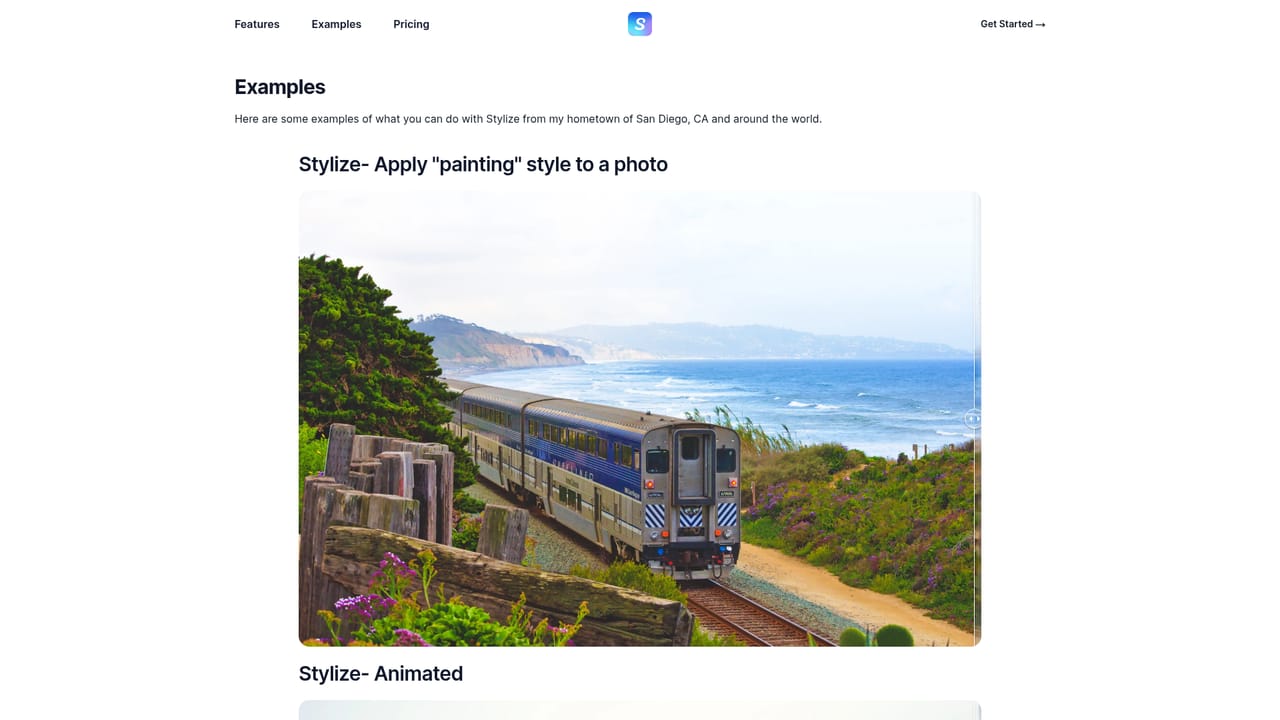
Stylize is a browser based photo editing tool that applies AI driven transformations to images with very little manual work. The pitch is built around a single click: a photo goes in, and a restyled or corrected version comes out. Three stylistic presets are shown on the site as examples, including an animated look that turns the Golden Gate Bridge at night into a pixel art scene, a cyberpunk treatment applied to New York City, and a painting effect that converts a wedding photograph into canvas style artwork. Beyond restyling, the product bundles a background remover that cuts a subject out of a photo automatically. Headshots and car photos are used as demonstrations, and the isolated results are shown side by side with the originals. A separate editing section groups three utilitarian tools. The Edit feature accepts natural language prompts, with "make it sunset" given as the model example, so users describe the change they want instead of hunting for sliders. Upscale enlarges an image to four times its original size. Colorize restores color to old photographs, positioning the tool as useful for family archives and scanned prints as much as for social content. The intended audience is broad rather than specialist. Casual users, small business owners, and anyone who needs presentable photos without learning a full editing suite are the obvious fit, and the prompt driven workflow keeps the learning curve low. Designers may find the presets too coarse for production work, and the site does not document output resolution, batch processing, or file format handling, which matters for print and ecommerce use. Compared with full editors such as Photoshop or with single purpose background removers, Stylize competes on consolidation: styling, cutouts, upscaling, and colorization sit under one roof. Readers deciding between options should confirm limits and export quality on the pricing page, since the homepage describes capabilities but not quotas or plan tiers.

How do you use Stylize?

  1. 1Open the creation workspace
    Go to the create page to reach the editor where photos are uploaded and processed.
    Stylize — Open the creation workspace
  2. 2Review the example gallery
    The examples page shows before and after pairs for each style and for background removal, which helps in picking the right effect for a given photo.
    Stylize — Review the example gallery
  3. 3Upload a photo and choose a task
    Load an image into the editor, then select a style preset, background removal, upscaling or colorization depending on what the picture needs.
  4. 4Write a prompt for custom edits
    For the Edit tool, describe the change in plain language, following the site example of asking for a sunset, then generate and compare the result with the original.
  5. 5Export the finished image
    Once the output looks right, download the processed photo from the workspace for use elsewhere.

Pros and cons

Pros

  • Covers several common photo jobs in one place: restyling, background removal, upscaling and colorizationAI
  • Prompt based editing lets users describe a change such as a sunset instead of adjusting manual controlsAI
  • Style presets are demonstrated with clear before and after examples on the siteAI
  • Background remover handles both people and objects, shown with headshot and car samplesAI
  • Runs in the browser, so there is nothing to install before making a first editAI

Cons

  • Site shows only three style presets, so the range of looks may be narrow for varied creative workAI
  • No documentation of export resolution, file formats or maximum upload sizeAI
  • Batch processing is not mentioned, which limits usefulness for large photo librariesAI
  • Pricing, plan limits and credit rules are not stated on the homepageAI
  • Prompt editing offers less precise control than layer based or masked editing toolsAI

How much does Stylize cost?

Features

Style transfer with animated, cyberpunk and painting looks; automatic background removal for people and products; prompt based photo editing; upscaling to four times the original size; colorization of old photographs. All tools run in the browser from a single create page.

Frequently asked questions about Stylize

  • How do you use Stylize?
    The walkthrough on this page covers 5 steps: 1. Open the creation workspace 2. Review the example gallery 3. Upload a photo and choose a task 4. Write a prompt for custom edits 5. Export the finished image.
  • What platforms does Stylize support?
    Stylize is available on Web App.
  • What are the limitations of Stylize?
    Site shows only three style presets, so the range of looks may be narrow for varied creative work. No documentation of export resolution, file formats or maximum upload size. Batch processing is not mentioned, which limits usefulness for large photo libraries.

Status

StatusActive
Views0
Outbound clicks0
Added10/21/2026

Platforms

Web App

Pricing

Freemium






