Support
Support runs through a contact email address listed in the FAQ section of the homepage. No help centre, live chat or documentation hub is published.
Browse curated tattoo ideas or generate a custom concept in your chosen style.
Own Tattoo Canvas? Verify ownership to get a dofollow link
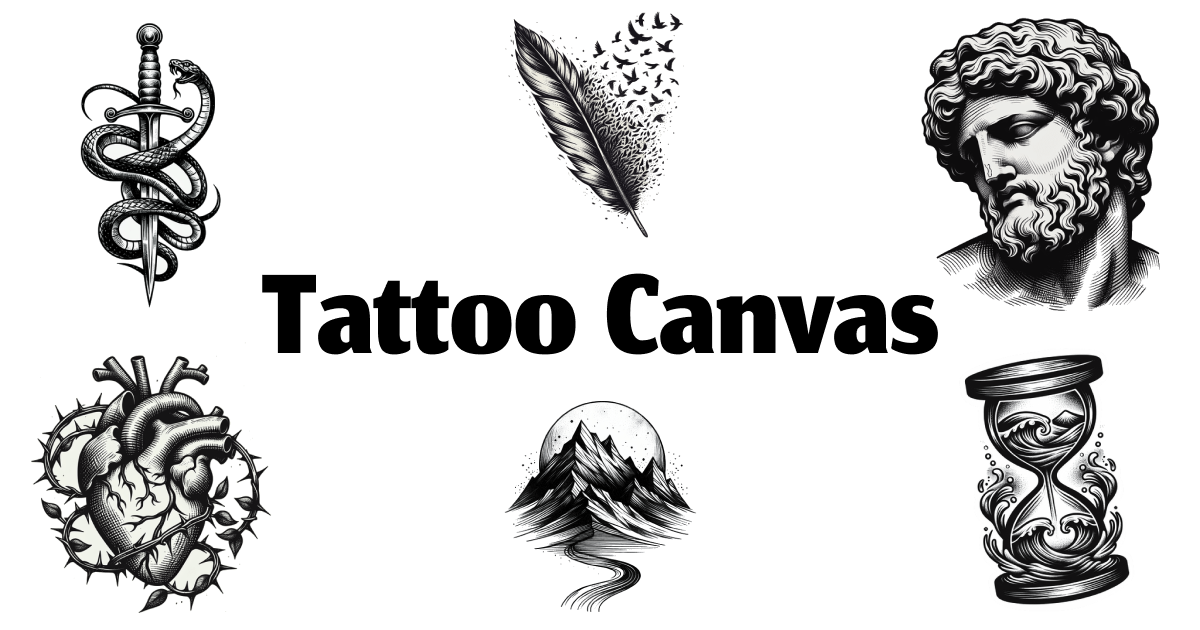
Tattoo Canvas is a generate concepts tool. A tattoo focused design site that combines curated inspiration galleries (sketch, minimalist, Japanese, realism and more) with an AI generator that turns a text description, style and color choice into a custom reference design to refine with your artist.
Tattoo Canvas is a web tool built around two connected jobs: browsing curated tattoo inspiration and generating a custom concept when the galleries do not cover what you have in mind. The site is organized by style first, with dedicated collections for sketch, minimalist, traditional, Japanese, realism, tribal and dotwork, and by theme, with standalone idea sets such as Christian symbolism, cybersigilism and Greek mythology. Each collection is presented as a coherent set rather than an endless feed, so browsing stays focused on a direction you can actually take to an artist. For people who already know roughly what they want, the generator takes a text description plus a chosen style and color, and produces a fresh design to work from. The output is a reference, not a finished tattoo: the site frames the results as something to refine with your tattoo artist. Signed-in generations are kept in a My Designs area, which means you can return to earlier attempts instead of hunting through downloads. No design background is required at any point, and the path of browse, then choose a style, then generate is laid out explicitly on the homepage. The tool suits people planning a first tattoo and unsure how to describe it, anyone weighing two or three directions before booking a consultation, and tattoo artists who want quick visual starting points to discuss with clients. Where it differs from a general purpose image generator is the narrow scope: styles are tattoo specific, the browsing layer is curated by people rather than a search index, and the whole product is pointed at producing a usable reference for a real artist. What the site does not spell out is equally relevant. Pricing, licensing and commercial use questions are raised in the FAQ section but resolved only inside the product or through contact, and the homepage carries no per generation limits or output resolution details. Treat it as an ideation and reference tool with a clear handoff to the artist, not as a design studio replacement.
Support runs through a contact email address listed in the FAQ section of the homepage. No help centre, live chat or documentation hub is published.
Curated tattoo idea collections organized by theme, plus a style directory covering sketch, minimalist, traditional, Japanese, realism, tribal and dotwork. A text prompt generator that takes a description with a style and color choice, and a My Designs library that stores signed-in generations for later reference.
Learn more AI Angels400+ customizable AI girlfriends for NSFW chat, voice calls, and roleplay
 Candy AIExperience the future of companionship with AI friends who chat, role-play, and connect with you on a human level.
 ourdream.aiA vast AI roleplay platform with millions of characters for chat, images, video and voiceAI Angels400+ customizable AI girlfriends for NSFW chat, voice calls, and roleplayCandy AIExperience the future of companionship with AI friends who chat, role-play, and connect with you on a human level.ourdream.aiA vast AI roleplay platform with millions of characters for chat, images, video and voice