Free trial
A free version of the try-on tool is advertised on the homepage. Its limits on styles, colors or previews are not stated.
Learn moreVirtual hairstyle and hair color try-on from one selfie
Own TheRightHairstyles? Verify ownership to get a dofollow link
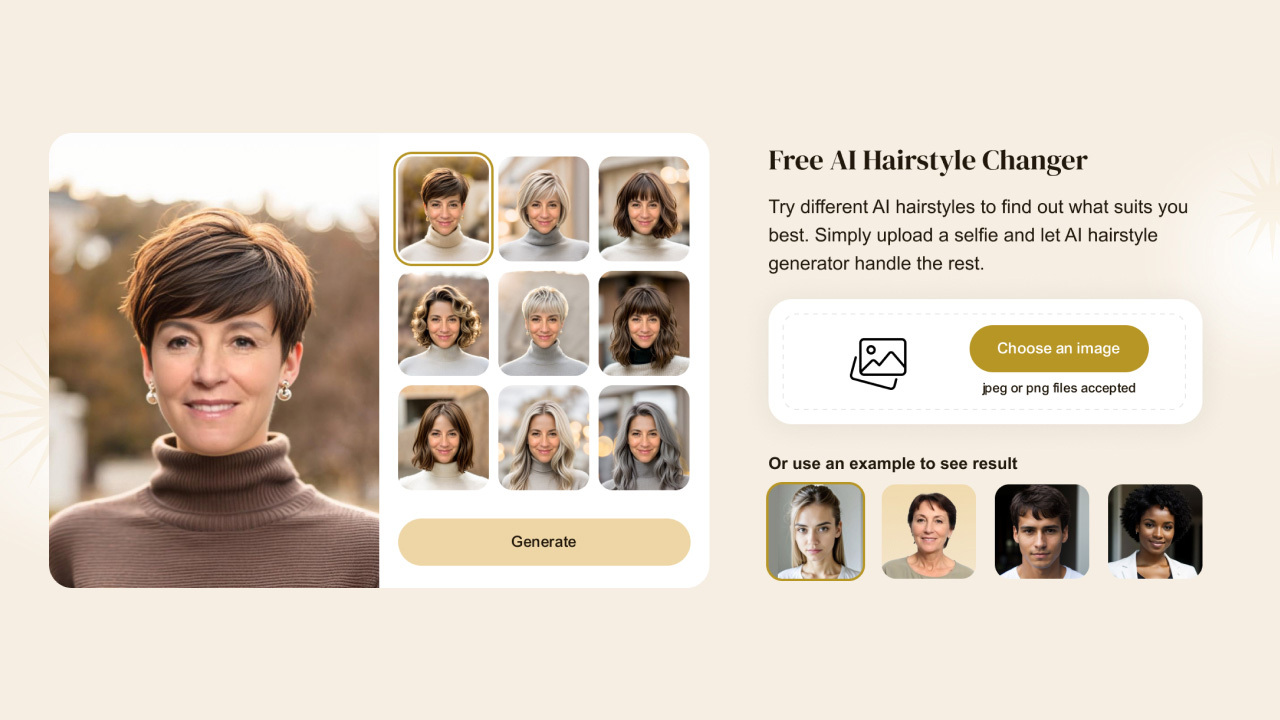
TheRightHairstyles is a celebrity image generator tool. TheRightHairstyles combines an AI haircut generator with a hair color changer, letting you upload a selfie and preview more than 100 cuts and ten shades before a salon appointment.
TheRightHairstyles is a virtual hairstyle studio built on top of a hair advice site that has been publishing style guides since 2013. The core product is an AI haircut generator: you take a short quiz about your features, goals and preferences, upload a front-facing selfie, and the tool renders you wearing a range of suggested cuts. It is aimed at people who are considering a real change at the salon and want evidence before committing, plus anyone curious about bangs, a pixie, a shag or a color shift they would never test on their own head first. The practical loop is straightforward. A quiz narrows the catalog toward styles matched to your answers, then a gallery of more than 100 cuts and colors opens up for browsing. Filters cover gender, length (short through long), and texture, including straight, wavy, curly and coily. Each preview is generated from your own photo rather than a model face, and results can be spun in a 360 degree view and compared side by side, which is the part that matters when two bobs look identical on paper but not on you. A separate hair color changer handles recoloring alone, with ten named shades such as jet black, balayage, copper, silver and platinum, and a companion quiz recommends a color if you have no starting point. Beyond the browser tool, HairHunt is a companion app for iOS and Android that keeps the try-on and color features on a phone, alongside hair care routine building and browsing of new trends. Editorial coverage sits behind all of it: style roundups for short layered cuts, choppy pixies, medium lengths, wolf and butterfly cuts, and age-specific guides for women over 50 and 60. That library is what separates the site from a bare try-on widget, since you can read about a cut and then see it on yourself in the same session. The homepage advertises a free version, a 7 day money-back guarantee on paid plans, and the option to delete your selfie at any time. It also cites a 4.7 out of 5 rating from more than 10,000 users. Treat the try-on as a decision aid rather than a guarantee: rendered hair is a simulation, and the final result still depends on your stylist, your density and your texture.
A free version of the try-on tool is advertised on the homepage. Its limits on styles, colors or previews are not stated.
Learn moreThe homepage mentions a free version and a 7 day no-questions-asked money-back guarantee on paid plans, but it does not list prices, tiers or billing periods. Plan details have to be checked inside the try-on flow.
Learn moreThe homepage offers selfie deletion on request and a 7 day money-back guarantee on paid plans. No help centre, contact channel or documentation page is listed.
Quiz based style recommendations, a gallery of more than 100 hairstyles with gender, length and texture filters, photorealistic previews rendered on your own selfie, side by side comparison, 360 degree views, a hair color changer with ten named shades, a separate color quiz, and the HairHunt mobile app for try-on and hair care routines.
 AI Angels400+ customizable AI girlfriends for NSFW chat, voice calls, and roleplay
 Candy AIExperience the future of companionship with AI friends who chat, role-play, and connect with you on a human level.
 ourdream.aiA vast AI roleplay platform with millions of characters for chat, images, video and voiceAI Angels400+ customizable AI girlfriends for NSFW chat, voice calls, and roleplayCandy AIExperience the future of companionship with AI friends who chat, role-play, and connect with you on a human level.ourdream.aiA vast AI roleplay platform with millions of characters for chat, images, video and voice


