Support
Support runs through documentation, GitHub discussions, Slack and Discord communities, plus a demo booking page. An ISO 27001 information security policy and a public status page are also published.
Learn moreAI translation for app localization, with context and human review
Own Tolgee AI Translator? Verify ownership to get a dofollow link
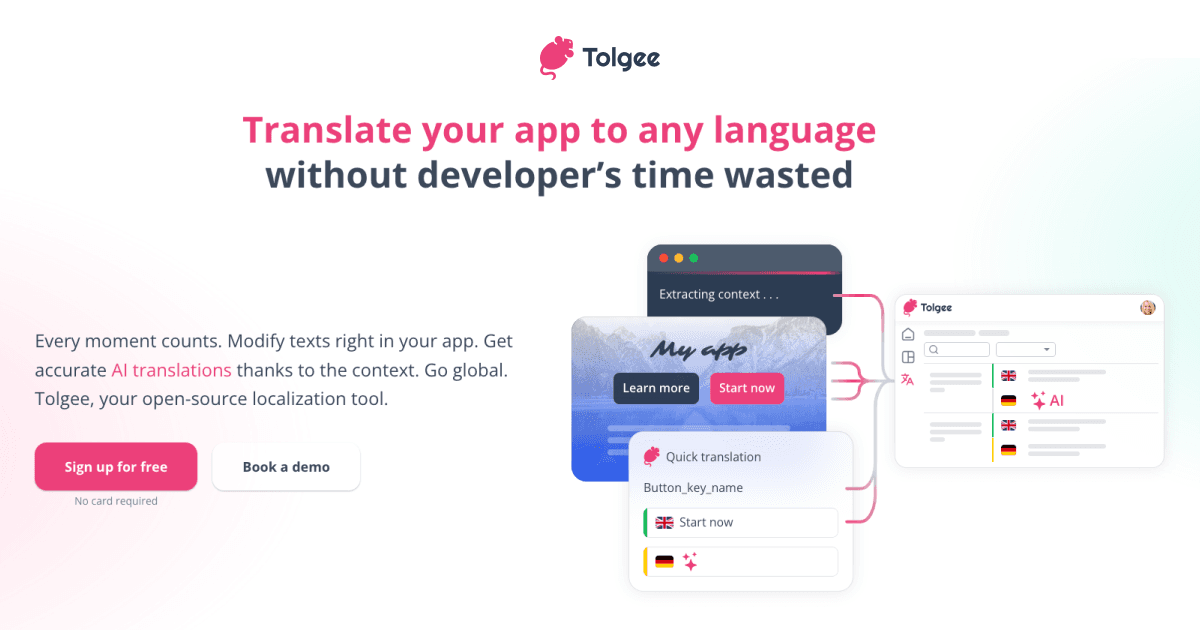
Tolgee AI Translator translates app strings with an LLM while feeding it project context pulled from the app itself. Teams test prompts in a playground, connect their own model providers, and hand results to human reviewers.
Tolgee AI Translator is the machine translation layer inside the Tolgee localization platform. It translates application strings into target languages using a large language model, then leaves the output in a reviewable state so human translators or developers can refine wording before it reaches users. The premise is straightforward: AI handles the bulk pass quickly and cheaply, people handle nuance. That combination is aimed at product teams shipping multi-language apps who want speed without giving up editorial control. The feature that separates it from generic machine translation is context. Tolgee pulls context directly out of the app through its JS SDK, so the translator sees related keys and surrounding usage rather than an isolated string. Teams can add a project description, per-language notes, and key descriptions to steer domain vocabulary and tone. In the AI Playground, prompts can be tested against real translation data before anything is committed. Users compare results across models, adjust the prompt fragments, use variables that reference key data, screenshots and context, then save the winning configuration as the default. Model choice stays in the customer's hands. Tolgee connects to external LLM providers such as OpenAI, Anthropic and Google Gemini, including self-hosted options, and multiple providers can be configured with load balancing to avoid rate limits. A newer MCP server links the platform to AI coding assistants including Claude Code, Cursor and Codex, allowing those tools to find keys, update translations and generate machine translations from the editor. It fits teams already using a localization platform or evaluating one. Tolgee publishes direct comparisons with Lokalise, Crowdin, Phrase, Transifex, Locize, Localazy and POEditor, which makes it easy to position against incumbents. Teams that want a raw translation API alone will find this heavier than needed, since the value sits in the review workflow and context collection around the model.
Support runs through documentation, GitHub discussions, Slack and Discord communities, plus a demo booking page. An ISO 27001 information security policy and a public status page are also published.
Learn moreConnects to LLM providers including OpenAI, Anthropic and Google Gemini, with self-hosted options and load balancing. An MCP server links Tolgee to Claude Code, Cursor and Codex, and a JS SDK handles app-side context collection.
Learn moreContext-aware AI translation driven by app data collected through the JS SDK, plus editable project and language notes. The AI Playground tests prompts on real keys, compares models and saves defaults. Prompt fragments are customizable with variables for key data, screenshots and context. LLM providers are configurable, and an MCP server connects the platform to AI coding assistants.
Learn more AI Angels400+ customizable AI girlfriends for NSFW chat, voice calls, and roleplay
 Candy AIExperience the future of companionship with AI friends who chat, role-play, and connect with you on a human level.
 ourdream.aiA vast AI roleplay platform with millions of characters for chat, images, video and voiceAI Angels400+ customizable AI girlfriends for NSFW chat, voice calls, and roleplayCandy AIExperience the future of companionship with AI friends who chat, role-play, and connect with you on a human level.ourdream.aiA vast AI roleplay platform with millions of characters for chat, images, video and voice