Totsum

Local AI data explorer that answers questions about your files offline

Intermediate
Screenshot of Totsum, Local AI data explorer that answers questions about your files offline

What is Totsum?

Totsum is a local AI data explorer in private beta. It answers questions about imported files with a chart and supporting rows, runs on your own hardware, can work offline, and leaves verdicts to a human reviewer.

Totsum is a desktop data exploration app that runs its AI model on the user's own computer. Files are imported, a question is typed, and the app returns the answer together with a chart and the rows behind it. Anything worth a closer look can be shortlisted, and the shortlist feeds a follow-up report meant for a qualified reviewer, who records the verdict. The vendor is explicit that results are a first look at the data rather than a finished analysis, and that a person has to judge each one. The product is currently in a private beta, free in its first phase. Testers apply with an email address and country. Every applicant living in the European Union is invited, and the beta currently runs only there. Each tester receives a free Commercial license for 30 days from the day the key is issued, with a pre-release build and no support period. The 20 testers who give the most useful answers to a short questionnaire are promised a permanent Commercial license at no cost, chosen when the beta ends. In practice, the installer sets up the app in a couple of minutes and downloads a model of about 7 GB from the vendor's own server. After that, questions and files stay on the machine, and a computer with no network connection can work if the model files are copied over by hand following the offline install guide. The tradeoff is hardware: a GPU with roughly 12 GB of VRAM, or a Mac with an M4 Pro or better (an M3 Max or M3 Ultra also qualifies) and at least 18 GB of unified memory. The vendor itself notes that most current computers do not meet this bar, and the page includes a compatibility checker. Among alternatives, Totsum sits with privacy-minded, review-oriented analysis tools rather than cloud chat assistants that accept uploaded spreadsheets. It suits teams handling data that should not leave the building, particularly where a reviewer must sign off on conclusions.
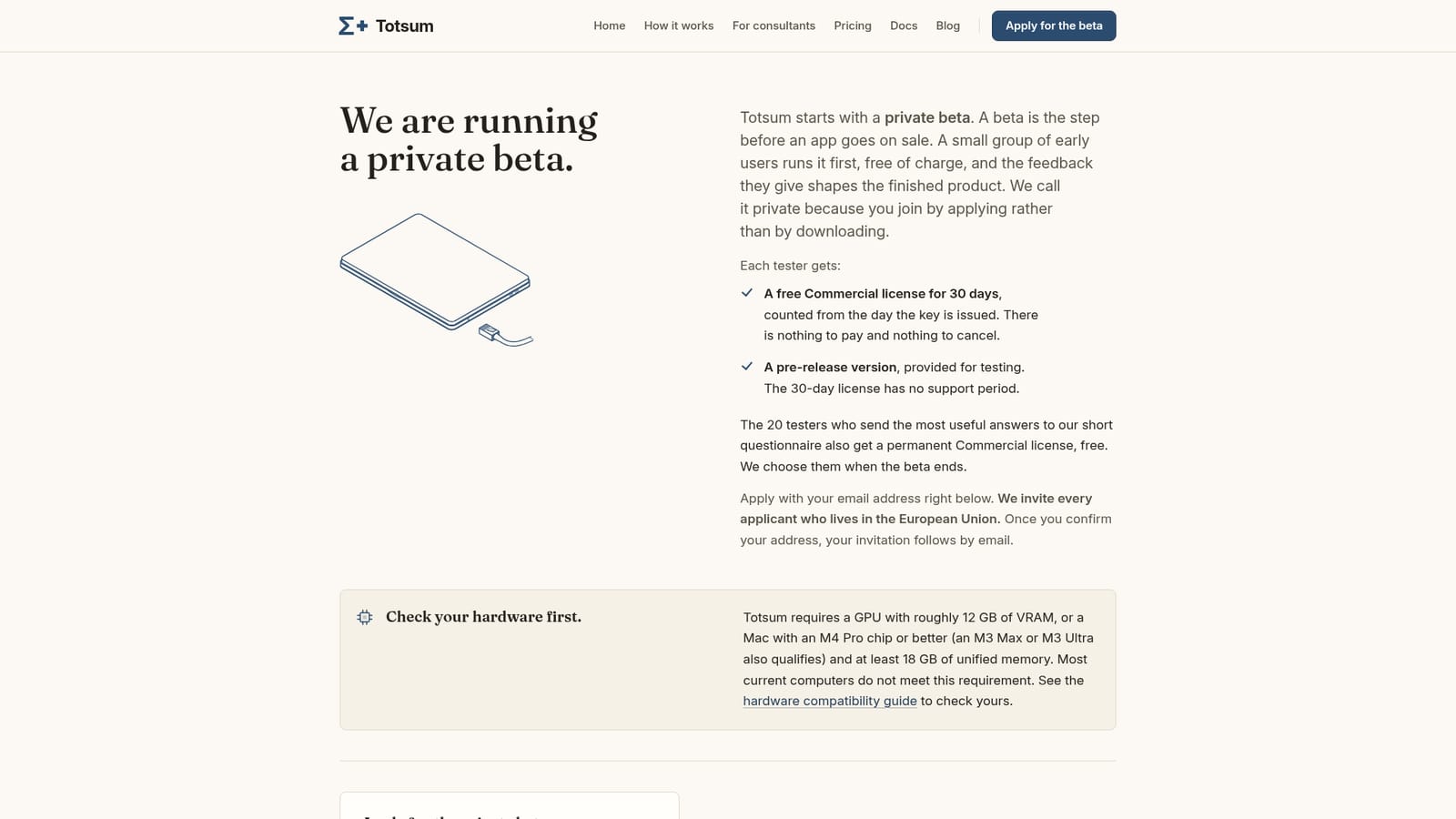
How do you use Totsum?

  1. 1Check your hardware
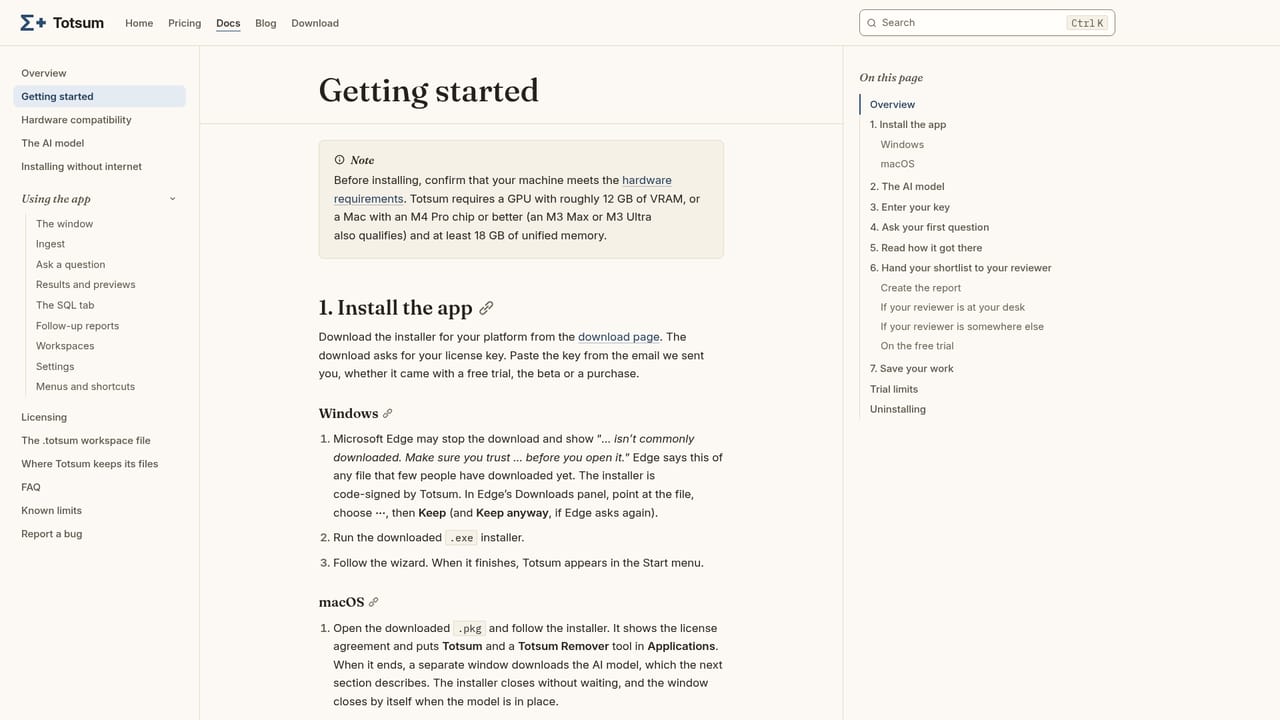
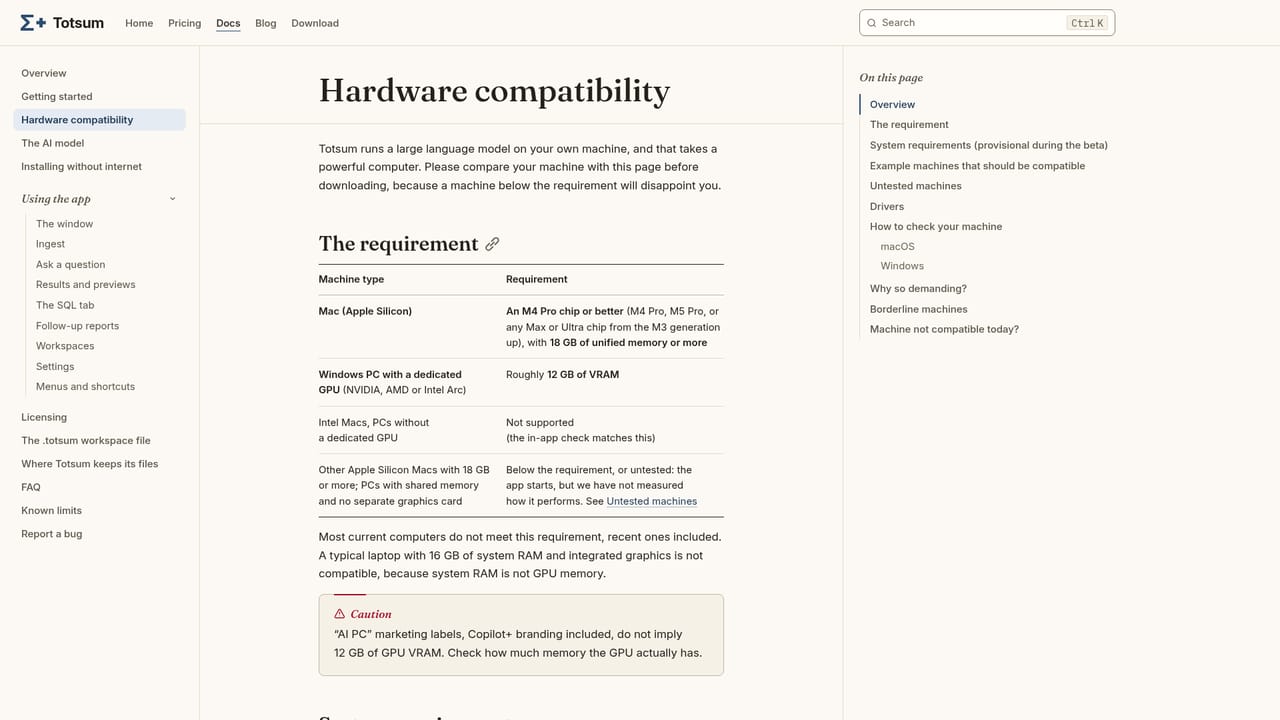
    Confirm you have a GPU with about 12 GB of VRAM, or a Mac with an M4 Pro or better and at least 18 GB of unified memory. The compatibility guide lists example machines.
    Totsum — Check your hardware
  2. 2Apply for the private beta
    Enter your email address and country on the beta page, then confirm your address from the email you receive. EU applicants are invited.
    Totsum — Apply for the private beta
  3. 3Accept the license and install
    The invitation carries the license agreement as a PDF, and your key follows your acceptance. The installer sets up the app and downloads the roughly 7 GB model.
    Totsum — Accept the license and install
  4. 4Install offline if needed
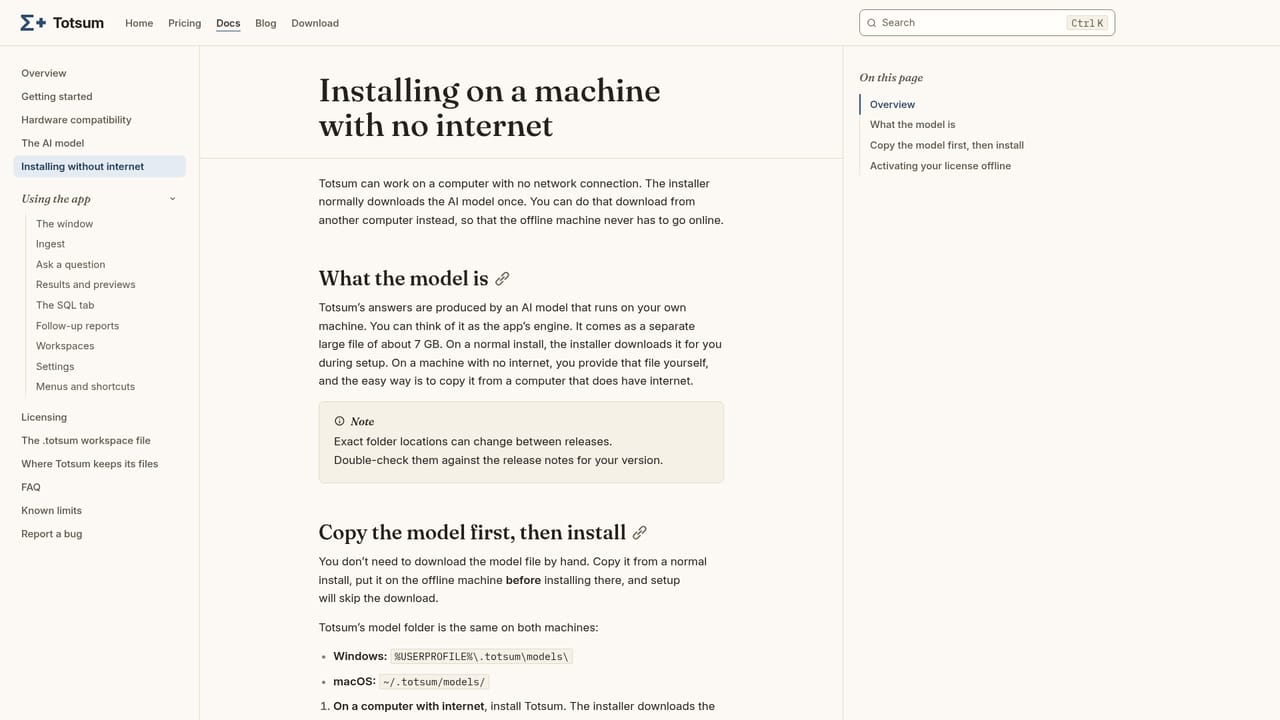
    On a machine with no internet access, copy the model files onto the computer by hand and keep it disconnected.
    Totsum — Install offline if needed
  5. 5Ask your first question
    Import your files, ask a question, and review the answer, chart and underlying rows. Shortlist what deserves a closer look for your reviewer.
  6. 6Read the known limits
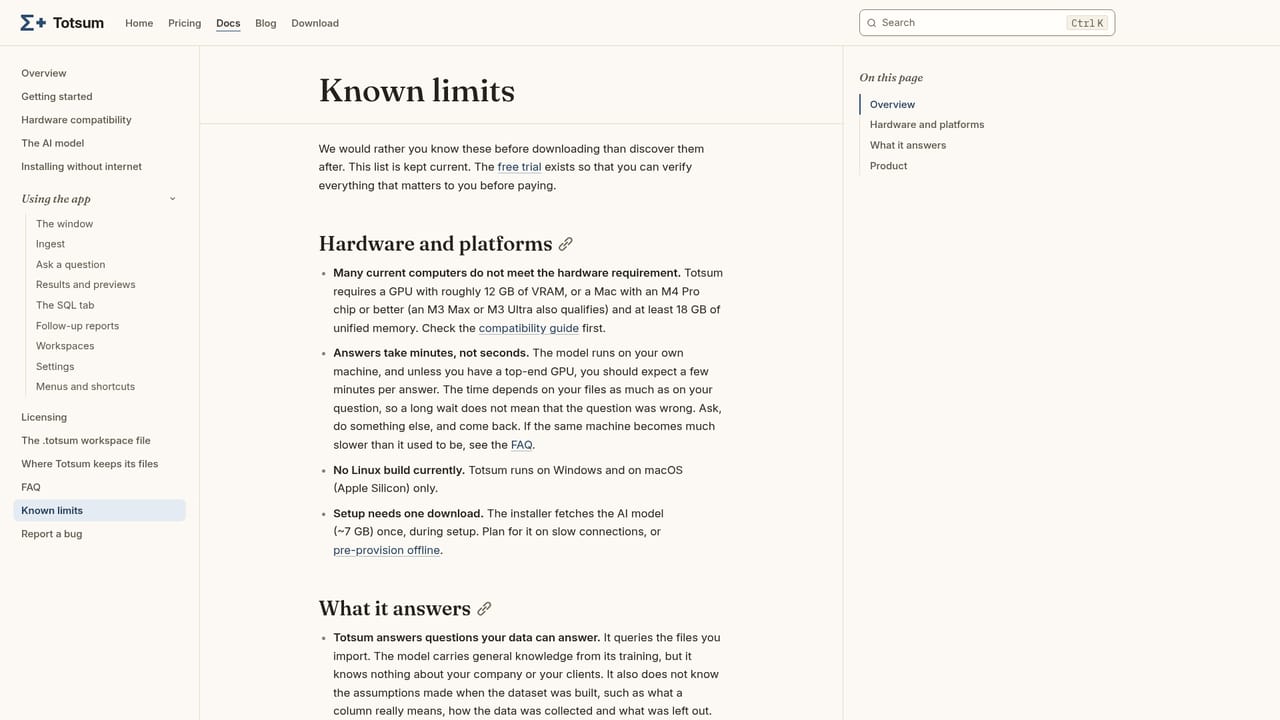
    Review the documented limits so you know where answers can go wrong before relying on any result.
    Totsum — Read the known limits

Pros and cons

Pros

  • Runs the AI model on your own machine, so files and questions are not part of the model download or sent outAI
  • Can work on a computer with no network connection after a manual model copyAI
  • Shows the answer, a chart and the rows behind it, which makes results easy to checkAI
  • Shortlist feature feeds a follow-up report so a qualified reviewer records the verdictAI
  • Free 30-day Commercial license for beta testers, with permanent licenses for the 20 most useful testersAI

Cons

  • High hardware bar: about 12 GB of VRAM or an M4 Pro Mac with 18 GB memory, which most computers lackAI
  • Private beta by application only, and currently limited to the European UnionAI
  • The 30-day beta license comes with no support period and a pre-release buildAI
  • Vendor states results are only a first look and the AI will sometimes be wrong, so every answer needs human reviewAI
  • Installation requires a roughly 7 GB model download, served to the European Union onlyAI

How much does Totsum cost?

Free trial

Beta testers receive a free 30-day Commercial license, counted from the day the key is issued, with nothing to pay or cancel. It has no support period and includes a pre-release version.

Learn more

Pricing

The private beta is free in its first phase. Each tester gets a free Commercial license for 30 days from key issue. The 20 most useful questionnaire respondents get a permanent Commercial license at no cost. Post-beta pricing is not stated.

Learn more

Support

The 30-day beta license has no support period. Documentation covers hardware, offline install, getting started and known limits.

Learn more

Features

Imports files and answers questions with the answer, a chart and the rows behind it. Results can be shortlisted into a follow-up report for a qualified reviewer. The AI model runs locally and can work without a network connection.

Learn more

Frequently asked questions about Totsum

  • How much does Totsum cost?
    The private beta is free in its first phase. Each tester gets a free Commercial license for 30 days from key issue. The 20 most useful questionnaire respondents get a permanent Commercial license at no cost. Post-beta pricing is not stated.
  • Does Totsum offer a free trial?
    Beta testers receive a free 30-day Commercial license, counted from the day the key is issued, with nothing to pay or cancel. It has no support period and includes a pre-release version.
  • How do you use Totsum?
    The walkthrough on this page covers 6 steps: 1. Check your hardware 2. Apply for the private beta 3. Accept the license and install 4. Install offline if needed 5. Ask your first question 6. Read the known limits.
  • What platforms does Totsum support?
    Totsum is available on MacOS and Windows.
  • What are the limitations of Totsum?
    High hardware bar: about 12 GB of VRAM or an M4 Pro Mac with 18 GB memory, which most computers lack. Private beta by application only, and currently limited to the European Union. The 30-day beta license comes with no support period and a pre-release build.

Status

StatusActive
Views0
Outbound clicks0
Added10/18/2026

Platforms

MacOSWindows

Pricing

FreeFree Trial