Free trial
The homepage invites users to try transcription for free and offers a free upload and record flow, but the length and limits of the free usage are not stated on the page.
Learn moreAI transcription for meetings, audio and video in 100+ languages
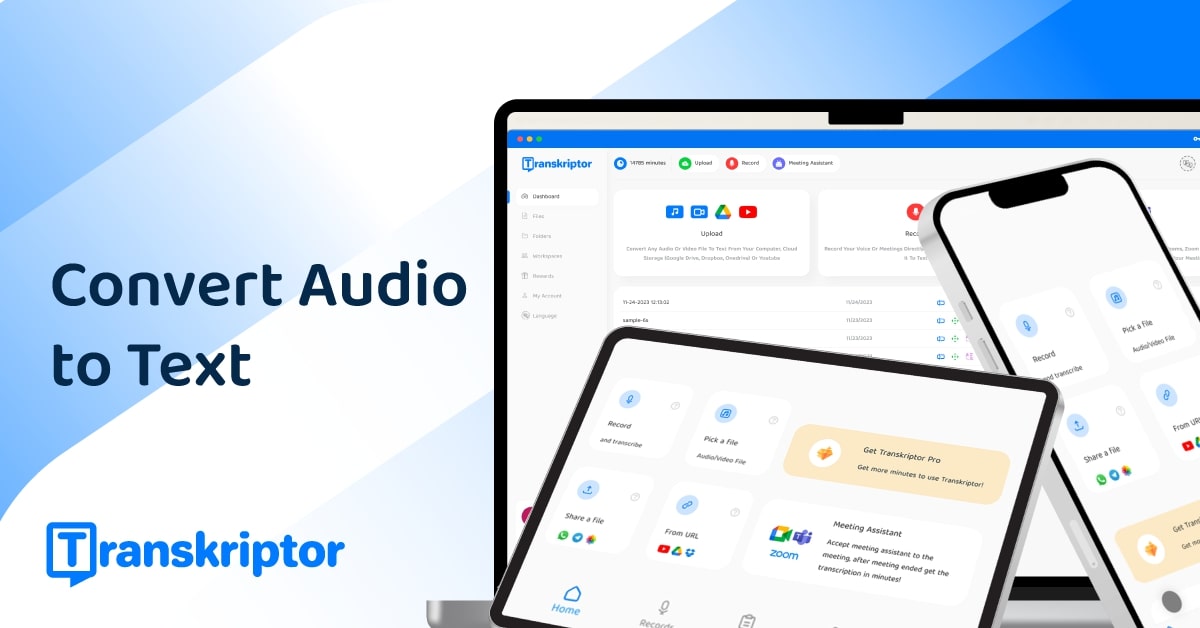
Transkriptor is an AI transcriber tool. AI transcription tool that converts audio, video and live meeting speech into text in 100+ languages, with AI summaries, action items, sentiment analysis and a chat assistant for querying transcripts. Available as a web app, Chrome extension, desktop app and iOS/Android apps.
Transkriptor is an AI transcription service that turns speech into written text across meetings, uploaded media and live recordings. Audio or video files such as MP3, MP4 and WAV can be dropped into the web dashboard, or speech can be captured directly through a built-in recorder. The platform also runs as a Chrome extension, a desktop app and mobile apps for iOS and Android, so the same account and cloud library follow the user between devices. The company states 99% accuracy and support for more than 100 languages, with dedicated landing pages for major languages including Spanish, French, German, Japanese, Korean and Arabic. Beyond raw transcripts, Transkriptor layers analysis on top of the text. An AI chat assistant answers questions about a single recording or across a searchable knowledge base of multiple transcripts and uploaded documents. Meeting highlights and action items are generated automatically, using templates for sales, marketing, education and other contexts, or custom formats. Sentiment analysis and speaker time tracking add a quantitative view of conversations. Zoom, Google Meet and Microsoft Teams are named as supported meeting sources; the desktop app records locally with a one-click popup and explicitly does not send a bot into the call. The tool is positioned for professionals and students rather than casual note-takers. The homepage points to lawyers, psychologists, consultants, journalists, sales teams, IT teams and universities as target groups, alongside a student plan. Reported enterprise usage includes research, engineering and client-call transcription at large organizations. Transkriptor also appears in the Claude directory, which suggests transcripts can be pulled into an external AI workspace. Compared with meeting-only assistants, Transkriptor is broader: it handles uploaded media and voice memos as readily as live calls, and it spans browser, desktop and mobile rather than a single surface. Buyers who only need bot-based meeting capture may find the feature set larger than required, while anyone working across mixed audio sources gets a consolidated workflow. Pricing details are not stated on the homepage, and a full read of the plans page is advised before committing.
The homepage invites users to try transcription for free and offers a free upload and record flow, but the length and limits of the free usage are not stated on the page.
Learn moreThe homepage names Zoom, Google Meet and Microsoft Teams as supported meeting sources, plus a Chrome extension, desktop app and a listing in the Claude directory for working with transcripts inside Claude.
Learn moreAudio and video to text conversion for MP3, MP4 and WAV, live voice recording, transcription in 100+ languages, AI meeting summaries and action items with templates, an AI chat assistant over single transcripts or multi-file knowledge bases, sentiment analysis, speaker time tracking and cloud sync across web, desktop and mobile.
 AI Angels400+ customizable AI girlfriends for NSFW chat, voice calls, and roleplay
 Candy AIExperience the future of companionship with AI friends who chat, role-play, and connect with you on a human level.
 ourdream.aiA vast AI roleplay platform with millions of characters for chat, images, video and voiceAI Angels400+ customizable AI girlfriends for NSFW chat, voice calls, and roleplayCandy AIExperience the future of companionship with AI friends who chat, role-play, and connect with you on a human level.ourdream.aiA vast AI roleplay platform with millions of characters for chat, images, video and voice







