TranslateManga

Browser extension that translates manga, manhwa and comics in place as you read.

Beginner
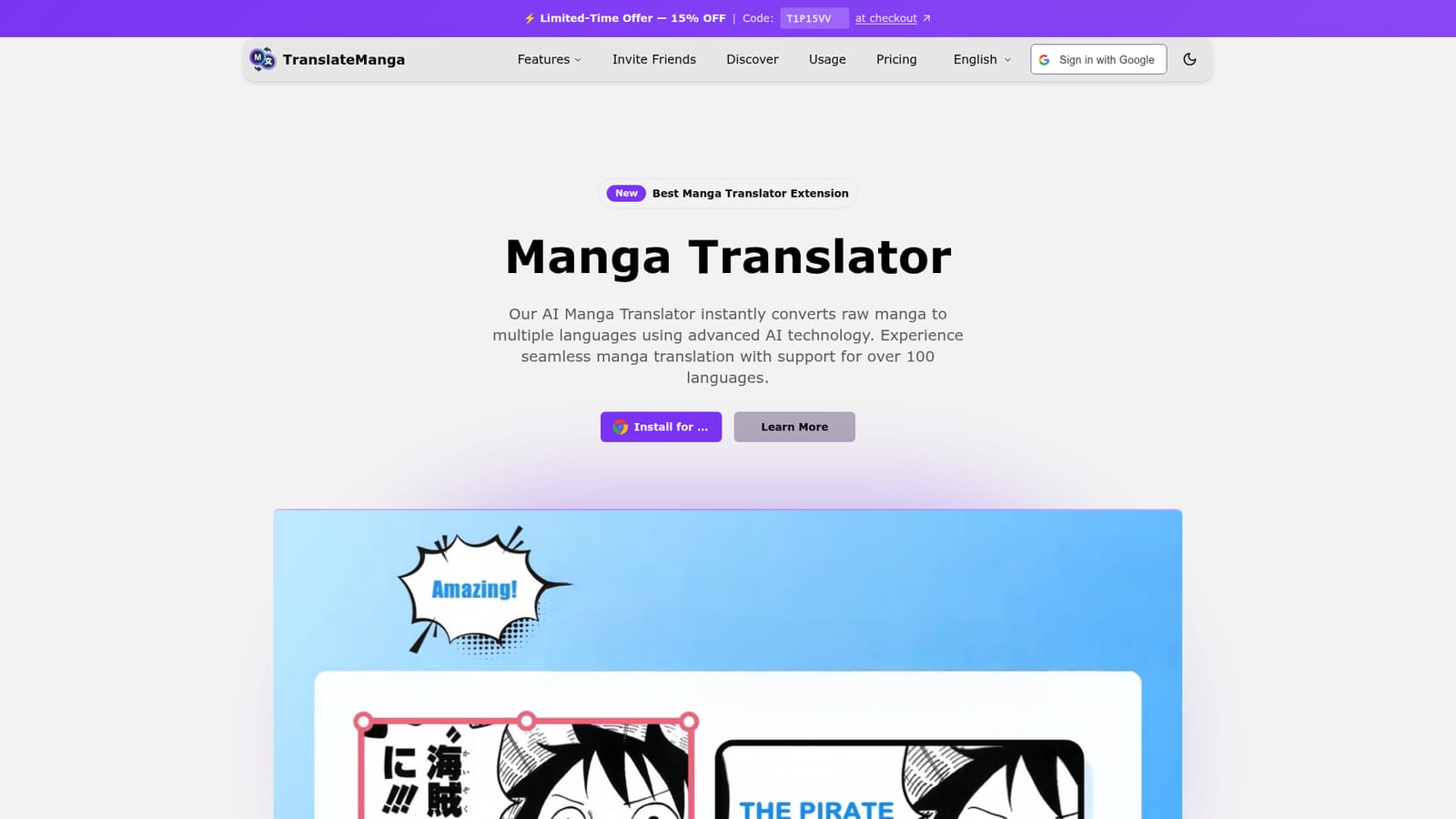
Screenshot of TranslateManga, Browser extension that translates manga, manhwa and comics in place as you read

What is TranslateManga?

TranslateManga is an AI manga reader tool. A browser extension for reading manga, manhwa and comics in translation without leaving the page. It translates images automatically as you browse, supports screenshot and whole-chapter batch translation, tracks reading progress across sites, and covers more than 100 languages across 100+ reading platforms.

TranslateManga is a browser extension that translates manga, manhwa and western comics directly on the page while you read. Rather than downloading image files and running them through a separate converter, the extension detects text in page images and replaces it with a translated version, aiming for second-level turnaround so reading flow is not broken. The homepage states support for more than 100 languages and compatibility with over 100 manga, manhwa and comic reading sites. Named examples include MangaFire, MangaDex, MangaPark, Kunmanga, ManganRead and WebtoonScan. The feature set splits into four practical modes. Automatic translation converts text as you scroll through a chapter. Screenshot translation lets you capture any panel and translate it, which is the route for physical manga photographed with a device camera. Batch translation handles a whole chapter in one pass. A manga tracker, used with your permission, records reading progress and history across different sites and syncs it between devices, so a library spread over several platforms stays in one place. Accuracy claims rest on context-aware translation: the tool says it accounts for manga-specific terminology and cultural references rather than translating line by line in isolation. The homepage also emphasizes preserving original meaning and context. Readers learning Japanese report using it to view source and translation side by side, and fan artists use it to study untranslated work. Sharing translated panels to social networks and adding custom domains for sites outside the default list round out the offering. It sits in the same niche as IsManga, Torii Image Translator and ichigoreader, all of which the homepage names as comparison points. Two caveats shape the fit. The product is a Chrome extension first, so desktop browser reading is the primary workflow, and the free tier is pitched as an entry point to a paid premium tier rather than a complete free tool.

How do you use TranslateManga?

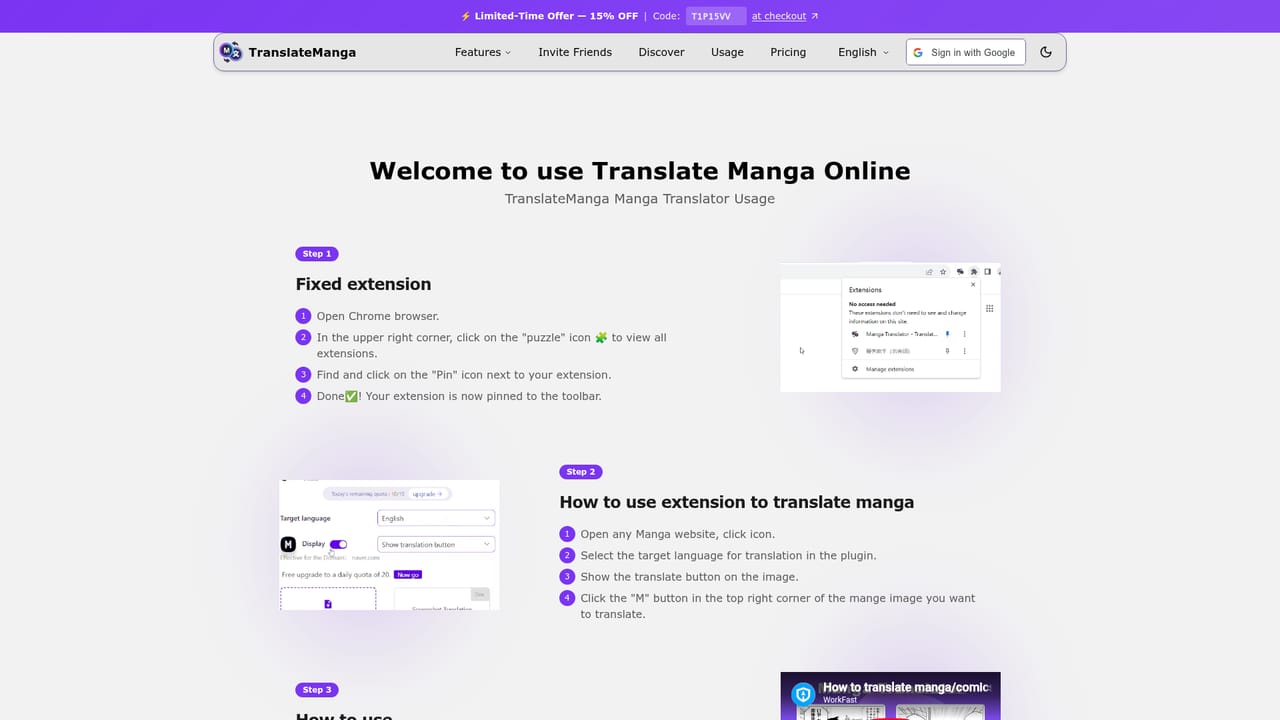
  1. 1Install the extension
    Add TranslateManga to Chrome from the Chrome Web Store using the install link on the homepage. It is described as free to install.
    TranslateManga — Install the extension
  2. 2Open a supported manga site and start reading
    Load a chapter on one of the 100+ supported platforms such as MangaDex or MangaFire. The extension detects the page images and translates the text automatically.
  3. 3Translate a single panel by screenshot
    For pages the automatic mode misses, or for physical manga, capture the panel with the screenshot tool to get a translated version of just that image.
  4. 4Run a batch translation on a chapter
    Use batch processing when you want an entire chapter converted at once instead of translating panel by panel as you scroll.
  5. 5Turn on progress tracking and sync
    Grant permission for the manga tracker so reading progress and history are recorded across the sites you use and carried between your devices.
    TranslateManga — Turn on progress tracking and sync
  6. 6Review plans and compare tiers
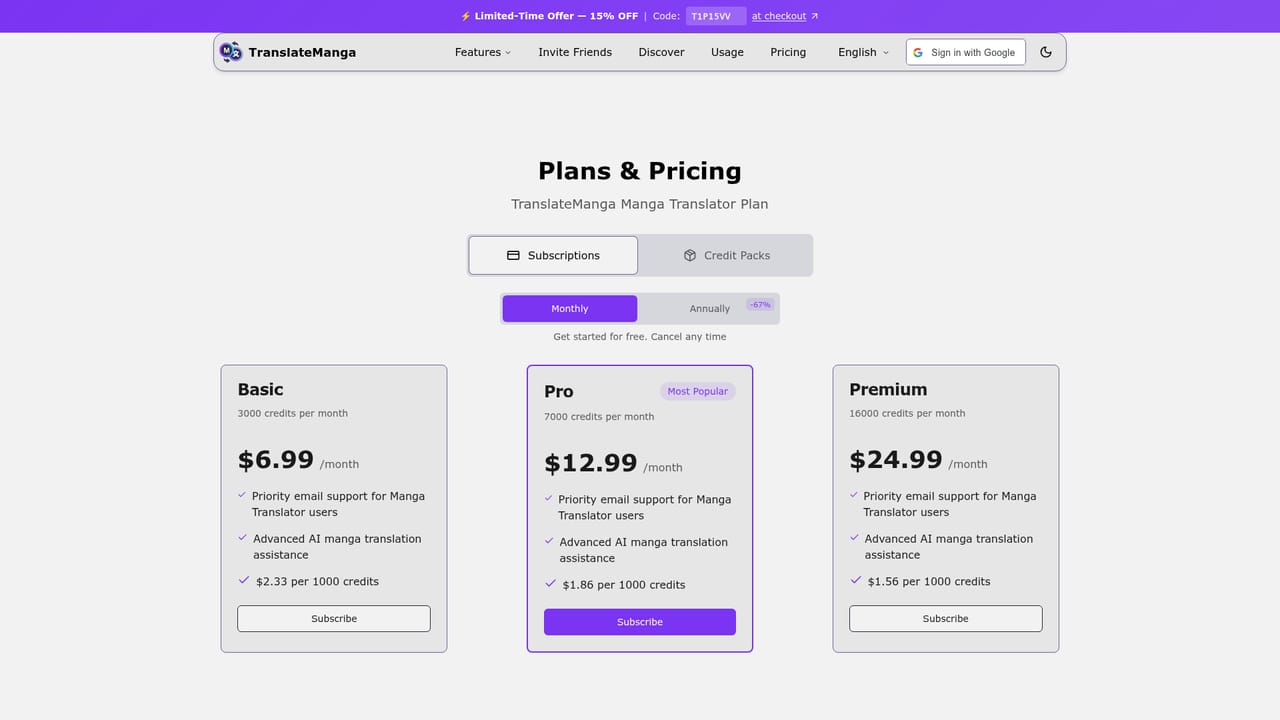
    Check the payment page to see what the premium tier includes and whether a discount code applies before committing to a paid plan.
    TranslateManga — Review plans and compare tiers

Pros and cons

Pros

  • Translates manga images in place on the page, so there is no manual download and re-upload cycleAI
  • Screenshot mode extends coverage to physical manga captured with a cameraAI
  • Batch translation handles a full chapter in one passAI
  • Reading tracker consolidates progress across multiple manga sites and syncs history between devicesAI
  • Broad language coverage, stated at over 100 languagesAI

Cons

  • Built around a Chrome extension, so the experience is tied to that browser and desktop readingAI
  • The free offering is positioned as a lead-in to a premium tier, and the homepage does not spell out exactly what the free tier limits areAI
  • Accuracy on stylized lettering, sound effects and handwritten text is not evidenced beyond general quality claimsAI
  • Progress tracking depends on granting permission and only works on supported sitesAI
  • No API or developer integration is described, which rules it out for building custom translation pipelinesAI

How much does TranslateManga cost?

Pricing

The homepage advertises a limited-time 15 percent discount with checkout code T1P15VV and refers to a premium tier. Specific plan prices, billing periods and free tier limits are not stated on the homepage, so exact costs need to be checked on the payment page.

Learn more

Support

Support is community-led: the homepage invites users to a Discord server for updates, translation tips and discussion with other readers. No email support or help centre is described on the homepage.

Integrations

Works across a stated 100+ manga, manhwa and comic sites, with MangaFire, MangaDex, MangaPark, Kunmanga, ManganRead and WebtoonScan named as supported. Custom domain integration lets readers add sites outside the default list. No API is mentioned.

Learn more

Features

Core features include real-time automatic translation of manga page images, screenshot translation for individual panels and physical manga, chapter-level batch translation, context-aware handling of manga terminology, and a manga tracker that records reading progress and syncs history across devices. Custom domain support and social sharing of translated panels are also listed.

Learn more

Frequently asked questions about TranslateManga

  • How much does TranslateManga cost?
    The homepage advertises a limited-time 15 percent discount with checkout code T1P15VV and refers to a premium tier. Specific plan prices, billing periods and free tier limits are not stated on the homepage, so exact costs need to be checked on the payment page.
  • How do you use TranslateManga?
    The walkthrough on this page covers 6 steps: 1. Install the extension 2. Open a supported manga site and start reading 3. Translate a single panel by screenshot 4. Run a batch translation on a chapter 5. Turn on progress tracking and sync 6. Review plans and compare tiers.
  • What platforms does TranslateManga support?
    TranslateManga is available on Browser extension and Web App.
  • What does TranslateManga integrate with?
    Works across a stated 100+ manga, manhwa and comic sites, with MangaFire, MangaDex, MangaPark, Kunmanga, ManganRead and WebtoonScan named as supported. Custom domain integration lets readers add sites outside the default list. No API is mentioned.
  • What are the limitations of TranslateManga?
    Built around a Chrome extension, so the experience is tied to that browser and desktop reading. The free offering is positioned as a lead-in to a premium tier, and the homepage does not spell out exactly what the free tier limits are. Accuracy on stylized lettering, sound effects and handwritten text is not evidenced beyond general quality claims.

Status

StatusActive
Views0
Outbound clicks0
Added10/21/2026

Platforms

Browser extensionWeb App

Pricing

FreemiumPaidSubscription