Free trial
A free trial is offered for every plan, and the homepage demo allows limited extraction requests before registering for extended access.
Learn moreAI that turns invoices, receipts and bank statements into structured data

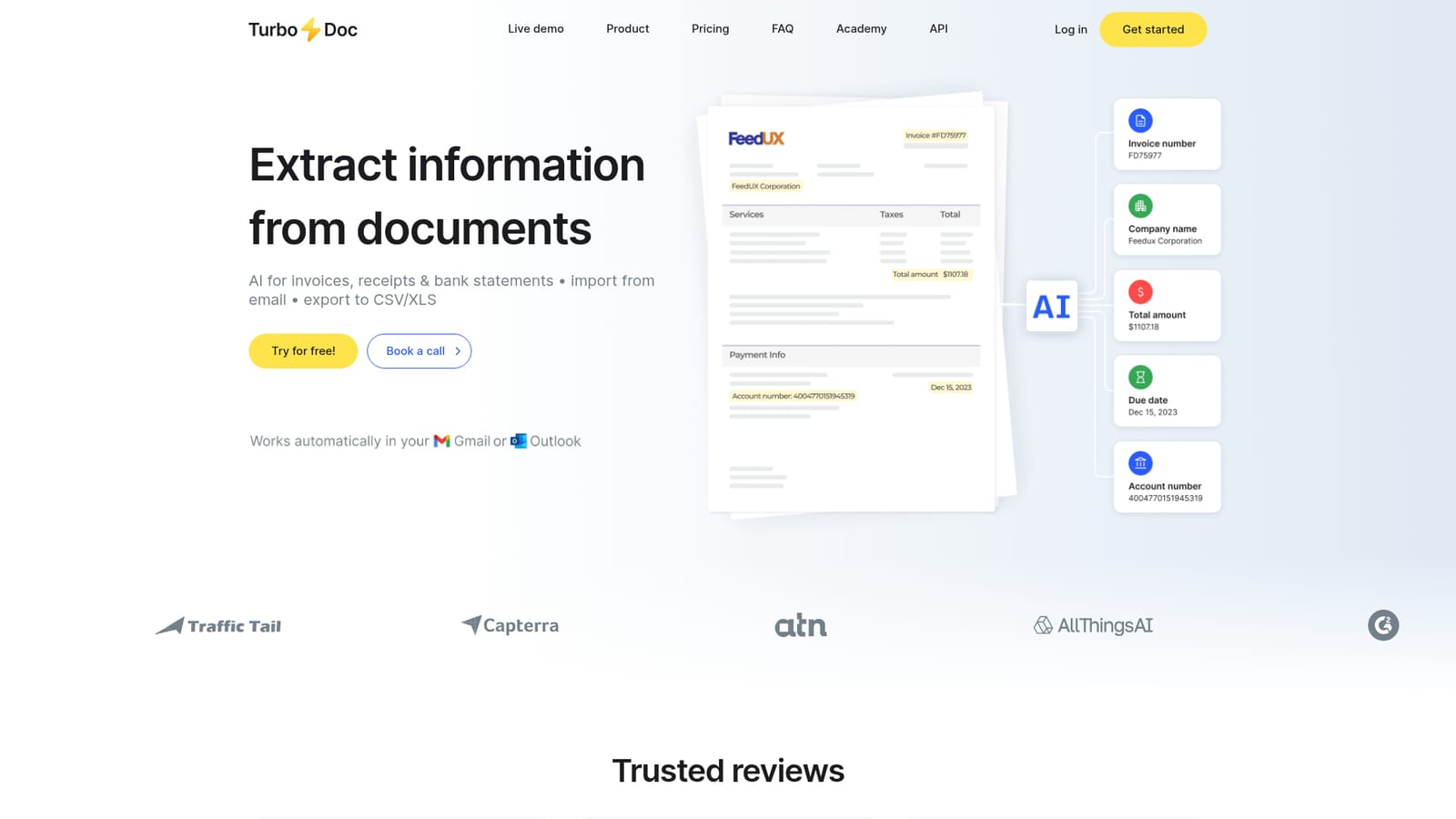
TurboDoc converts invoices, receipts and bank statements into structured data through uploads or automatic Gmail and Outlook collection, then lets users verify and correct fields in a dashboard and export to CSV or XLS.
TurboDoc is a document extraction service built around invoices, receipts and bank statements. Instead of retyping vendor names, totals, invoice numbers and payment details into a spreadsheet, you upload a file and the system returns the same information as structured fields. The homepage demo accepts PDF, JPEG, PNG, WEBP, HEIC and TIFF files up to 10 MB, and shows the parsed result next to the original so the output can be checked before it is used. The product is aimed at accountants, accounts payable teams, bookkeepers and small business owners who handle a steady flow of supplier documents. Its most distinctive feature is mailbox automation: connecting a Gmail or Outlook account lets TurboDoc pull incoming invoices and receipts automatically, extract the data and place it in a dashboard. From there, rows open in a view and edit mode where the source document and the extracted fields sit side by side, so a wrong date or amount can be corrected on the spot. Exports go out as CSV or XLS for accounting work. In practice the tool sits between a generic OCR scanner and a full accounts payable suite. It handles the capture and structuring layer, and the homepage positions deeper accounting software integrations as a future addition rather than something available now. Documents can be processed in English, Spanish, German, French, Italian, Dutch, Portuguese and Catalan, and the vendor states that AES256 encryption is used, with data stored on US servers and not shared without consent. Pricing is capacity based, starting with a low cost plan of 50 invoices and 10 bank statements per month, then scaling to 300 invoices on Pro and 1000 on Business, with the number of connectable mailboxes rising alongside. Teams that only need occasional extraction can test the on page demo first. Buyers who need direct sync into accounting platforms should check the waitlist status before committing.
A free trial is offered for every plan, and the homepage demo allows limited extraction requests before registering for extended access.
Learn moreThree monthly tiers: Simple at $6 with 50 invoices, 10 bank statements and 1 mailbox; Pro at $30 with 300 invoices, 50 bank statements, 3 mailboxes and faster support; Business at $100 with 1000 invoices, 200 bank statements and 10 mailboxes.
Learn moreTechnical support is available to all users. Pro and Business subscribers receive premium support with faster, prioritized responses.
Gmail and Outlook can be connected for automatic document collection. Accounting software integrations are listed as coming soon with a waitlist.
AI extraction for invoices, receipts and bank statements from PDFs and images, automatic collection from Gmail and Outlook, a centralized dashboard with view and edit mode, CSV and XLS export, and AES256 encryption with data stored in the USA.
 AI Angels400+ customizable AI girlfriends for NSFW chat, voice calls, and roleplay
 Candy AIExperience the future of companionship with AI friends who chat, role-play, and connect with you on a human level.
 ourdream.aiA vast AI roleplay platform with millions of characters for chat, images, video and voiceAI Angels400+ customizable AI girlfriends for NSFW chat, voice calls, and roleplayCandy AIExperience the future of companionship with AI friends who chat, role-play, and connect with you on a human level.ourdream.aiA vast AI roleplay platform with millions of characters for chat, images, video and voice


