Free trial
No separate trial is offered; the Free plan itself works as the trial, giving 20 AI generations per month with no credit card required.
Learn moreAI writing assistant built for replies, posts and polish on X

Tweeteasy is a Chrome extension and web app that drafts replies, generates tweet ideas from a topic, rewrites and translates posts, and polishes grammar and tone for X. Free plan covers 20 generations a month; paid tiers scale to unlimited use.
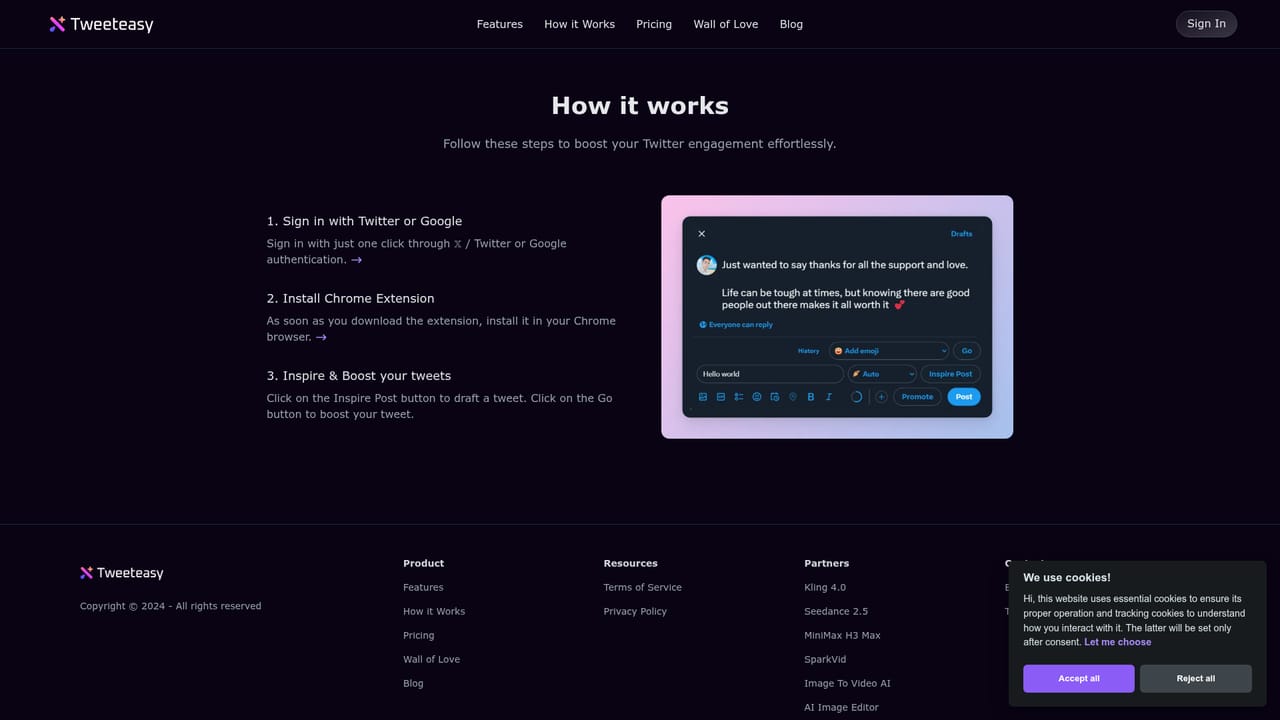
Tweeteasy is a writing assistant for X (formerly Twitter) that lives mainly in a Chrome extension alongside a small web app. Its core purpose is speed: instead of staring at a mention and trying to compose something worth posting, you click a button and get a human-sounding reply drafted for you. The same engine works backward on your own writing, taking a rough tweet and improving grammar, adding emojis, shifting the tone of voice, or expanding and condensing the text so it reads more cleanly before it goes out. The tool groups its work into four functions. A reply generator answers other people's tweets in one click, an inspiration generator turns a topic you type into a draft post, a booster rewrites a selected part of a tweet, and a translator moves non-English drafts into English while fixing spelling and grammar along the way. The vendor frames the target user as a creator who is new to X, short on time, or writing in a second language, and the marketing leans on time saved (about 1.5 hours a day, by their estimate) and on engagement gains rather than on deep analytics or scheduling. The practical flow is short. Sign in with X or Google, install the Chrome extension, open X, and use the Inspire Post and Go buttons directly in the composer. Free accounts get 20 generations a month, which is enough to test whether the output suits your voice but not enough for daily posting; paid tiers raise that to 1,000, 3,000, or unlimited generations and unlock history and premium support. Against general-purpose writing assistants, Tweeteasy is narrower but better placed: it works inside the timeline rather than in a separate tab, and it is tuned for the short, punchy register X rewards. The trade-off is that it does one platform and does not replace a full social media manager, scheduler, or analytics suite.

No separate trial is offered; the Free plan itself works as the trial, giving 20 AI generations per month with no credit card required.
Learn moreFree tier at $0 with 20 AI generations per month, no credit card. Paid tiers per account: Starter at $9.9/mo (1,000 generations), Basic at $19.9/mo (3,000), Professional at $59.9/mo (unlimited). Annual billing is listed at roughly half: $4.9, $9.9 and $29.9 per month respectively.
Learn morePremium support is listed as a benefit on all paid tiers; the Free plan excludes it. No dedicated help centre page is published.
Works with X (Twitter) through a Chrome browser extension, with sign-in via X or Google accounts.
Four core functions: a one-click reply generator for human-like responses, an idea generator that drafts a tweet from a topic, a booster that rewrites selected text with emojis, tone changes, expansion or condensing, and a translator that converts non-English drafts into English with spelling and grammar correction. Paid plans add historical records and premium support.
Learn more AI Angels400+ customizable AI girlfriends for NSFW chat, voice calls, and roleplay
 Candy AIExperience the future of companionship with AI friends who chat, role-play, and connect with you on a human level.
 ourdream.aiA vast AI roleplay platform with millions of characters for chat, images, video and voiceAI Angels400+ customizable AI girlfriends for NSFW chat, voice calls, and roleplayCandy AIExperience the future of companionship with AI friends who chat, role-play, and connect with you on a human level.ourdream.aiA vast AI roleplay platform with millions of characters for chat, images, video and voice


