Free trial
Core tools can be tried without paying, and the site invites users to start for free. Paid plans are needed for heavier use.
Learn moreDetect AI content, humanize text, and check images from one dashboard
Own Undetectable AI? Verify ownership to get a dofollow link
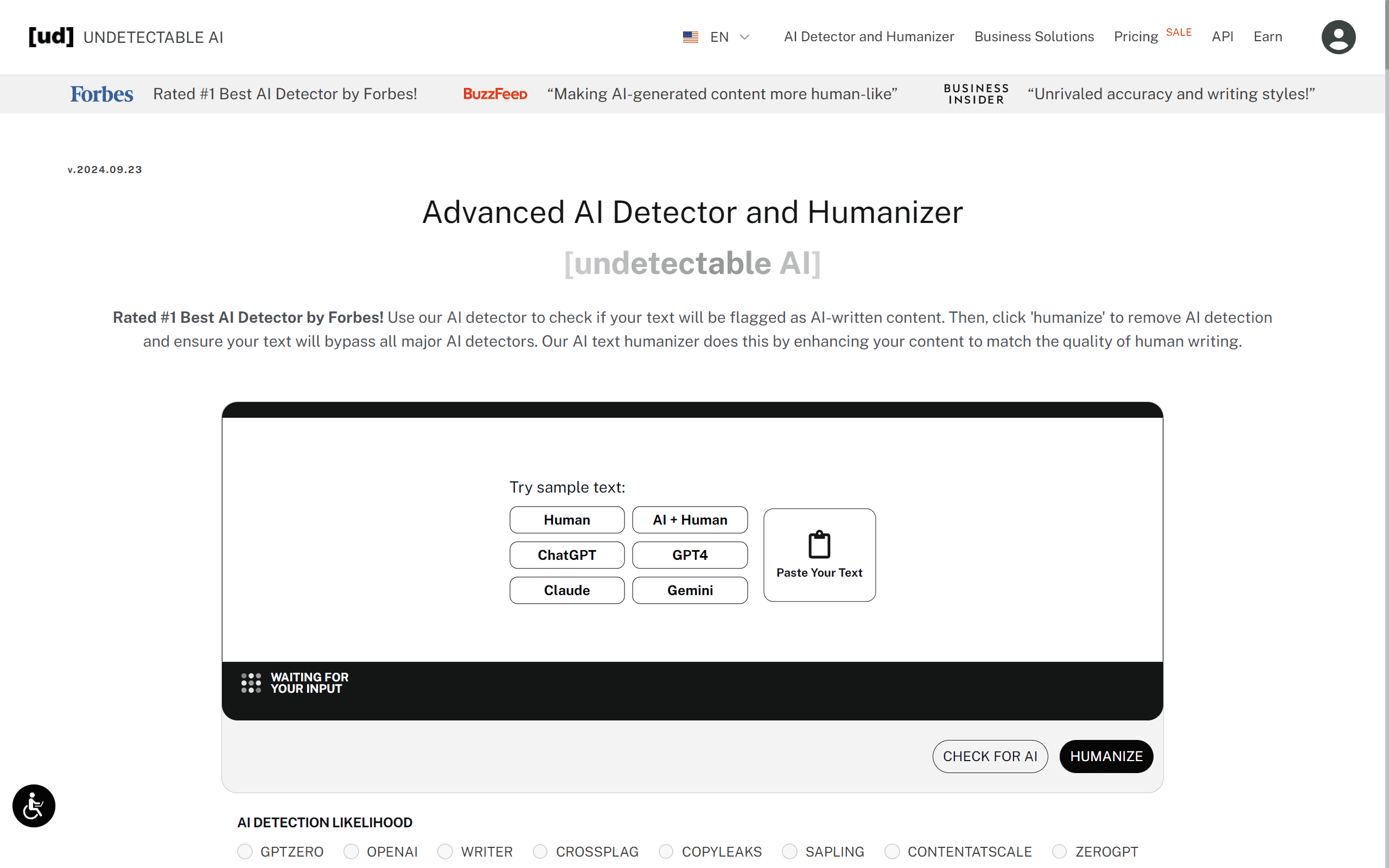
Undetectable AI is an AI checker tool that detects AI content, humanize text, and check images from one dashboard. A combined AI detector and humanizer that flags which sentences look machine written, rewrites them to read naturally, and adds image, PDF, and voice detection tools.
Undetectable AI is a web platform built around one practical question: how does this piece of content read to a machine? The core workflow starts with the AI Detector, which scans pasted text or an uploaded file of up to 5,000 words and highlights the specific sentences most likely to be flagged as AI generated. From that report, the AI Humanizer rewrites the problem passages by varying sentence structure, enriching vocabulary, and adjusting tone, with the stated goal of producing text that scores as human written on major detectors while staying readable. The toolkit extends well beyond text. An AI Image Detector gives an instant verdict on whether a picture was machine made, a Fake PDF Detector checks whether a document has been edited or AI generated, and an AI Voice Detector analyzes recordings for synthetic speech. An AI Job Applier handles a different chore entirely, applying to matching roles on the user's behalf. A Chrome extension carries the detection and humanizing tools into Google Docs, Gmail, and any other page where typing happens, so the round trip out of a document is optional. Students, educators, content writers, marketers, SEO specialists, and business owners are the named audiences. English gets the most accurate results, though the company says its tools cover more than 50 languages. Business Solutions adds stricter data-retention controls for teams, and the site states that submitted text is never sold. Where it fits: most competitors sell either a detector or a paraphraser. Undetectable AI bundles both plus media forensics, which suits people who need to check work and fix it in the same session. The obvious tension is that humanizing output to beat detection invites scrutiny from the institutions running those detectors, and results vary by detector and by text. Treat the scores as a signal, not a guarantee.
Core tools can be tried without paying, and the site invites users to start for free. Paid plans are needed for heavier use.
Learn moreThe homepage confirms a free starting point with paid plans that unlock higher limits and advanced features, and the pricing page is where tiers are compared. It does not list specific prices or per-plan word limits.
Learn moreQuestions go to contact@undetectable.ai. A FAQ on the homepage covers how the tools work, privacy, languages, and browser use.
A Chrome extension brings the detection and humanizing tools into Google Docs, Gmail, social media, and other webpages. No other third-party integrations are described on the homepage.
Learn moreAI Detector with sentence-level flagging, AI Humanizer for rewriting flagged text, AI Image Detector, Fake PDF Detector, AI Voice Detector, an AI Job Applier, a Chrome extension for in-page use, and Business Solutions with stricter data-retention controls. Text input supports up to 5,000 words.
Learn more AI Angels400+ customizable AI girlfriends for NSFW chat, voice calls, and roleplay
 Candy AIExperience the future of companionship with AI friends who chat, role-play, and connect with you on a human level.
 ourdream.aiA vast AI roleplay platform with millions of characters for chat, images, video and voiceAI Angels400+ customizable AI girlfriends for NSFW chat, voice calls, and roleplayCandy AIExperience the future of companionship with AI friends who chat, role-play, and connect with you on a human level.ourdream.aiA vast AI roleplay platform with millions of characters for chat, images, video and voice


