Free trial
A free sample is offered so you can enhance short test footage before paying. The homepage frames this as a sample rather than an open trial, so expect limits on length or number of free runs.
Learn moreCloud AI that lifts blurry clips to 1080p in minutes
Own UpscaleMy.Video? Verify ownership to get a dofollow link

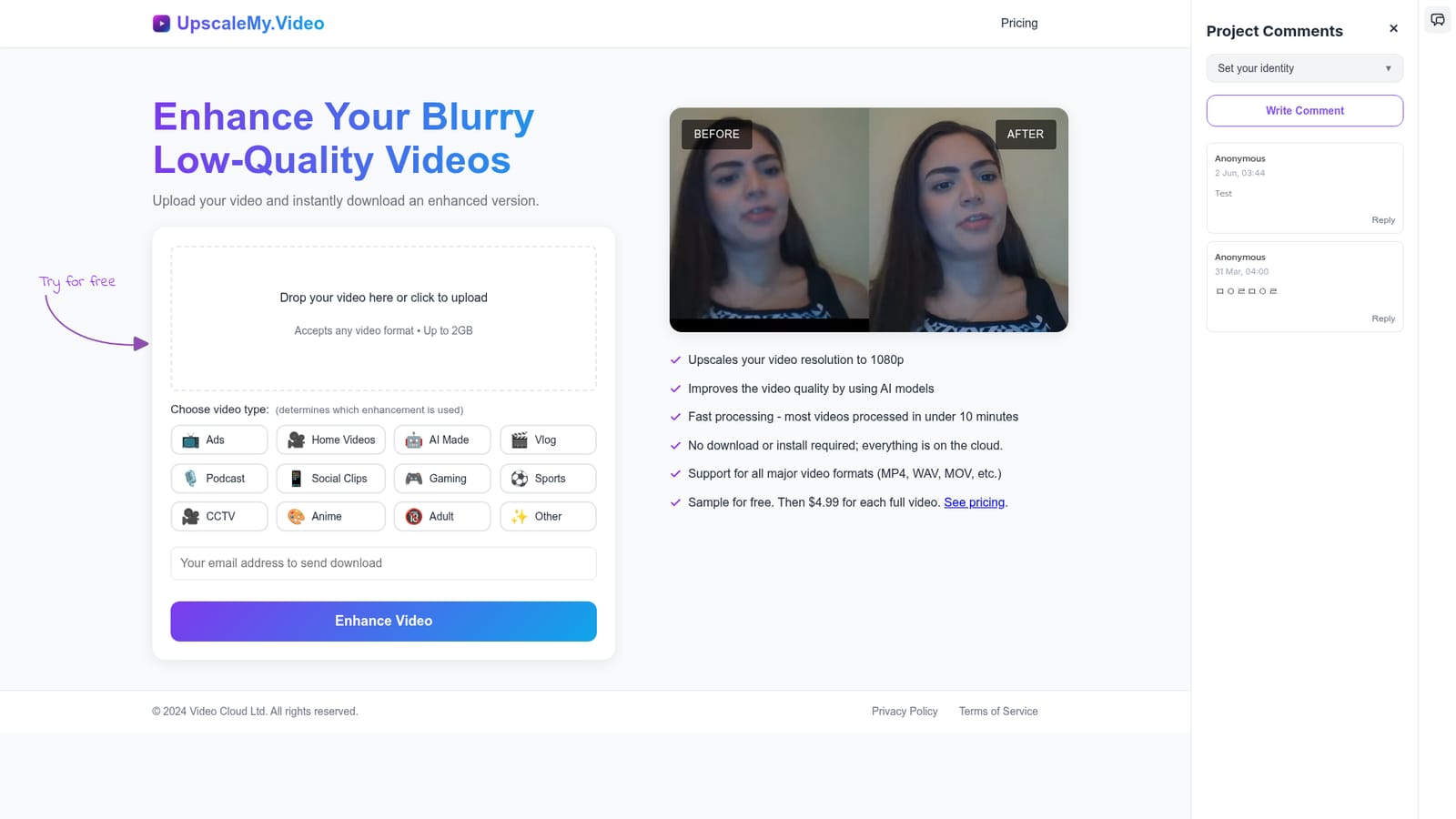
UpscaleMy.Video is an image improvement tool. A cloud video upscaler that rebuilds blurry or low-resolution footage at 1080p with AI models. Upload a file up to 2GB, pick a content type so the right model is used, and download the enhanced version, usually within 10 minutes.
UpscaleMy.Video is a browser-based service that takes low-resolution or noisy footage and rebuilds it at 1080p using AI models. There is nothing to install: a video file is dropped onto the page (up to 2GB, any common format such as MP4, WAV or MOV), the job runs on cloud hardware, and an enhanced copy comes back for download. The site states that most clips finish in under 10 minutes, which puts it in the same bracket as desktop upscalers but without the GPU requirement. The distinctive part is the content-type selector. Before processing, the user tags the upload as Ads, Home Videos, AI Made, Vlog, Podcast, Social Clips, Gaming, Sports, CCTV, Anime, Adult or Other, and that choice decides which enhancement model is applied. In practice this means AI-generated footage from tools like Runway, Pika or Stable Video, animation and surveillance recordings are not all pushed through one generic filter. A before/after comparison sits on the homepage so visitors can judge output quality before paying. It suits creators, editors, marketers and archivists who have inherited poor-quality source material: an old family recording, a compressed social clip, a low-bitrate screen capture, or a generative video that came out soft. Because everything runs on the provider's servers, it is also workable for people on modest laptops or Chromebooks who cannot run local upscaling software. The positioning is convenience and price rather than professional restoration. Competing tools often bundle denoising, frame interpolation or colour correction; UpscaleMy.Video is narrowly focused on resolution and quality lift to 1080p with a per-video or flat monthly fee. For one-off rescues and short-form content, that narrow scope and the free sample make it easy to trial against dedicated desktop suites.
A free sample is offered so you can enhance short test footage before paying. The homepage frames this as a sample rather than an open trial, so expect limits on length or number of free runs.
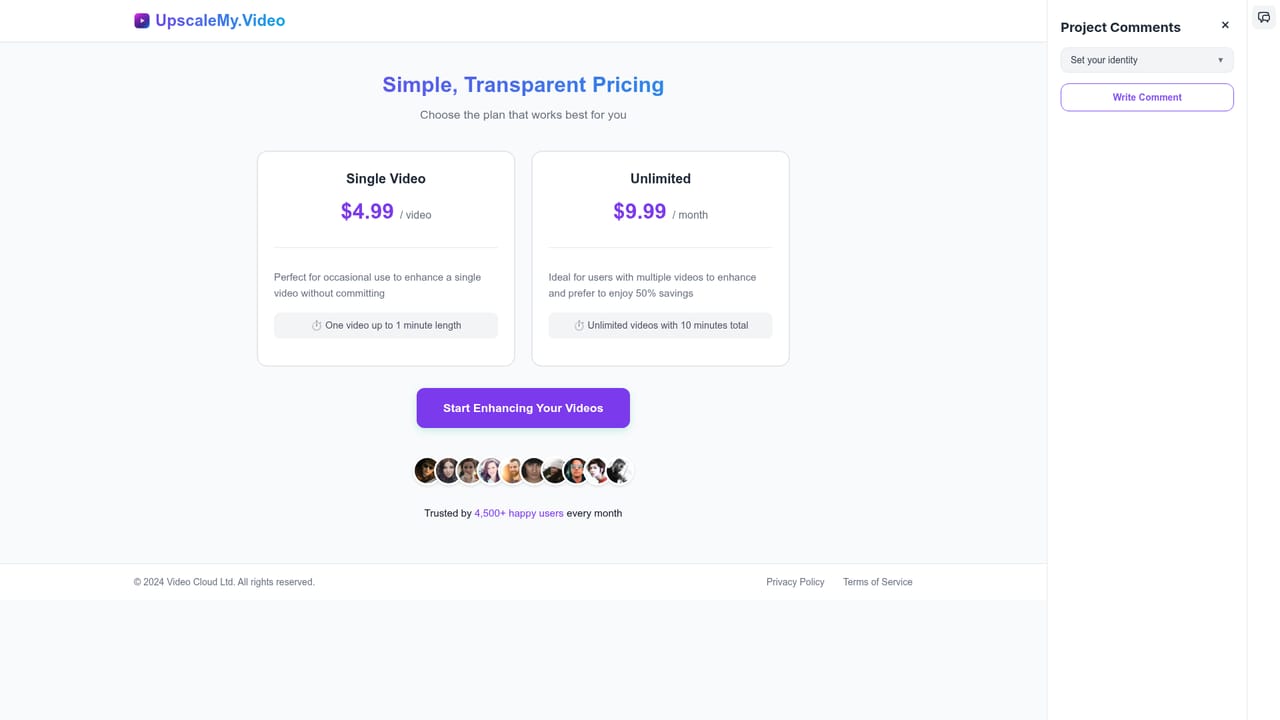
Learn morePricing mixes a free first sample with per-video and subscription options. The meta description states $1.99 per video or $9.99 per month for unlimited videos, while the homepage feature list quotes $4.99 for each full video after the free sample. The two figures conflict, so confirm the current rate on the pricing page before uploading anything large.
Learn moreAI upscaling to 1080p, cloud processing with no software install, support for all major video formats and uploads up to 2GB. A content-type selector applies different enhancement models across ads, home videos, AI-generated clips, vlogs, podcasts, social clips, gaming, sports, CCTV, anime, adult and other footage. Most jobs are said to complete in under 10 minutes, and a before/after preview shows the result.
 AI Angels400+ customizable AI girlfriends for NSFW chat, voice calls, and roleplay
 Candy AIExperience the future of companionship with AI friends who chat, role-play, and connect with you on a human level.
 ourdream.aiA vast AI roleplay platform with millions of characters for chat, images, video and voiceAI Angels400+ customizable AI girlfriends for NSFW chat, voice calls, and roleplayCandy AIExperience the future of companionship with AI friends who chat, role-play, and connect with you on a human level.ourdream.aiA vast AI roleplay platform with millions of characters for chat, images, video and voice








