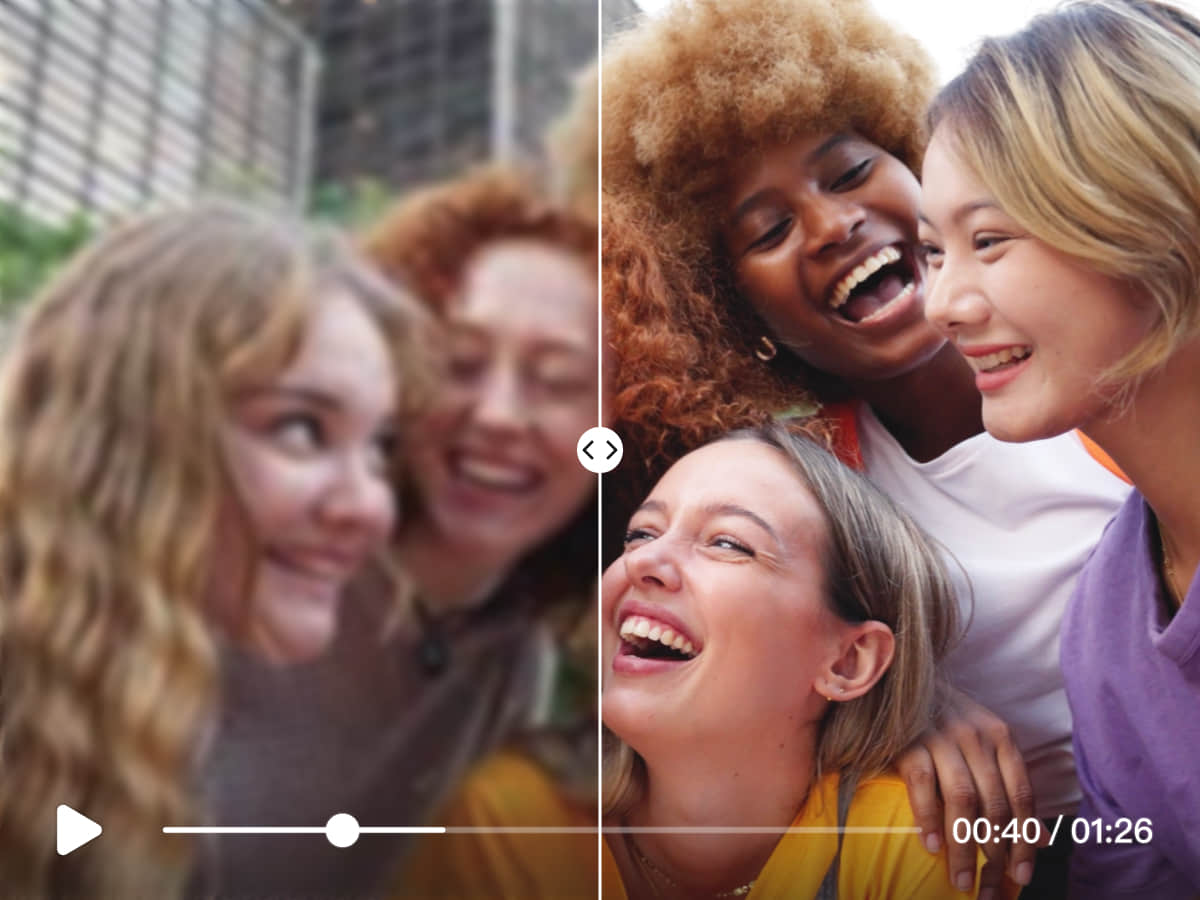
What unblur video tools do
Unblur video tools take footage that looks soft, compressed or low-resolution and rebuild detail with AI upscaling. Instead of applying a basic sharpen filter, which only exaggerates edges and noise, they enlarge each frame and reconstruct texture, then export a cleaner file at a higher resolution such as 1080p, 4K or beyond.
The audience is broad: creators rescuing a clip that was recorded in poor conditions, editors preparing old archive footage for a modern timeline, and people with family videos or heavily compressed downloads that look muddy on a large screen. These tools replace manual sharpening passes in a desktop editor, and in many cases the need to reshoot.
Most work in the browser, so there is nothing to install. A few ship as desktop software for people who would rather process files locally.
How to choose an unblur video tool
Readers who search for how to unblur videos usually have one of two problems, and the right tool depends on which one.
- Compression versus low resolution. If the clip is blocky from heavy compression, look for tools that describe cleaning compressed video. If it is simply small, an upscaler with a 4K or 8K target is the better fit.
- Output size. Check the maximum resolution. Some tools stop at 4K, others reach 8K, and the right ceiling depends on where the video will be shown.
- Browser or desktop. A web app is quick for a single clip. Desktop software across Windows, MacOS, Android and iOS suits larger files and repeat work.
- Signup and cost. Several tools are freemium, one is free with no signup, and others sit behind a subscription. Try a short clip first to see how the free tier treats the result.
- Photos too. Some tools handle images as well as video, which helps if the same project includes stills.
Test with a clip that has faces and text in it. Those expose over-smoothing and artifacts faster than landscapes do.
Notable unblur video tools
- AI Upscaler is a browser-based photo and video upscaler that sharpens media up to 4K, which makes it a flexible pick for mixed image and video work.
- Vezur AI is a browser-based tool aimed at blurry, compressed video, with output up to 4K.
- FlashVSR uses diffusion-based upscaling to turn compressed video into clean 4K output, and is offered on freemium, subscription and paid terms.
- TotalMedia is a browser-based upscaler that reaches 4K and 8K and adds smoothing, with a freemium model.
- Any Video Converter is desktop software for Windows, MacOS, Android and iOS that sharpens old video to 1080P, 4K and beyond.
- Free AI Video Upscaler is a browser-based video and image upscaler that is free and needs no signup.
Common questions
How to unblur videos?
Upload the clip to an AI upscaler, pick a target resolution such as 1080p or 4K, and export the result. The software rebuilds detail frame by frame rather than just sharpening edges. Starting from the best source file available gives a better outcome than re-processing a copy that was already compressed.
Can any tool unblur video completely?
No. Upscalers add plausible detail, but they cannot recover information that was never captured. Mild softness and compression artifacts improve noticeably, while severe motion blur or very low resolution only improves to a point.
Do unblur video tools require installing software?
Not usually. Most of the tools listed here run in a web browser. Desktop options exist for people who prefer to process files locally.
When to look elsewhere
If the problem is something covering the picture rather than softness, such as logos or overlays, Video Watermark Remover is the closer category. For removing unwanted items from a scene, Video Object Remover is the better match. Those tools edit what is in the frame, while unblur tools improve how sharp it looks.