Free trial
The assistant is free to download and start, so you can evaluate core functionality before committing to a paid cloud plan. The homepage does not describe a separate time-limited trial.
Learn moreYour private, memory-first AI assistant that lives on your machine.

Vellum is a private, memory-first AI assistant that runs locally or in the cloud, connects to Google Workspace, Slack and Notion, and takes actions across your tools with granular permissions. It supports multiple model providers and is reachable from Mac, web, mobile, voice and chat apps.
Vellum is a personal AI assistant built around long-term memory and local ownership. Unlike general chat assistants, it is designed to remember your life, people, preferences and work across every conversation, and to act on that context without being prompted each time. The assistant runs locally on your machine by default, with conversation history, memory and credentials stored on your device and never used to train models. Vellum is open-source, so the code can be inspected, and cloud hosting runs in an isolated container provisioned for a single user. The assistant is model-agnostic. You can switch between OpenAI, Anthropic, Gemini or open-weight models via Ollama at any time, which makes it a practical hub for people who already experiment with different providers. Built-in skills cover Google Workspace, Slack, Notion and the local filesystem, and the system can be extended with community plugins or custom skills. Typical work includes drafting emails, managing calendars, building slides, writing code, running research and monitoring websites on a recurring schedule. Vellum is aimed at knowledge workers, founders and operators who want an assistant that behaves like a long-term colleague rather than a stateless chatbot. It is native to Mac and also reachable through iOS, Android, the web app, voice, email, Telegram, Slack and the terminal, with the same memory and task state across surfaces. A fine-grained permissions layer gates high-stakes actions (emailing new contacts, editing important files, spending credits) until you mark them as trusted. Among alternatives, Vellum sits closest to autonomous agent platforms and privacy-first personal assistants rather than to ChatGPT or Claude. It competes on memory persistence, local data control and the ability to chain actions across tools, and it fits users who are comfortable configuring permissions and integrations. The main trade-off is setup and oversight: the value depends on how much context you feed it and how carefully you define what it may do unattended.
The assistant is free to download and start, so you can evaluate core functionality before committing to a paid cloud plan. The homepage does not describe a separate time-limited trial.
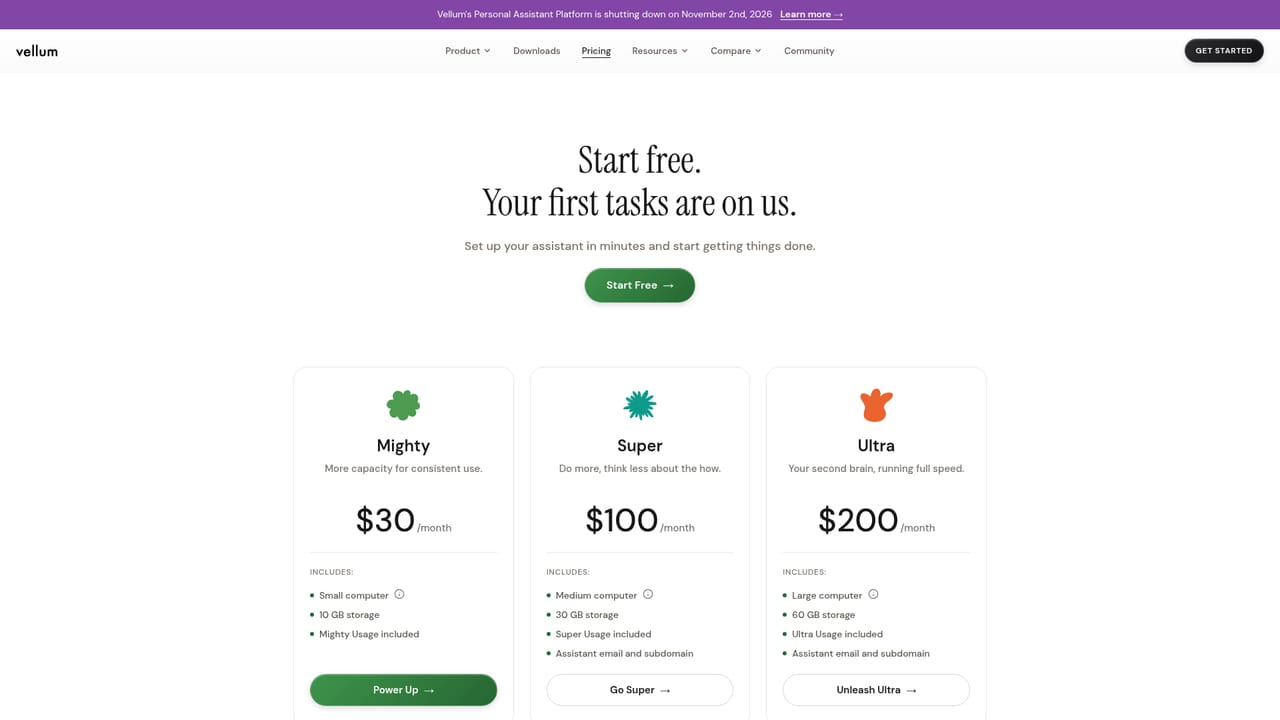
Learn moreVellum is free to download and start. Cloud subscriptions are priced at $30 per month (Mighty), $100 per month (Super) and $200 per month (Ultra), each with dedicated compute, storage and bundled credits. The pricing page lists the full comparison of every plan.
Learn moreBuilt-in skills cover Google Workspace, Slack, Notion and the local filesystem. Additional capabilities come through community plugins and custom skills, and models can be routed through OpenAI, Anthropic, Gemini or open weights via Ollama.
Core features include persistent long-term memory, autonomous task execution, a granular permissions system, model switching across OpenAI, Anthropic, Gemini and Ollama, built-in skills for Google Workspace, Slack, Notion and the filesystem, community plugins, custom skills, and access from Mac, iOS, Android, web, voice, email, Telegram, Slack and terminal.
 AI Angels400+ customizable AI girlfriends for NSFW chat, voice calls, and roleplay
 Candy AIExperience the future of companionship with AI friends who chat, role-play, and connect with you on a human level.
 ourdream.aiA vast AI roleplay platform with millions of characters for chat, images, video and voiceAI Angels400+ customizable AI girlfriends for NSFW chat, voice calls, and roleplayCandy AIExperience the future of companionship with AI friends who chat, role-play, and connect with you on a human level.ourdream.aiA vast AI roleplay platform with millions of characters for chat, images, video and voice


