Vo3ai

One studio, many top video models, with audio built in

Beginner
Screenshot of Vo3ai, One studio, many top video models, with audio built in

What is Vo3ai?

Vo3ai is a generative video tool. A multi-model AI video studio that combines Veo 3.1, Sora 2, Kling 3.0, Seedance and others behind one prompt box, with an agent that plans shots, tools for extending and merging clips, and native or generated audio.

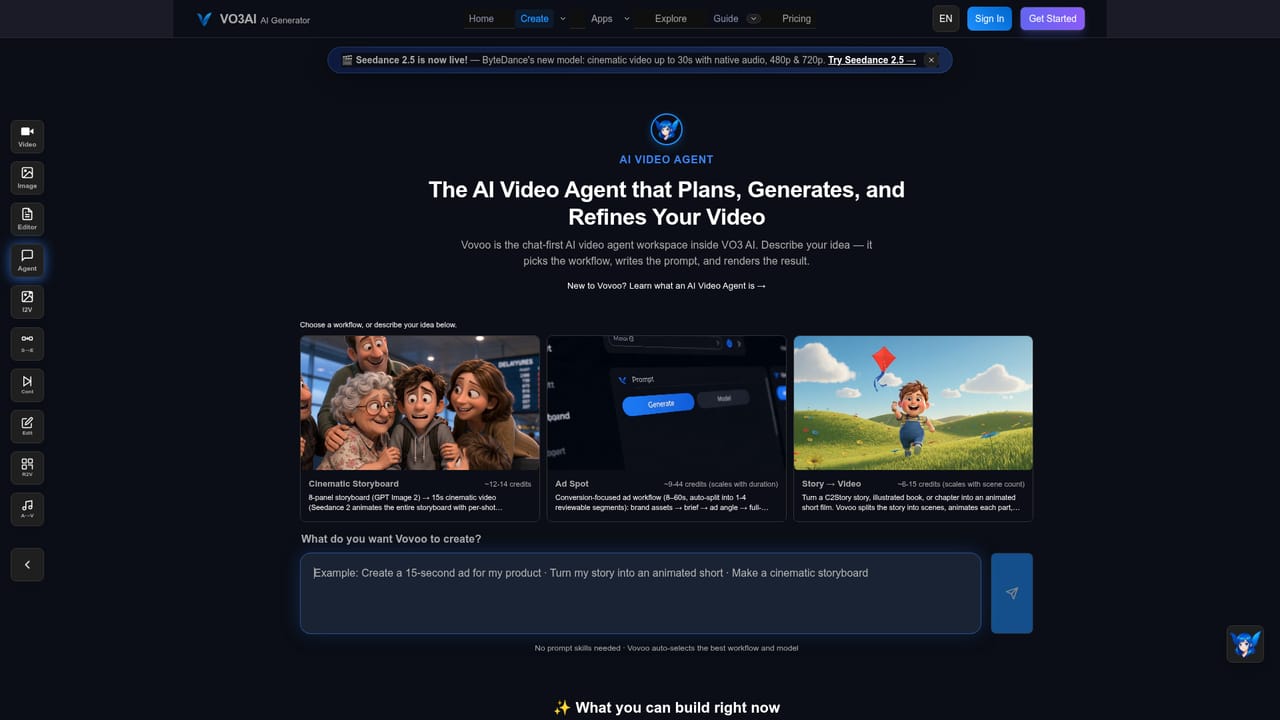
VO3 AI is a browser based video studio that routes a single prompt through several third party generation models rather than committing to one. The model roster on the homepage includes Google Veo 3.1, Sora 2, Kling 3.0, Seedance 2.5, Wan 3.0, MiniMax H3 and Gemini Omni, and the platform prices each generation in credits so users can pick a cheap model for drafts and an expensive one for hero shots. Text to video and image to video are both supported, and several of the higher tier models produce synchronized audio natively instead of requiring a separate sound pass. The workflow layer is what distinguishes it from a bare model wrapper. A built-in agent called Vovoo takes a described idea and works through planning, prompt writing, model selection and refinement, with shortcut entry points for turning a storyboard into video, product assets into an ad, or a story URL into an animated film. Beyond single clips there are tools for continuing or chaining scenes into longer sequences, generating the transition between a supplied first and last frame, merging clips on a timeline into one to three minute videos, adding text-to-speech voiceover, and splitting a pasted script into scenes that are generated and stitched automatically. A library of single-purpose templates covers trending effects and formats such as cartoon, cyberpunk, documentary, product promos and real estate tours. It suits solo creators, small marketing teams and local businesses that need finished vertical video for social channels without hiring an editor or commissioning a shoot. The learning curve is shallow: describe the shot or upload an image, accept or adjust the optimized prompt, generate, then download or share. The tradeoff is depth. Control over camera, motion and style is expressed through prompts and presets rather than granular parameters, so productions needing precise compositing or frame level direction will still finish work elsewhere. Credits are consumed per generation, which makes experimentation cost real money, and the cheapest tiers keep videos public by default with private output sitting higher up the plan ladder.

How do you use Vo3ai?

  1. 1Create an account and open the studio
    Sign in on the site, then open the creation page. The workspace exposes text to video, image to video, agent and multi-scene modes in one place.
  2. 2Describe the video or upload a starting image
    Type a prompt up to 2,000 characters, or upload an image for image to video. Suggestion chips are available if you want a starting point.
  3. 3Choose a model against your budget
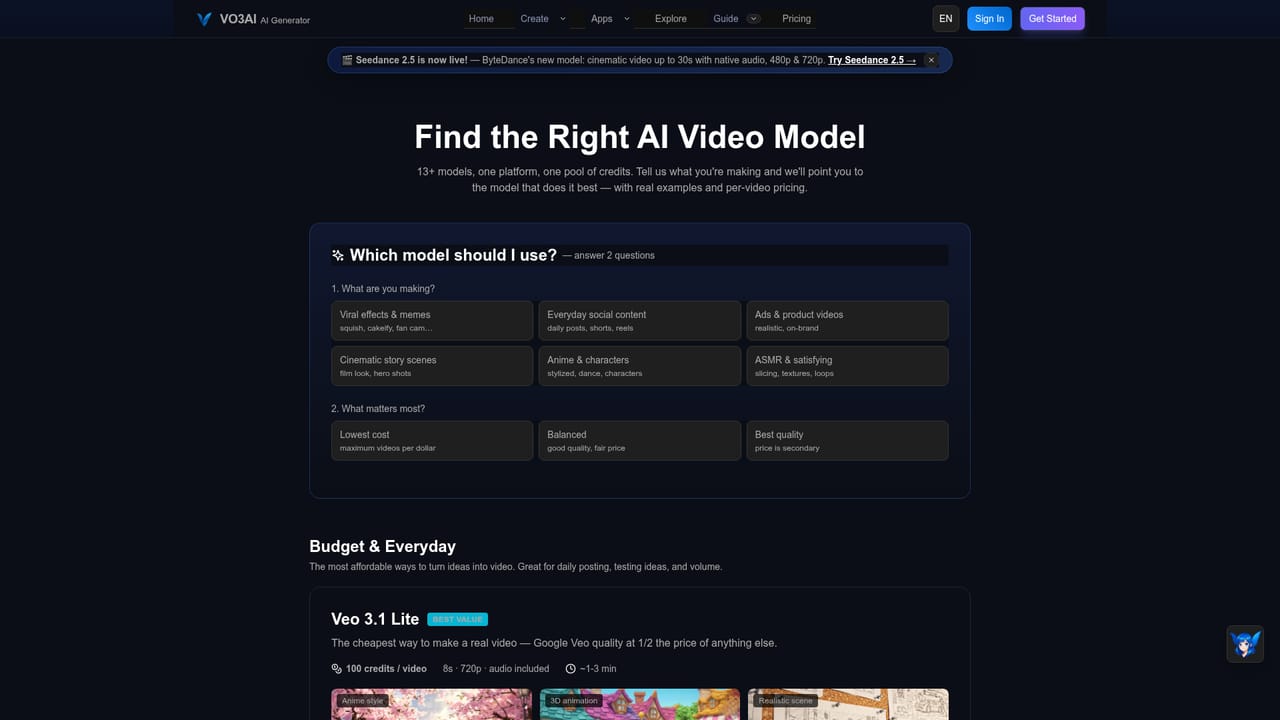
    Open the models page and compare credit cost per video, resolution and audio support. Cheaper tiers like Veo 3.1 Lite suit drafts; premium tiers cost several times more per clip.
    Vo3ai — Choose a model against your budget
  4. 4Let the agent or prompt optimizer refine the brief
    If the shot is vague, hand the idea to Vovoo. It plans the sequence, writes the prompts and selects a model, then returns options for refinement before generation.
    Vo3ai — Let the agent or prompt optimizer refine the brief
  5. 5Extend, merge and add audio
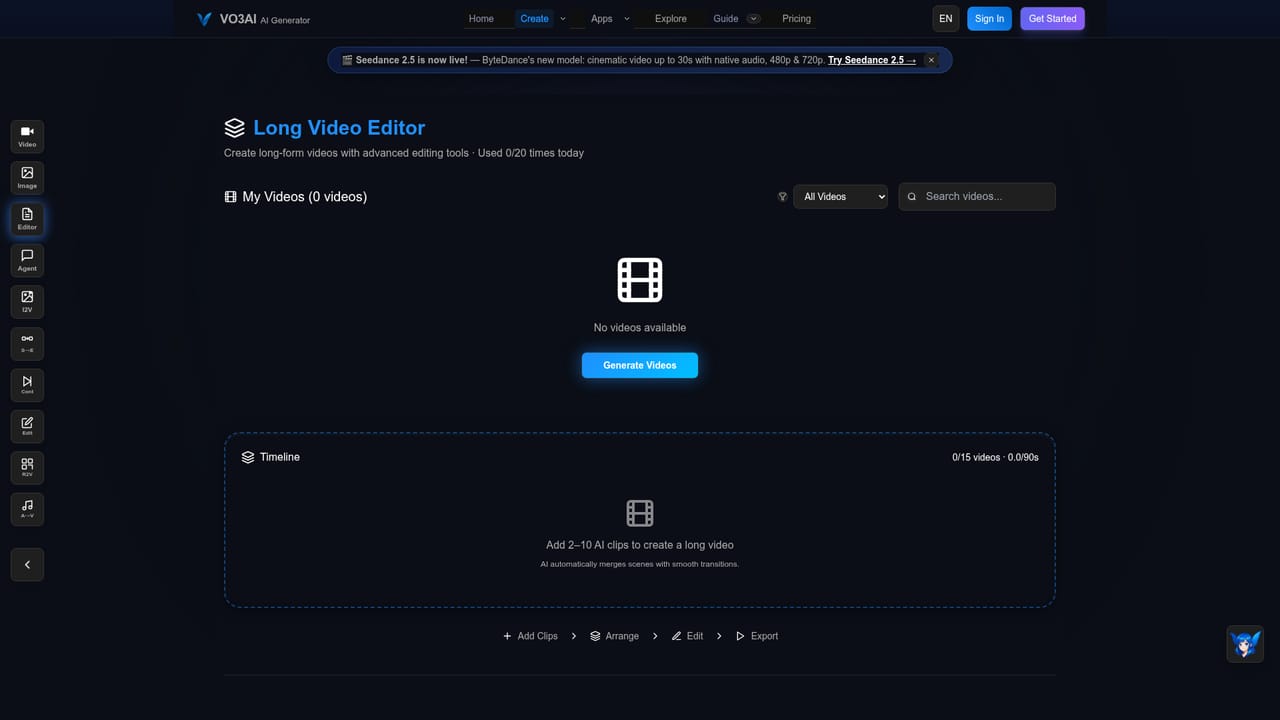
    Use Continue Scene to chain clips, the long video editor to trim and reorder on a timeline, and the voiceover tool for text-to-speech when the model does not produce native audio.
    Vo3ai — Extend, merge and add audio
  6. 6Download or share the finished video
    Export the result or use the share controls, which include privacy settings and SEO options on the higher plans.

Pros and cons

Pros

  • Several leading video models sit behind one interface, so users can trade cost against quality per shot rather than subscribing to each provider separatelyAI
  • Native synchronized audio on supported models removes a separate sound design step for talking or ambient clipsAI
  • Workflow tools go past one-off clips: scene continuation, first and last frame transitions, a timeline editor for longer cuts, and script to multi-scene videoAI
  • Templates for common commercial formats (brand promo, local ad, real estate tour) give non-specialists a starting point instead of a blank promptAI
  • The Vovoo agent handles prompt writing and model choice, which shortens the gap between an idea and a usable first draftAI

Cons

  • Credit consumption per generation adds up quickly during iteration, and model pricing varies widely, from 100 credits at the low end to 800 for cinematic tiersAI
  • The Lite and Basic plans default videos to public, so privacy requires paying for Max or aboveAI
  • Style and motion control rely on prompts and presets, which limits fine-grained direction for complex productionsAI
  • No API or third party integration is documented on the homepage, so automated or pipeline use is not an optionAI
  • Performance and output quality depend on underlying vendor models, meaning consistency across a campaign is not fully in the platform's handsAI

How much does Vo3ai cost?

Pricing

Subscription tiers Lite ($19.9 monthly, $17.8 billed annually), Basic ($39.9/$22.9), Max ($99.9/$83.25) and Studio ($249.9 monthly for teams), plus one-time credit packs. Per video costs run from 100 credits (Veo 3.1 Lite) to 800 (Veo 3.1 Pro). A double credits promotion is advertised.

Learn more

Support

Basic support is listed on Lite and Basic plans, priority support on Max, and priority team support plus dedicated account assistance on Studio. A 24/7 assistant called VO3 Bot handles prompt optimization and cost questions.

Learn more

Features

Text to video, image to video and reference guided generation across Veo 3.1, Sora 2, Kling 3.0, Seedance 2.5, Wan 3.0, MiniMax H3 and Gemini Omni. Includes an agent for planning and prompt writing, batch generation, scene splitting, scene continuation, first and last frame transitions, a timeline editor for 1 to 3 minute videos, AI voiceover, script to video, and dozens of effect templates.

Learn more

Frequently asked questions about Vo3ai

  • How much does Vo3ai cost?
    Subscription tiers Lite ($19.9 monthly, $17.8 billed annually), Basic ($39.9/$22.9), Max ($99.9/$83.25) and Studio ($249.9 monthly for teams), plus one-time credit packs. Per video costs run from 100 credits (Veo 3.1 Lite) to 800 (Veo 3.1 Pro). A double credits promotion is advertised.
  • How do you use Vo3ai?
    The walkthrough on this page covers 6 steps: 1. Create an account and open the studio 2. Describe the video or upload a starting image 3. Choose a model against your budget 4. Let the agent or prompt optimizer refine the brief 5. Extend, merge and add audio 6. Download or share the finished video.
  • What platforms does Vo3ai support?
    Vo3ai is available on Web App.
  • What are the limitations of Vo3ai?
    Credit consumption per generation adds up quickly during iteration, and model pricing varies widely, from 100 credits at the low end to 800 for cinematic tiers. The Lite and Basic plans default videos to public, so privacy requires paying for Max or above. Style and motion control rely on prompts and presets, which limits fine-grained direction for complex productions.

Status

StatusActive
Views0
Outbound clicks0
Added11/3/2026

Platforms

Web App

Pricing

FreemiumSubscriptionPaid