Pricing
The core vocal removal and isolation service is free to use, as stated on the homepage. A new version with better algorithms is currently available for subscribers only. No price points or plan tiers are published on the homepage.
Learn moreSplit any song into vocals and instrumental in about 10 seconds

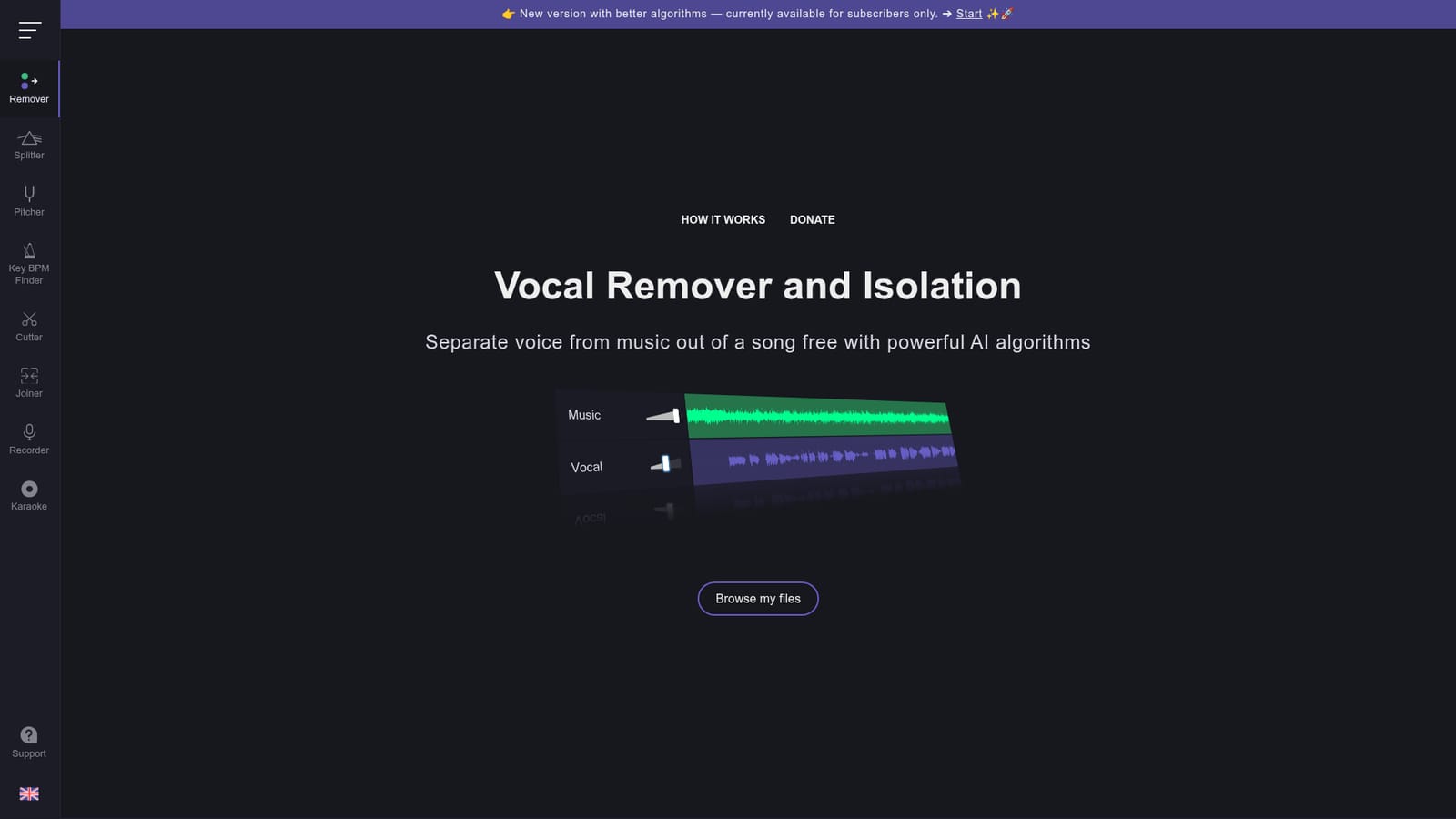
Vocalremover is an audio analysis tool. A free web tool that uses AI to split a song into a vocal free karaoke track and an isolated acapella track, typically in around 10 seconds. A subscriber version with improved algorithms is offered separately.
Vocalremover is a browser based audio tool that splits a song into two separate files: an instrumental track with the vocals taken out, and an isolated acapella track holding only the singing. It runs artificial intelligence algorithms on the uploaded audio rather than relying on simple phase cancellation, so the separation is cleaner than what basic stereo editing tricks produce. The homepage states that processing usually takes about 10 seconds, which puts it in the quick utility bracket rather than a full production suite. The workflow is deliberately narrow. A visitor picks a song through the file browser, waits for the AI pass to finish, and receives the karaoke version and the acapella version as two tracks. There is no mixer, no stem count selection and no editing timeline described on the homepage. That narrowness is the point: someone who wants a backing track for a karaoke night or a vocal sample to study gets a result without learning audio software. The tool suits hobbyists, karaoke hosts, music students and casual creators who need a quick vocal or instrumental extract. Because nothing about installation appears in the source material, the reasonable assumption is that it runs entirely in the browser, which keeps the barrier to entry low. A newer version with better algorithms exists at a separate address and is currently limited to subscribers, so the free tool and the improved engine are two distinct offerings rather than one product with a toggle. Where it fits among alternatives: it sits at the lightweight end of the stem separation market, competing with desktop applications and paid services that offer more stems and finer control. Vocalremover's claim is accessibility and cost rather than studio grade precision, and the homepage is explicit that the service is free despite the complexity and cost of running it. Users who need drums, bass and other stems separated, or who need the upgraded algorithm, will have to look at the subscriber version or elsewhere.

The core vocal removal and isolation service is free to use, as stated on the homepage. A new version with better algorithms is currently available for subscribers only. No price points or plan tiers are published on the homepage.
Learn moreAI driven separation of a song into two tracks: a karaoke instrumental with the vocals removed and an acapella track with the isolated vocals. Upload happens through a browser file picker, processing typically completes in about 10 seconds, and the free tool uses the standard algorithm while an improved algorithm is reserved for subscribers.
 AI Angels400+ customizable AI girlfriends for NSFW chat, voice calls, and roleplay
 Candy AIExperience the future of companionship with AI friends who chat, role-play, and connect with you on a human level.
 ourdream.aiA vast AI roleplay platform with millions of characters for chat, images, video and voiceAI Angels400+ customizable AI girlfriends for NSFW chat, voice calls, and roleplayCandy AIExperience the future of companionship with AI friends who chat, role-play, and connect with you on a human level.ourdream.aiA vast AI roleplay platform with millions of characters for chat, images, video and voice