Free trial
A 14-day free trial is stated in the site metadata and a free start button appears on the homepage. No card requirements or trial limits are described.
Learn moreAI calendar that voice-schedules tasks and gives you hours back
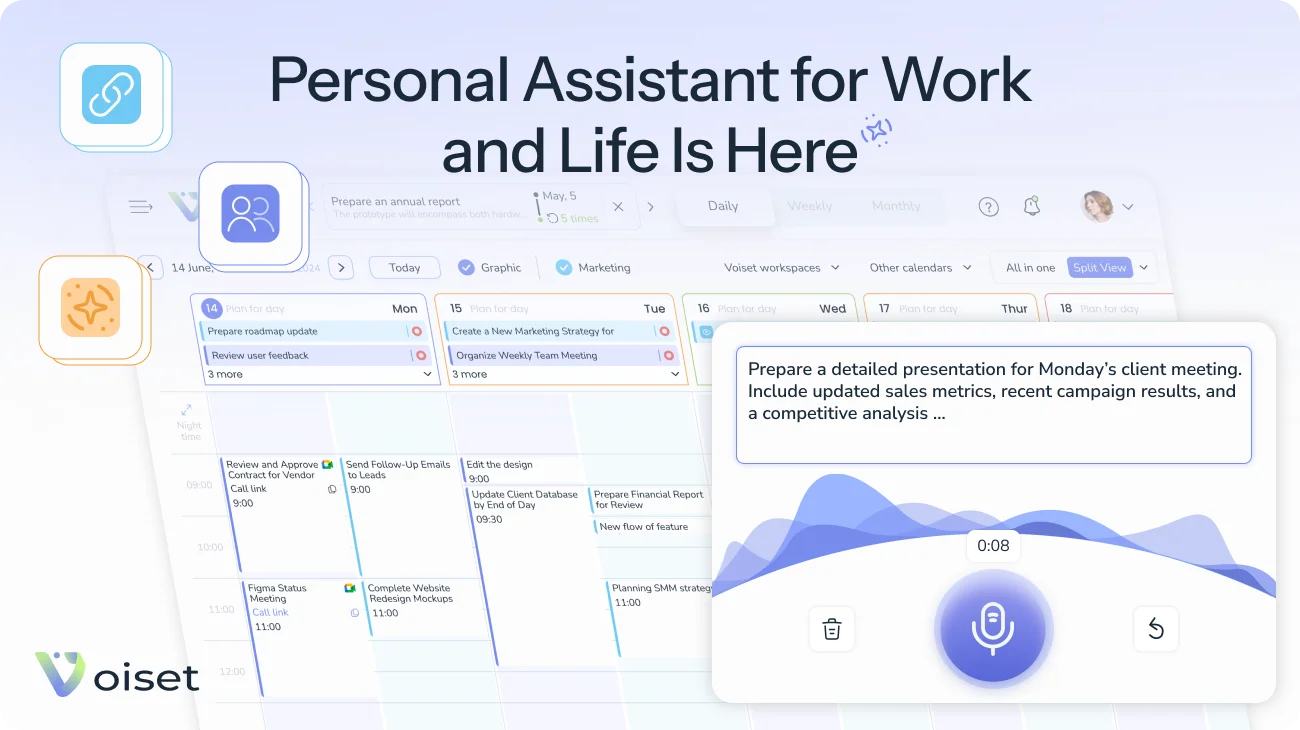
Voiset is an AI calendar that imports Google, Outlook, Zoom and ICS events, turns spoken or typed notes into scheduled tasks, and exposes free time through a shareable booking page. It adds team workflows, lecture notes and MCP access for AI agents, with a free trial available.
Voiset is an AI calendar and task manager built around the calendars people already use. It pulls events from Google Calendar, Outlook and Microsoft 365, Zoom, or any source that exposes an ICS link, then keeps them in one hub with separate workspaces so work and personal commitments stay visually apart. Users set each connection as read-only (Voiset only imports) or full sync (items created inside Voiset appear in the external calendar too), which means no migration is required to evaluate it. The planning layer is the core of the product. A note is treated as a task without a date: captured by typing or by pressing a button and speaking, it sits beside the calendar until the user converts it into a dated task with a priority, at which point the assistant finds a slot around existing meetings. The same logic drives a booking page that only exposes real free time, with the user choosing which workspaces are checked so client bookings cannot land during a school pickup or an appointment. Voice entry through the speech recognition feature is meant for planning between meetings or from a phone, and tasks can be shared by link with people who do not have an account. Scope goes beyond generic time blocking. Dedicated pages describe distribution of jobs across team members and locations for repair and installation crews, lecture capture and note taking for students, next-step suggestions and 5 to 15 minute subtask breakdowns for people with ADHD, and shared household planning for families. A roster of other verticals (small businesses, real estate, hospitality, freelancers, self-employed, accounting agencies) suggests an attempt to cover both private and client-facing scheduling in one tool. For automation-heavy users, Voiset runs an MCP server that exposes the calendar hub to agents such as Claude, ChatGPT, Grok and Muse, and a Telegram bot that sends a daily summary and meeting reminders. It sits in the same conversation as AI planners like Reclaim and Motion but leans harder on voice capture, booking links and no-account task sharing. The company reports 7,000+ users and positions the assistant's cost against a couple of cups of coffee.
A 14-day free trial is stated in the site metadata and a free start button appears on the homepage. No card requirements or trial limits are described.
Learn moreA public wiki and a contact page are linked from the site. No response times, live chat hours or support tiers are stated on the homepage.
Learn moreGoogle Calendar, Outlook and Microsoft 365, Zoom, any calendar via ICS link, Google Meet, Zoom and Microsoft Teams for online meetings, a Telegram bot, plus an MCP server for Claude, ChatGPT, Grok and Muse.
Learn moreCalendar hub with per-calendar read-only or full sync; AI scheduling of tasks and recurring plans; voice and text note capture with one-click conversion to dated tasks; shareable booking page with workspace filters; task links for people without accounts; time tracking; Telegram summaries and reminders; MCP server for Claude, ChatGPT, Grok and Muse; iOS and Android apps.
Learn more AI Angels400+ customizable AI girlfriends for NSFW chat, voice calls, and roleplay
 Candy AIExperience the future of companionship with AI friends who chat, role-play, and connect with you on a human level.
 ourdream.aiA vast AI roleplay platform with millions of characters for chat, images, video and voiceAI Angels400+ customizable AI girlfriends for NSFW chat, voice calls, and roleplayCandy AIExperience the future of companionship with AI friends who chat, role-play, and connect with you on a human level.ourdream.aiA vast AI roleplay platform with millions of characters for chat, images, video and voice


