Wardrobe AI

Personalised outfit ideas, imagined from photos of you

Beginner
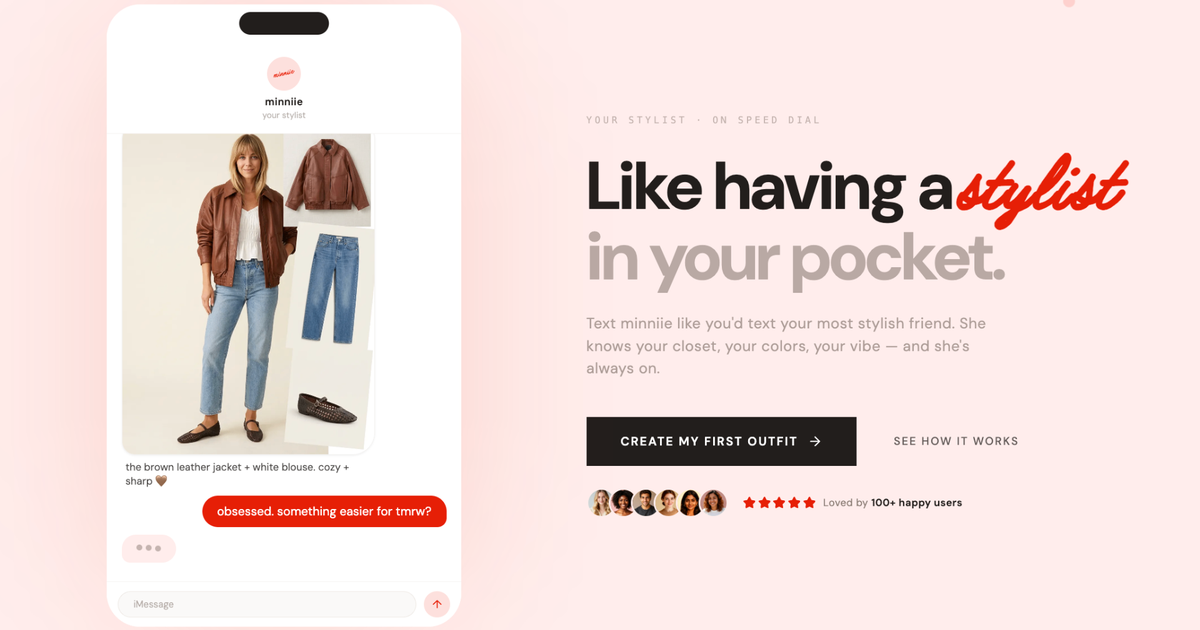
Screenshot of Wardrobe AI, Personalised outfit ideas, imagined from photos of you

What is Wardrobe AI?

Wardrobe AI turns ten photos of you into an AI generated wardrobe, then emails personalised outfit ideas each week based on your chosen colour palette and style. It is a beta stage styling tool for people who want fashion suggestions without visiting a stylist.

Wardrobe AI is a personal styling service that generates suggested clothing combinations from photographs of the user. Rather than browsing a catalogue and guessing how a garment might look, you hand the system a set of pictures of yourself and it produces imagery of outfits on your own likeness, then emails fresh style suggestions on a weekly rhythm. The setup is deliberately simple. You upload around ten photos of yourself, and the site asks for genuine variety across them: different poses, different facial expressions, different backgrounds. That variation is what gives the model enough material to render convincing results. Once the photos are in, you configure a colour palette and a wardrobe style, which steers the recommendations toward what you would actually wear. The output is a rotating set of looks, with examples on the site ranging from puffer jackets and hoodies to scarves, coats and dresses. It is aimed at people who find shopping for clothes tedious or who want a second opinion without booking a stylist. The weekly email format suits passive users who would rather receive ideas than go looking for them. Because the visuals are AI generated rather than photographs of real stock, the tool is best treated as a mood board and a starting point. The team says it tries to locate similar items in its own catalogue so that a suggested look can be bought, though the generated image itself is an approximation, not a guarantee of fit, fabric or exact shade. Wardrobe AI sits in the same space as AI styling assistants and outfit planners, and its distinguishing trait is the emphasis on your own face and body in the renders instead of generic model shots. The service is currently recruiting beta testers, so expect an early stage product. Privacy is addressed directly in the FAQ: uploaded images are passed to an external training service and then deleted, and generated images can be removed by the user at any time.

How do you use Wardrobe AI?

  1. 1Sign up as a beta tester
    Start from the homepage and join the beta tester list, which is the current route into the product while it is still in development.
  2. 2Upload around ten photos of yourself
    Submit roughly ten images. Vary your pose, facial expression and background in each one; the site states that variety gives the best results.
  3. 3Set your colour palette
    Pick the colours you actually wear so the recommendations stay within a range you would consider buying.
  4. 4Choose a wardrobe style
    Select the style direction the AI should follow. Together with the palette, this drives the personalised advice you receive.
  5. 5Review your weekly suggestions
    Outfit ideas arrive in your inbox each week. Look for similar items in the catalogue if you want to buy a look.
  6. 6Manage or delete generated images
    Use the delete button on any generated image you no longer want to keep, at any time.

Pros and cons

Pros

  • Personalised output built from your own photos rather than generic model imageryAI
  • Weekly email delivery means no need to log in and browse for ideasAI
  • Colour palette and style preferences are configurable before generation startsAI
  • Clear privacy answer: uploaded images go to an external training service and are then deletedAI
  • Users can delete generated images whenever they chooseAI

Cons

  • Currently in beta, so reliability and output quality are not yet settledAI
  • Weekly email is the main delivery channel, which gives little on demand controlAI
  • Generated clothing is an approximation, so fit, fabric and exact colour cannot be judgedAI
  • Ten varied photos are required, which is a real effort for anyone who rarely takes picturesAI
  • No pricing information is published on the site, leaving cost unknownAI

How much does Wardrobe AI cost?

Features

Upload about ten varied photos of yourself, set a colour palette and a wardrobe style, and the service generates outfit imagery on your likeness. New fashion styles are emailed weekly, similar items are sought in the catalogue so looks can be purchased, and generated images can be deleted by the user. Uploaded photos go to an external training service and are then deleted.

Frequently asked questions about Wardrobe AI

  • How do you use Wardrobe AI?
    The walkthrough on this page covers 6 steps: 1. Sign up as a beta tester 2. Upload around ten photos of yourself 3. Set your colour palette 4. Choose a wardrobe style 5. Review your weekly suggestions 6. Manage or delete generated images.
  • What platforms does Wardrobe AI support?
    Wardrobe AI is available on Web App.
  • What are the limitations of Wardrobe AI?
    Currently in beta, so reliability and output quality are not yet settled. Weekly email is the main delivery channel, which gives little on demand control. Generated clothing is an approximation, so fit, fabric and exact colour cannot be judged.

Status

StatusActive
Views0
Outbound clicks0
Added10/21/2026

Platforms

Web App

Pricing

Free