Free trial
Free credits are granted at sign-up so the try-on can be tested without payment. The homepage confirms no credit card is needed to start, but does not state how many free credits are given or how long they last.
Learn moreAI virtual try-on that swaps outfits in about 1 to 2 minutes.

Tryonr is a change clothes tool. Tryonr's AI clothes changer is a browser-based virtual try-on studio. Upload a person and a garment photo and get a photorealistic outfit swap in roughly 1 to 2 minutes, with fit options, multi-angle views and high-resolution output for e-commerce listings.
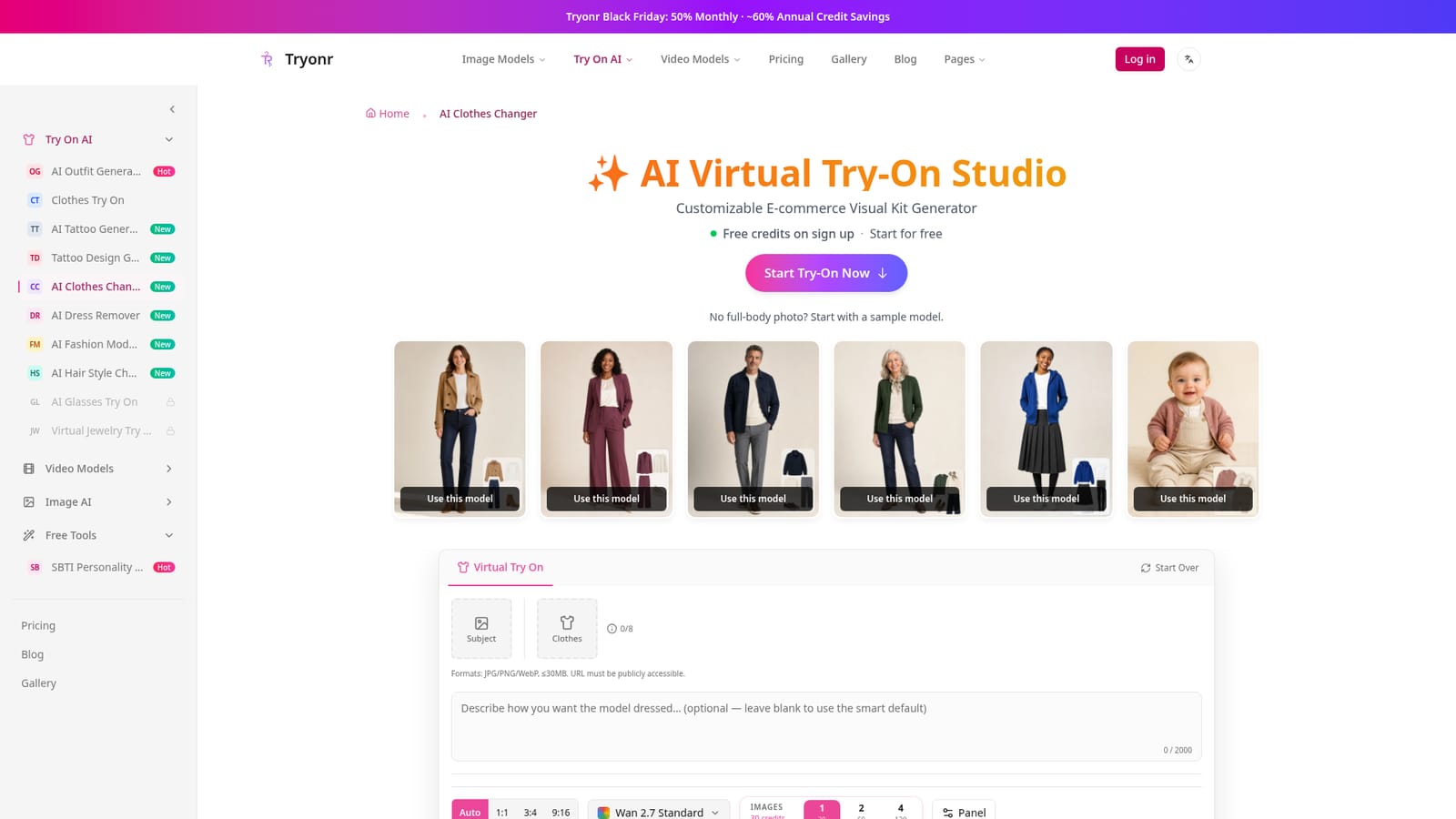
Tryonr is a browser-based AI clothes changer for virtual try-on. You supply two images, a person and a garment, and the tool returns a photorealistic image of that person wearing that piece. The engine accounts for body shape, pose and lighting, and renders fabric drape so the garment sits on the body rather than looking pasted on. Typical results arrive in about 1 to 2 minutes, though the site notes that busy queues can extend the wait. No download or installation is involved; the whole workflow runs in the browser on desktop, tablet or mobile. The product is built for two broad audiences. Shoppers can preview an item on themselves before buying, which cuts down on fit and style surprises and the returns that follow. Sellers and brands get a bigger payoff: product listings for Amazon, Shopify, Etsy and Taobao can be populated with model photos generated without a photographer, a model booking or a studio day. The site positions this against traditional shoots that cost hundreds per session and take days to arrange. A curated set of sample models is available for anyone who does not have a suitable full-body or front-facing photo. In practice the workflow is four steps: upload or pick a subject, upload the garment, generate, then download at high resolution. Beyond the basic swap, Tryonr supports fit adjustment (Standard, Relaxed or Oversized), multi-angle output including front, side and back views, and detail close-ups for listing galleries. Supported uploads are JPG, PNG or WebP up to 30MB, and images can also be supplied by public URL. Compared with shopping-specific try-on features from large platforms, Tryonr is a general-purpose studio tool: it accepts garments from any source rather than a single retailer catalog, and it is aimed at content production as much as personal preview. Results are generated with a chosen model version (Wan 2.7 Standard appears in the interface), and credits are consumed per generation. Content checks run before generation, and the site states that no credits are used if a check cannot be completed.
Free credits are granted at sign-up so the try-on can be tested without payment. The homepage confirms no credit card is needed to start, but does not state how many free credits are given or how long they last.
Learn moreTryonr uses a credit system: each generation costs 30 credits on the Wan 2.7 Standard model shown on the page. New accounts get free credits on sign-up, and no credit card is required to start. A Black Friday promotion advertises 50% off monthly plans and roughly 60% annual credit savings, but no standard plan prices are listed on the homepage.
Learn moreNo direct integrations are described. Output is a downloadable high-resolution image intended to be used in listings on Amazon, Shopify, Etsy, Taobao and similar platforms.
Core features include two-image virtual try-on with fabric-aware rendering, fit selection (Standard, Relaxed, Oversized), multi-angle and detail shots, high-resolution e-commerce output, sample models, a 30MB upload limit for JPG, PNG and WebP, public URL input, up to eight garment slots, and up to three concurrent tasks. A content check runs before generation.
 AI Angels400+ customizable AI girlfriends for NSFW chat, voice calls, and roleplay
 Candy AIExperience the future of companionship with AI friends who chat, role-play, and connect with you on a human level.
 ourdream.aiA vast AI roleplay platform with millions of characters for chat, images, video and voiceAI Angels400+ customizable AI girlfriends for NSFW chat, voice calls, and roleplayCandy AIExperience the future of companionship with AI friends who chat, role-play, and connect with you on a human level.ourdream.aiA vast AI roleplay platform with millions of characters for chat, images, video and voice